
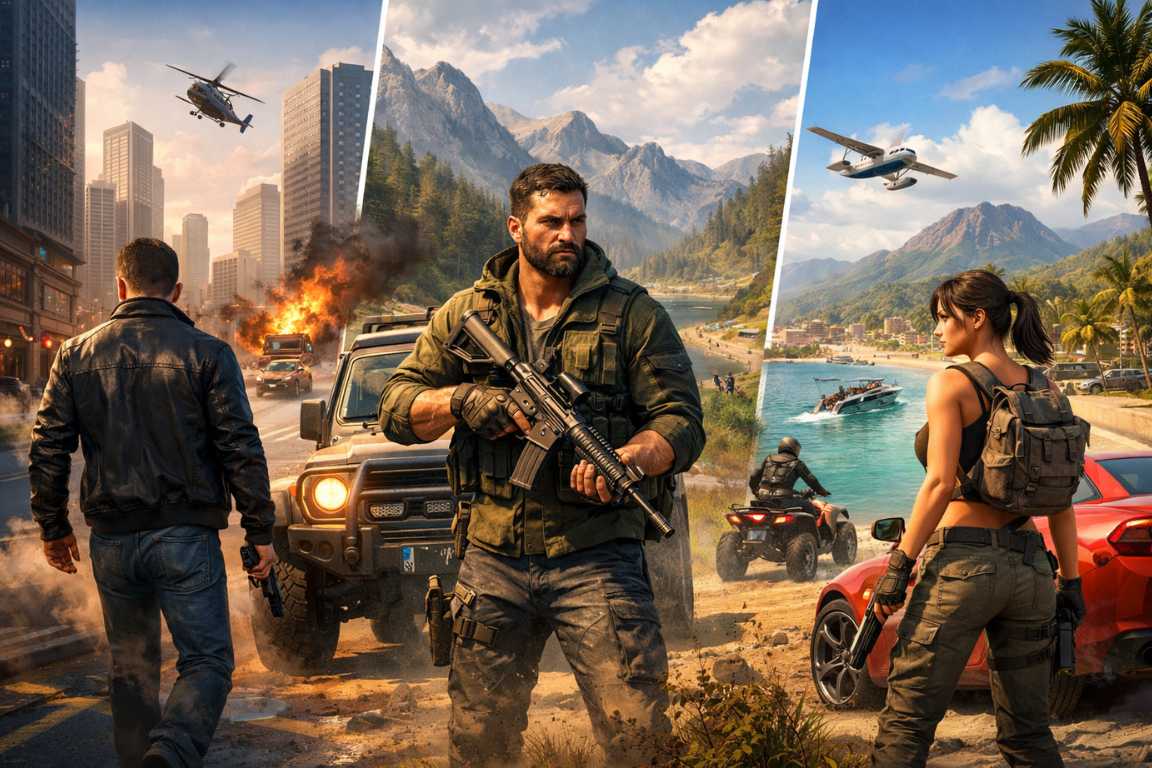
Few experiences in gaming match the sheer adrenaline of standing on a digital street corner. You see a sprawling city at your feet. No script limits your movement. Grand Theft Auto has long defined this gold standard. It captivates millions with its blend of narrative depth and systemic freedom. However, the modern shift toward always-online services can be a hurdle. Some players seek a pure single-player experience. You might be traveling or dealing with an unstable connection. Perhaps you simply want to escape the noise of multiplayer lobbies. The demand for Offline Games Like GTA remains incredibly high. Fortunately, several titles successfully capture the essence of the GTA formula. These games offer unique perspectives on the open-world genre while functioning perfectly without the internet. The magic of an open-world environment lies in its ability to transport you. You enter a living, breathing ecosystem. Unlike linear titles, these games offer autonomy. You forge your own story and discover hidden secrets. You tackle objectives at your own pace. When searching for GTA alternatives offline, we look for more than just a large map. We seek titles that replicate a specific sense of scale. We want robust driving mechanics and diverse mission structures. A world must feel reactive to your presence. The following selections provide exactly that. They offer hundreds of hours of exploration and action. You can enjoy every minute without a web connection. The Essential Elements of Open World Games What makes a game feel like Grand Theft Auto? It usually involves a mixture of urban exploration and vehicular freedom. You expect a high level of interaction with the environment. Players enjoy the ability to switch between intense combat and casual exploration. These open world games thrive on variety. One moment you are fleeing from the police. The next moment, you are buying new clothes or playing a mini-game. The best alternatives maintain this balance. They provide a sandbox where the player feels like the center of the world. They also provide a compelling reason to explore every alleyway and skyscraper. The Best Offline Games Like GTA to Play Right Now From neon-lit modern metropolises to the dusty trails of the Old West, the world of offline gaming is rich. These titles echo the best elements of the Rockstar Games classics. They offer deep campaigns and expansive maps. Let us dive into the top choices for your next offline session. Mafia: Definitive Edition Step into the Prohibition era with Mafia: Definitive Edition. This title is a meticulously rebuilt classic. It captures the atmosphere of 1930s America perfectly. While it follows a more structured path than a traditional sandbox, it remains a masterpiece. The game tells a powerful, cinematic story. You follow Tommy Angelo as he rises within the Salieri crime family. The city of Lost Heaven serves as a stunning backdrop. It provides a rich sense of history and place. Developers added incredible detail to the streets and buildings. The driving feels appropriately heavy for the era. The gunplay feels visceral and dangerous. If you value narrative depth and a serious exploration of organized crime, this is a superb choice. The Definitive Edition updates the original 2002 gameplay. It introduces modern mechanics and breathtaking visuals. You can explore the city in “Free Ride” mode. This allows you to discover hidden cars and collectibles at your leisure. The game focuses on atmosphere and storytelling. It avoids the distractions of modern live-service titles. You get a complete, polished experience from start to finish. Sleeping Dogs: Definitive Edition For players who enjoy visceral combat, Sleeping Dogs: Definitive Edition is essential. It features a gripping undercover story set in Hong Kong. You play as Wei Shen, an officer infiltrating the Sun On Yee Triad. The game differentiates itself with a fluid martial arts combat system. It emphasizes environmental takedowns over simple gunplay. You can shove enemies into phone booths or hang them on meat hooks. The city feels alive and crowded. Night markets glow with neon signs. High-stakes street racing circuits weave through the hills. It remains one of the most underrated GTA alternatives offline. The Definitive Edition includes all previous downloadable content. This adds new story missions and outfits. The game excels at making you feel like an action movie star. You can jump from one moving vehicle to another. You can engage in massive brawls in crowded restaurants. The story explores the blurred lines between duty and crime. It offers a unique cultural perspective that feels fresh and exciting. Watch Dogs 2 Watch Dogs 2 takes the open-world concept and adds high-tech ingenuity. It presents a colorful rendition of San Francisco. You play as Marcus Holloway, a brilliant hacker. He fights against a corrupt surveillance state known as ctOS. The game retains the freedom of a city-based sandbox. However, it trades overt violence for creative problem-solving. You can manipulate traffic lights to cause pile-ups. Piloting drones allows you to scout enemy territory, and you can even hijack vehicles remotely to create distractions.. It is a refreshing, modern take on the genre. It rewards player creativity and stealth. The tone of Watch Dogs 2 is lighthearted and vibrant. The characters are hackers who want to expose the truth. The world is full of satirical commentary on social media and big tech. You can customize Marcus with hundreds of clothing items. The world feels reactive to your hacking. Every NPC has a digital footprint that you can exploit. This adds a layer of depth that most other games lack. Saints Row: The Third Remastered If you prefer chaos and irreverence, look no further than the Saints Row series. Saints Row: The Third Remastered is a perfect example. Earlier games in the series started as grounded crime dramas. However, the franchise eventually embraced a wild, over-the-top identity. You lead the Third Street Saints against rival gangs and a paramilitary group. The missions are absurd and hilarious. You might find yourself skydiving into a penthouse party. You might use a tank to cause millions in property
New Games Beginner Mistakes: Master Your Gameplay Today
Stepping into a new digital world is often met with high expectations and a sense of wonder. Whether you are exploring a vast open-world RPG, competing in a fast-paced hero shooter, or managing a complex civilization in a strategy title, the initial hours are critical. However, that initial excitement can quickly vanish if you find yourself struggling against mechanics you do not quite understand. Most frustrating hurdles are not the result of poor game design, but rather New Games Beginner Mistakes made during the first few hours of play. Every seasoned player has a history of avoidable blunders that hindered their progress. By recognizing these patterns early, you can transition from a struggling novice to a capable player with far less friction. This guide explores the most prevalent common errors and offers actionable strategies to help you navigate those crucial first hours, transforming potential setbacks into milestones of mastery. The modern gaming landscape is more complex than ever before. Developers often layer systems upon systems, creating a deep experience that rewards long-term engagement. While this depth is great for longevity, it creates a steep learning curve that can lead to numerous beginner pitfalls. The goal of this article is to provide you with the tips necessary to flatten that curve. By understanding the underlying logic of game design and the psychology of early-game challenges, you will be better equipped to handle whatever the virtual world throws at you. Let us dive into the specifics of how to refine your approach and ensure your next gaming venture is a resounding success. Identifying Common Hurdles in the Early Game New games, regardless of their genre, present unique challenges that can overwhelm even experienced players if they approach them with too much haste. For newcomers, these challenges are often magnified, leading to a cycle of repeated failures. Identifying these common errors is the first step toward overcoming them. From neglecting essential instructions to mismanaging vital in-game assets, these early missteps can significantly impact your overall progression and enjoyment. One of the most overlooked aspects of starting a new title is the “rush mentality.” Many players feel the need to reach the “end game” as quickly as possible, skipping over the foundational skills that make the end game achievable. Another major hurdle is the misunderstanding of game difficulty. Many players interpret a difficult encounter as a sign that they are playing “wrong,” when in reality, the game might be trying to teach a specific mechanic. If you find yourself dying repeatedly to the same boss, it is rarely a matter of being bad at the game; it is usually a sign that you have fallen into one of the standard beginner pitfalls, such as ignoring a defensive mechanic or failing to upgrade your equipment. Learning to read the game’s feedback is a skill that separates veterans from novices. The Consequence of Skipping Tutorials It is often tempting to jump directly into the action, bypassing what might feel like tedious introductory segments. However, tutorials are specifically crafted to introduce core mechanics, controls, and nuanced gameplay concepts. Skipping them is one of the most frequent New Games Beginner Mistakes a player can make. In the modern era, tutorials are often integrated into the narrative, making them feel less like a classroom and more like a prologue. Even so, the urge to skip dialogue and tooltips remains high. First, tutorials provide vital information. They often explain unique systems, character abilities, or environmental interactions that are not immediately obvious through trial and error alone. For instance, a game might have a “parry” system that is essential for survival, but if you skip the tutorial, you might spend hours trying to dodge attacks that are meant to be deflected. Second, they familiarize you with control schemes. Every game has a distinct layout, and mastering these early prevents mechanical errors during high-stakes moments. Ultimately, these initial lessons lay a necessary foundation for understanding the complex strategies you will need later in the game. Do not view the tutorial as a barrier to the fun; view it as the toolkit that enables the fun. Effective Resource Management to Avoid New Games Beginner Mistakes Whether you are dealing with in-game currency, limited-use items, or skill points, effectively managing your resources is paramount. Many beginners squander these assets early on, only to find themselves at a severe disadvantage during later, more difficult stages. This is one of the most persistent common errors because the value of a resource is often not apparent until it is gone. In the first few hours, the game might shower you with gold or potions, leading to a false sense of security. In role-playing games, for example, allocating skill points without a clear plan can lead to an underpowered character that struggles against standard enemies. You might invest points into a variety of different trees, becoming a “jack of all trades, master of none.” While versatility is good, most games require a degree of specialization to overcome late-game challenges. Similarly, in strategy titles, overspending on basic units can leave your base vulnerable to mid-game threats. Learning to conserve and strategically deploy your resources is a habit that translates across all genres. Always consider the long-term impact of your immediate spending decisions. A common piece of advice among pros is to save your “rare” consumables for bosses or difficult bottlenecks rather than using them on trash mobs. Furthermore, inventory management is a resource in itself. Many players suffer from “hoarding syndrome,” where they pick up every piece of junk they find, leading to encumbrance or a cluttered UI. Learning what to keep, what to sell, and what to discard is a vital skill. Beginners often overlook the importance of clearing their bags before a major mission, leading to frustrating moments where they must leave valuable loot behind. Developing a system for inventory maintenance early on will save hours of headache in the long run. The Benefits of Exploration and Secondary Objectives While a compelling main story can make
Low-End Games Beginner Mistakes: A Performance Guide
There is a unique and enduring satisfaction in discovering a game that prioritizes substance over style. Whether it is a pixel-art indie gem or a classic title from a bygone era, low-end games offer deep mechanics and nostalgic charm without requiring a high-priced graphics card. However, many players approach these titles with the wrong mindset, leading to technical frustrations and missed opportunities. By identifying Low-End Games Beginner Mistakes and adjusting your approach, you can transform a stuttering experience into a seamless and rewarding journey. Many players assume that because a game looks simple, it will naturally run perfectly, but the reality of software optimization is far more complex. The world of low-spec gaming is vast, encompassing everything from 90s CRPGs to modern “boomer shooters” and complex strategy simulations. To navigate this landscape effectively, one must understand that “low-end” is a relative term. What was high-end fifteen years ago is now the baseline, yet the way these games interact with modern operating systems can create unexpected hurdles. This guide aims to provide tips and strategies to ensure your hardware is never an obstacle to your enjoyment. Understanding Your System: The Foundation of Performance A frequent error among newcomers is assuming that a low-end label means a game will run on any device regardless of its age or condition. While these titles are certainly more accessible, they still possess specific hardware requirements that should not be ignored. Jumping into a game without checking your specifications often leads to preventable performance issues like lag, stuttering, or total system crashes. This is one of the most common mistakes seen in the community today. Neglecting System Specifications Even older titles have minimum requirements for RAM and processor speed. Before installing, take a moment to compare your hardware against the developer recommendations. Integrated graphics chips, while much improved in recent years, still have limits that need to be respected. For instance, a game might require 4GB of RAM, but if your system only has 4GB total, the operating system will consume nearly half of that, leaving the game starved for resources. Always look for the “Recommended” specs rather than just the “Minimum” to ensure a stable framerate. Overlooking Background Processes A low-end system has limited resources to distribute. Running a web browser with dozens of open tabs, heavy background applications, or even communication software like Discord while gaming can cripple your frame rate. Each open program competes for CPU cycles and memory. Closing unnecessary software ensures your processor can focus entirely on the game. Modern Windows environments are particularly notorious for background telemetry and update services that can spike CPU usage at the most inconvenient times. Outdated Drivers and Compatibility Layers Many players forget that even integrated graphics solutions require updated drivers. Manufacturers frequently release patches that improve compatibility and performance for specific titles. Furthermore, when playing classic games on modern versions of Windows 10 or 11, you might encounter beginner errors related to DirectX versions. Utilizing compatibility layers or wrappers like dgVoodoo2 can often bridge the gap between old API calls and modern hardware, significantly improving stability. Avoiding Low-End Games Beginner Mistakes in Settings Default configurations are rarely optimized for the lowest end of the hardware spectrum; they are usually designed for a hypothetical middle-ground system. Sticking with these presets is a significant mistake that can lead to an unplayable experience. To achieve a smooth 60 frames per second, you must be willing to dive into the options menu and customize your settings. Many players fear that lowering settings will ruin the game, but in many low-end titles, the visual difference is negligible compared to the performance gains. Prioritize Resolution Adjustments Running a game at your monitor’s native resolution (such as 1080p or 1440p) is ideal for high-end rigs, but it is often the biggest performance drain on older hardware. Resolution dictates the number of pixels your GPU must calculate for every single frame. Dropping the resolution slightly—for example, from 1920×1080 to 1280×720—can result in a massive boost to your frames per second. In older or stylized games, the slightly softer image often adds to the aesthetic rather than detracting from it. Manage Shadow and Lighting Quality Shadows are surprisingly resource-intensive because they require the computer to calculate light paths and occlusions in real-time. In many low-end titles, dynamic shadows consume a large portion of your processing power. If you are experiencing “chugging” in open areas, disabling shadows or lowering their quality to the minimum can stabilize your performance instantly. Static lighting is far less taxing than dynamic, real-time lighting, so look for settings that bake lighting into the environment. Disable Unnecessary Anti-Aliasing While anti-aliasing (AA) smooths out jagged edges, it is a luxury that low-end systems can rarely afford. Techniques like MSAA or SSAA are incredibly heavy on video memory. For many pixel-based or older 3D games, the visual improvement is minimal compared to the significant performance cost. If you must have some edge smoothing, look for post-processing AA methods like FXAA, which have a much lower performance impact, though they may introduce a slight blurriness to the image. Texture Quality and VRAM Limits Texture quality is often tied directly to the amount of Video RAM (VRAM) your system possesses. If you set your textures too high, the system swaps data between the GPU and the much slower system RAM, causing massive ‘hitch’ moments during gameplay.. Lowering texture quality usually has the smallest impact on framerate but the largest impact on consistency and the elimination of micro-stuttering. Strategic and Mechanical Pitfalls Beyond the technical side, beginner gameplay mistakes can hinder your enjoyment.Low-end games, particularly those from the early 2000s or complex indie projects, often demand more attention to detail than modern, streamlined blockbusters. They often lack the “quality of life” features we have come to expect, meaning the player must take more responsibility for their progress. The Danger of Skipping Tutorials and Lore Older titles rarely feature the extensive hand-holding or “quest markers” found in modern gaming. Skipping a tutorial or ignoring dialogue

iPhone Games for Low-End Devices: Best Lightweight Picks
Owning an older smartphone does not have to limit your entertainment options. While modern flagship titles push the boundaries of mobile hardware, a massive selection of iPhone Games for Low-End Devices exists for users with older models. You do not need the latest Pro Max version to enjoy high-quality gaming. Many developers prioritize optimization to ensure their creations reach the widest possible audience. This guide helps you navigate the App Store to find titles that run smoothly on your hardware without causing lag or overheating. The mobile gaming landscape often highlights heavy 3D titles with console-quality graphics. However, lightweight iOS games offer deep mechanics and engaging stories without the massive system requirements. Whether you use an iPhone 6S, an original SE, or an iPhone 8, you can still access thousands of hours of fun. By understanding how to pick the right titles, you turn your older device into a dedicated gaming machine. This article explores the best categories and optimization tips for users managing a low RAM iPhone. The Technical Realities of a Low RAM iPhone To find the best games, you must understand why some apps struggle on older hardware. The primary bottleneck for most older Apple devices is Random Access Memory (RAM). A low RAM iPhone has less space to store active game data. When a game exceeds this capacity, the operating system forcibly closes the app. This leads to the frustrating “crashes to home screen” that many users experience. Modern games often require 4GB of RAM or more, while older models may only have 1GB or 2GB. Processor speed also plays a vital role. The CPU and GPU in older A-series chips handle calculations and visual rendering. High-fidelity games demand constant calculations for lighting, shadows, and physics. Older chips heat up quickly when they reach their limits. Thermal throttling occurs when the phone slows itself down to prevent damage from heat. This results in dropped frame rates and stuttering. Choosing lightweight iOS games avoids these issues because they require fewer cycles from the processor. Storage space is the final hurdle. Modern titles frequently take up 5GB to 10GB of space. For users with 32GB or 64GB devices, one large game can consume the entire remaining capacity. Smaller, optimized games usually stay under 500MB. This allows you to keep a diverse library of games on your phone without deleting your photos or essential apps. Top Categories for iPhone Games for Low-End Devices When searching for iPhone Games for Low-End Devices, certain genres stand out for their efficiency. These genres rely on smart design rather than raw power to entertain the player. Puzzle and Logic Games Puzzle games represent the pinnacle of mobile optimization. Most puzzle titles use static backgrounds or simple 2D animations. These elements require very little memory. Logic puzzles, match-three games, and physics-based challenges provide endless replayability. Since these games do not require real-time reactions or complex 3D environments, they are perfect for a low RAM iPhone. You can play them for hours without significant battery drain. Retro-Style Platformers The “pixel art” aesthetic is more than just a stylistic choice. It is a highly efficient way to deliver great visuals. Developers use small sprites and limited color palettes to create vibrant worlds. Platformers that mimic the 8-bit or 16-bit era run exceptionally well on older hardware. These lightweight iOS games focus on precision jumping and tight controls. They deliver a nostalgic experience that feels native to the mobile format. Strategy and Card Battlers Strategy games often prioritize deep systems over flashy graphics. Turn-based mechanics are especially friendly to older processors. The device only needs to calculate moves when you take an action. This gives the hardware time to “breathe” between turns. Digital card games also fall into this category. While they may have some visual effects, the core gameplay remains very light on system resources. These titles offer significant depth for players who enjoy tactical thinking. Endless Runners and Arcade Hits The arcade genre thrived on the iPhone since the early days of the App Store. Endless runners use procedural generation to create paths, which saves storage space. These games usually feature simple art styles and fast-paced mechanics. They provide instant gratification and are designed for short sessions. Because they are so well-optimized, they maintain high frame rates even on aging hardware. Identifying High-Performance Lightweight iOS Games How do you know if a game is truly lightweight before hitting the download button? You can look for several “green flags” in the App Store listing. First, check the “Information” section for the download size. Any game under 200MB is likely very well-optimized. Smaller file sizes mean fewer high-resolution textures that would otherwise clog up your RAM. Second, examine the screenshots. Look for 2D graphics, hand-drawn art, or minimalist designs. Avoid games that boast “ultra-realistic 3D graphics” or “complex shaders.” These marketing terms usually signal a high demand for processing power. Minimalist games often look better on older screens anyway because they do not rely on high pixel densities to look sharp. Third, read the compatibility list. If the developer explicitly lists support for older iOS versions or older device generations, they likely spent time optimizing the code. Lightweight iOS games often support several versions of iOS, showing the developer cares about accessibility. Finally, check recent reviews from users with similar devices. If people mention smooth performance on an iPhone 7 or 8, the game is a safe bet for your low-end device. Optimizing Your Device for a Better Experience Even the best iPhone Games for Low-End Devices perform better when you prepare your hardware. You can take several steps to free up resources for your gaming sessions. These small changes make a noticeable difference in frame stability and loading times. Clear Background Apps: Before you launch a game, swipe up to close all other applications. This ensures that your low RAM iPhone dedicates every megabyte of memory to the game. Manage Your Storage: Keep at least 10% of your total storage capacity free. iPhones use free

Android Games for Time Pass: Best Casual Picks for Fun
Modern life often presents us with small gaps of time that feel unproductive. You might find yourself waiting for a bus, sitting in a quiet doctor’s office, or enduring a long daily commute. These moments used to feel like wasted time. However, the rise of mobile technology has changed how we handle these intervals. Your smartphone is no longer just a communication tool. It is now a portable gateway to thousands of entertainment options. Finding the right Android Games for Time Pass can transform a boring wait into an engaging mental break. This guide explores the diverse world of mobile gaming to help you find the perfect titles for your lifestyle. The Google Play Store contains a massive library of software. This variety can feel overwhelming if you do not know what to look for. Developers create casual android games specifically to fit into the busy schedules of modern users. These games do not require hours of dedication. Instead, they offer quick sessions that provide immediate satisfaction. Whether you have two minutes or twenty, there is a game designed just for you. This article will dive deep into the best genres, mechanics, and features that make a mobile game a perfect companion for your leisure hours. The Growing Popularity of Casual Android Games Why do millions of people choose casual android games over more complex titles? The answer lies in accessibility and design. Most high-end console games require a significant learning curve. They often demand complex button combinations and deep story knowledge. In contrast, casual mobile titles focus on simplicity. You can usually understand the core mechanics within seconds of opening the app. This low barrier to entry makes them ideal for a wide audience. People of all ages can enjoy these experiences without feeling frustrated by difficult controls. Accessibility also refers to hardware. You do not need the most expensive flagship phone to enjoy games for free time. Most developers optimize these titles to run smoothly on budget and mid-range devices. This inclusivity ensures that everyone can participate in the fun. Furthermore, the “pick-up-and-play” nature of these games fits perfectly with the way we use our phones. We often check our devices in short bursts. A game that allows you to pause and resume instantly is far more valuable than one that requires long, uninterrupted sessions. Top Categories of Android Games for Time Pass When searching for Android Games for Time Pass, it helps to categorize them by how they engage your brain. Different moods require different types of play. Sometimes you want a challenge, and other times you just want to relax your mind. Here are the most effective categories for killing time effectively. Engaging Puzzle Games: A Mental Workout Puzzle games remain a top choice for players who want to stay productive while they relax. These games stimulate the brain and improve problem-solving skills. They offer a sense of accomplishment that other genres might lack. When you solve a difficult level, your brain releases dopamine. This creates a rewarding cycle that keeps you coming back during every break. Match-Three Adventures: This sub-genre is perhaps the most famous in the mobile world. Players must align three or more similar icons to clear them from a grid. While the basic idea is simple, developers add layers of complexity. You might encounter obstacles like frozen blocks or limited move counts. These additions turn a simple task into a strategic challenge. You must plan your moves carefully to trigger massive chain reactions. This type of play is perfect for short bursts of activity. Logic and Brain Teasers: If you enjoy testing your intelligence, logic puzzles are an excellent choice. These games often involve spatial reasoning or mathematical patterns. Some ask you to connect lines without crossing them. Others might require you to move blocks to free a specific object. These titles provide a focused mental workout. They help you sharpen your focus and improve your cognitive flexibility between daily tasks. Hidden Object Scenarios: These games offer a much slower and more meditative pace. You explore beautifully illustrated scenes to find specific items hidden in the environment. This genre rewards patience and keen observation. Many hidden object games also include light storytelling elements. These stories give you a reason to move from one scene to the next. They provide a relaxing escape from the stresses of real life. Arcade and Endless Runner Games: High-Energy Fun Sometimes you do not want to think too hard. You might just want to test your reflexes and enjoy some fast-paced action. This is where arcade games and endless runners shine. These are some of the most popular games for free time because they offer instant excitement. Endless Runners: In an endless runner, your character moves forward automatically. Your job is to swipe or tap to avoid obstacles, jump over gaps, and collect rewards. The game only ends when you make a mistake. The goal is usually to beat your previous high score or reach a new distance. Because each round is unique and relatively short, these games are highly addictive. They provide a perfect “one more try” feeling that makes time fly by. Classic Arcade Style: These games draw inspiration from the coin-operated machines of the past. They usually focus on a single, simple mechanic. You might be shooting bubbles, bouncing a ball, or stacking blocks as high as possible. The simplicity is the primary draw. You can start a game in seconds and quit just as quickly. These titles are ideal for situations where your attention might be interrupted at any moment. Simulation and Management: Build Your Virtual World Simulation games provide a different kind of engagement. Instead of quick reflexes or fast puzzles, they offer long-term growth. You can manage a virtual farm, a bustling restaurant, or even an entire city. These games allow you to be the boss of your own digital domain. They are excellent Android Games for Time Pass because they provide a sense of progress over days or weeks.
Best Offline Games Without Ads for Uninterrupted Play
Most mobile users have experienced the frustration of a perfectly timed jump or a critical story beat being shattered by a loud, irrelevant advertisement. While many games are technically free to download, they often come at the cost of your attention, your data, and your patience. In an age of digital noise, finding a moment of peaceful entertainment can feel like a quest in itself. This is the primary appeal of offline games without ads. They offer a serene escape. These titles allow for a truly immersive experience that remains consistent regardless of your internet connection. Whether you are navigating a long commute, traveling through areas with spotty service, or simply seeking a digital detox, a library of ad-free titles is your ticket to a superior gaming experience. In this guide, we explore why these games matter and which titles offer the best smooth offline play. Why Choose Ad-Free Offline Games? The desire for gaming without constant bombardment is about more than just avoiding annoyance. It is about preserving the quality of your leisure time. Choosing ad-free offline games transforms your mobile device into a dedicated entertainment hub. It becomes a tool ready to deliver high-quality experiences whenever you choose. You do not need to rely on a server or a marketing algorithm to enjoy your favorite hobby. Instead, you gain complete control over your digital environment. Uninterrupted Gameplay The most immediate benefit is the complete absence of interruptions. No more hunting for small exit buttons or waiting through thirty-second countdown timers. Now, you can fully immerse yourself in the game world. This lack of distraction allows for deeper concentration and a more profound sense of flow. When a game flows naturally, the challenges feel more rewarding and the victories feel earned rather than bought. Data and Battery Conservation Ads often require an active connection to load. They consume mobile data even when you play a game that works offline. By eliminating ads, you conserve precious data. This is vital for those on limited plans or international travelers. Furthermore, the constant background activity of fetching and rendering video ads is a significant drain on battery life. Ad-free titles inherently contribute to longer play sessions by reducing this technical overhead. Your phone stays cooler and your battery lasts much longer. Enhanced Focus and Immersion A well-designed game pulls you into its narrative or strategic challenges. Advertisements act as a harsh reminder of the outside world. They break the spell and make it harder to re-engage with the mechanics. Ad-free experiences foster greater focus. They allow you to appreciate the artistry and design without external distractions. You can listen to the original soundtrack and notice the small visual details that developers worked hard to include. Reliable Performance Anywhere The essence of an offline game is that it functions perfectly without a signal. This provides unparalleled freedom. You can play on airplanes, in remote locations, or during network outages. Because the game does not need to pause to communicate with an ad server, the performance remains smooth and consistent. You will notice fewer frame drops and faster loading times when the software does not have to juggle advertising scripts in the background. Top Categories of Offline Games Without Ads The world of offline games without ads is diverse. It spans nearly every popular genre. Many developers understand the value of a premium experience. They offer their titles as paid apps to ensure a high-quality user journey. This business model supports the creator while respecting the player. Here is a breakdown of the best genres for those seeking a pure experience. Puzzle Games: Brain Teasers for All Ages Puzzle games are a perfect fit for ad-free play. Their design requires deep concentration. A sudden interruption can ruin a complex thought process. Premium puzzle titles deliver elegant challenges without digital clutter. They allow you to solve problems at your own pace without a ticking clock that only pauses for a commercial break. Monument Valley: This title offers breathtaking optical illusion puzzles. It features beautifully designed worlds inspired by M.C. Escher. Its serene atmosphere remains preserved because it is entirely ad-free. Players focus on unique architectural challenges and a touching narrative without any pop-ups. Threes: This is a simple yet addictive number puzzle. Its minimalist design shines without interference. It is an excellent choice for quick, engaging sessions during a commute. Because it lacks ads, the interface remains clean and the battery drain is minimal. The Room Series: These escape-room style games offer tactile and atmospheric experiences. The ad-free environment is crucial for maintaining the eerie ambiance. Players focus on intricate contraptions and hidden compartments. The lack of ads ensures that the tension remains high from start to finish. Baba Is You: This unique puzzle game allows you to change the rules of the game by interacting with blocks. It requires intense logical thinking. Having no ads means you can stare at the screen and plan your next move for as long as you need without distraction. Role-Playing Games (RPGs): Epic Adventures RPGs are known for expansive worlds and deep narratives. To truly lose yourself in a fantasy land, ads are a major detriment. Many high-quality RPGs offer complete, ad-free packages for mobile. These games often provide dozens or even hundreds of hours of gameplay for a single price. Stardew Valley: This farming and life simulation RPG allows you to build a homestead. You can interact with charming characters and explore mysterious mines. Its relaxing gameplay is perfectly suited for uninterrupted sessions. The developer regularly updates the game with new content, all without adding advertisements or microtransactions. Star Wars: Knights of the Old Republic: This is a classic RPG revered for its compelling story. It features impactful choices and iconic characters. Having this epic adventure available for offline play without ads is a dream for fans. It provides a full console-quality experience on a mobile device. Chrono Trigger: Often hailed as one of the greatest RPGs of all time, its mobile port offers the complete
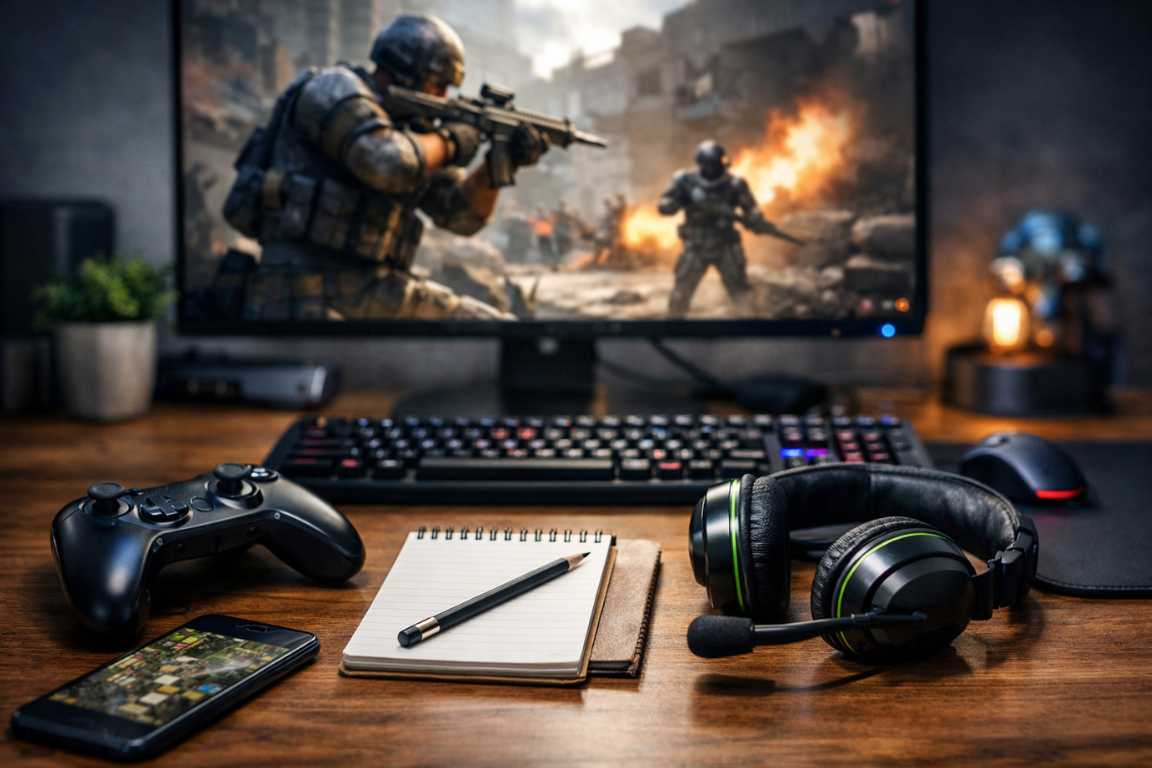
New Games Skill Boost Tips: Master Your Gameplay
The initial rush of launching a new game is often followed by a sobering realization: the learning curve is steeper than expected. Whether you are navigating a sprawling open world or competing in a high-stakes tactical shooter, the gap between a novice and a master is defined by more than just hours played. To truly excel, you must approach each new title with a blend of mechanical discipline and strategic foresight. This guide on New Games Skill Boost Tips provides a roadmap to accelerating your progress, offering actionable strategies to sharpen your performance and help you dominate the digital landscape from day one. By implementing these methods, you will find that your ability to adapt to new mechanics becomes significantly more efficient, allowing you to stay ahead of the competition and enjoy the experience to its fullest potential. Understanding the Core Mechanics: Your First Skill Boost Before attempting high-level maneuvers, you must establish a rock-solid foundation by mastering the game’s fundamental mechanics. Many players skip tutorials in their eagerness to reach the endgame, but this often leads to bad habits that are difficult to break later. Proficiency begins with a deep dive into the basics. You cannot expect to utilize advanced gameplay tips if you have not yet mastered the simple movements that govern your character or unit. Every game has a unique internal logic, and identifying this logic early on is the fastest way to gain an advantage over those who are simply “winging it.” Start by customizing your controls until they feel like an extension of your own movements. Spend time in low-pressure environments, such as training modes or early-game areas, to build muscle memory for essential actions. Beyond physical inputs, take the time to study the User Interface and Heads-Up Display. Understanding where your resources, cooldowns, and navigation markers are located at a glance allows you to keep your focus on the action rather than the menus. This situational awareness is a critical component for anyone looking to improve skills in a competitive environment where every second counts. Engage Deeply with Tutorials: Do not just click through them. Aim to understand the logic behind every mechanic introduced. Often, tutorials hide subtle nuances about movement speed or resource regeneration that become vital in late-game scenarios. Study the Internal Encyclopedia: Many modern titles include lore and item descriptions that reveal hidden interactions or mechanical depth. These descriptions can provide clues on how to stack certain bonuses or avoid specific debuffs. Refine Your Settings: Small adjustments to control sensitivity or field of view can provide an immediate boost to your comfort and reaction time. Do not settle for default settings if they do not suit your physical setup or personal preferences. The Power of Deliberate Practice Simply playing for long hours will not lead to significant improvement if the time is spent aimlessly. To see a real transformation in your abilities, you must engage in deliberate practice. This involves identifying specific areas of weakness and isolating them for intensive training. It is the difference between playing a hundred matches and practicing a specific recoil pattern for thirty minutes. The latter will almost always yield better results in the long run. When you focus your energy on a single aspect of play, your brain can form the necessary neural pathways much faster than it would during the chaos of a live match. Instead of focusing on winning every match, focus on improving one specific skill per session. If your aim is inconsistent, dedicate time to target drills. If you struggle with movement, practice navigating complex terrain without stopping. By breaking down complex gameplay into manageable parts, you build a more resilient skill set that holds up under pressure. This methodical approach is one of the most effective performance tricks used by professional players across various genres, from fighting games to real-time strategy titles. Applying New Games Skill Boost Tips to Your Routine Effective improvement requires clear, measurable objectives. Rather than a vague desire to get better, set goals that are specific and time-bound. For example, aim to increase your accuracy percentage by five points over a week or master a specific character combo by the end of a session. Tracking these small victories provides the momentum needed to tackle larger challenges. When you see progress in black and white, it reinforces your commitment and makes the grind feel rewarding rather than tedious. Furthermore, it is important to categorize your goals into short-term and long-term targets. A short-term goal might be learning the map layout of a new level, while a long-term goal could be reaching a specific rank in a ladder system. By balancing these objectives, you ensure that you are making progress on multiple fronts simultaneously. This structured growth is a cornerstone of the New Games Skill Boost Tips methodology, ensuring that no part of your gameplay is left behind as you advance. Analyzing Your Gameplay for Maximum Growth Self-analysis is one of the most effective ways to identify the errors you do not notice in the heat of the moment. Use built-in replay tools to watch your previous sessions from a neutral perspective. Look for patterns in your mistakes: are you being caught out of position? Are you wasting your most powerful abilities too early? Learning from your own footage is often faster than learning through trial and error alone. When you are playing, your brain is occupied with execution; when you are watching, your brain can focus entirely on strategy and critique. While reviewing your footage, pay close attention to the moments just before you failed. Often, the mistake that led to a loss occurred thirty seconds before the actual defeat. It might have been a poor resource choice or a failure to check a mini-map. Identifying these “root cause” errors is how you truly improve skills. Over time, you will start to recognize these situations in real-time, allowing you to course-correct before the mistake becomes fatal. Mindset and Strategy: Beyond Raw Mechanics Technical skill is only
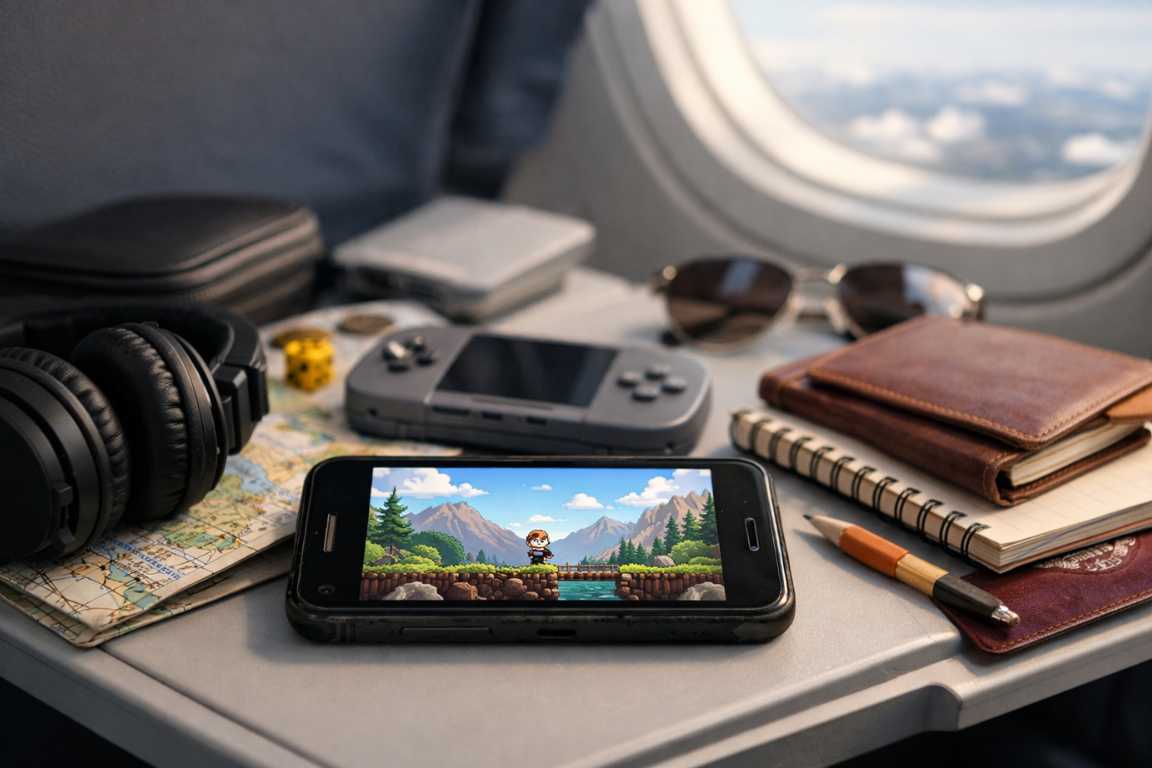
Low-End Games for Travel Guide: Best Offline Gaming Tips
The thrill of a new destination is often separated from the traveler by long hours of transit—moments where the world outside the window remains static and the digital world becomes our primary escape. Whether you are navigating a transatlantic flight or a cross-country train ride, reliable entertainment is essential. However, high-fidelity gaming often comes at the cost of battery life and a requirement for constant connectivity. This is where this Low-End Games for Travel Guide becomes your most valuable resource. These titles are designed to run smoothly on modest hardware, offering deep and engaging experiences without the technical hurdles of modern blockbusters. In this extensive guide, we will explore why these games are the superior choice for the modern nomad and how you can optimize your setup for maximum enjoyment. The concept of low-end gaming has evolved significantly over the last decade. It no longer implies a compromise in quality or depth. Instead, it refers to architectural efficiency. A well-designed game can provide hundreds of hours of entertainment while consuming a fraction of the processing power required by a triple-A title. This efficiency is the cornerstone of travel gaming. When you are 30,000 feet in the air or tucked into a sleeper car on a rail line, the last thing you want is a device that overheats or a battery that drains in less than an hour. By focusing on low-spec titles, you ensure that your journey is filled with adventure, regardless of the hardware you carry in your backpack. Why Offline Low-End Games Are Travel Essentials When traveling, consistent internet access is a luxury rather than a guarantee. Public Wi-Fi in terminals can be unreliable or insecure, and mobile data is often expensive or unavailable in remote areas. Using offline low-end software is an indispensable part of a traveler’s toolkit because these games remove these barriers entirely. They are built to function in isolation, ensuring your entertainment is never interrupted by a dropped signal or a login screen that refuses to load. Furthermore, because these games are less demanding on a device’s processor, they significantly extend battery life—a crucial advantage when you are far from the nearest charging station. Battery Efficiency: Low-spec games require less power from the GPU and CPU, allowing your device to last through the duration of a long-haul flight without needing a power bank. Independence from Connectivity: Enjoy seamless gameplay on airplanes, in tunnels, or in remote regions without cellular service, avoiding the frustration of “always-online” DRM. Universal Compatibility: These titles perform reliably on older smartphones, budget tablets, and lightweight ultraportable laptops alike. Storage Preservation: Smaller file sizes leave more room on your device for travel photos, maps, and essential travel documents. Thermal Management: Low-end games generate less heat, making them more comfortable to play on your lap or in handheld mode during warm commutes. Beyond the technical benefits, there is a psychological advantage to these types of travel games. Traveling can be stressful, involving tight schedules and crowded spaces. Low-end games often feature stylized art, calming soundtracks, and gameplay loops that encourage flow states. This can be significantly more relaxing than the high-stress, competitive environments found in many modern online shooters. Whether it is a pixel-art farming simulator or a minimalist puzzle game, the aesthetic simplicity often translates to a more peaceful travel experience. The Appeal of Simplicity and Strategy The strength of low-end travel games often lies in their focus on core mechanics rather than visual spectacle. By moving away from resource-heavy graphics, developers can prioritize puzzles, narrative depth, and strategic complexity. This ensures that the player remains captivated by the quality of the challenge itself. From intricate logic puzzles to immersive turn-based strategy games, these experiences prove that profound entertainment does not require a high-end graphics engine to be effective and memorable. Consider the genre of “Roguelike” games. These titles often use 2D graphics or simple 3D models but offer infinite replayability through procedurally generated levels. For a traveler, this is the gold standard. You can play the same game for the entirety of a trip from London to Tokyo and never see the same level twice. The depth of strategy required to master these games provides the mental stimulation needed to make a twelve-hour flight feel like three. Similarly, management sims allow you to build and oversee complex systems—cities, theme parks, or space stations—all within the constraints of low-spec hardware requirements. The Best Tips for Discovering and Enjoying Travel Games Selecting the right games for your journey involves more than a quick visit to an app store. To ensure a smooth experience, it is important to look for titles with high replayability and a balance between challenge and relaxation. Before departing, always verify that your chosen games actually function without a data connection. One of the best tips for any digital nomad is to curate a diverse library before you even leave your house. Research and Reviews: Seek out titles specifically praised for their offline depth and performance on modest hardware. Look for “Potato PC” or “Legacy Device” compatibility lists. Pre-Trip Testing: Open the game at home while your device is in airplane mode to confirm it functions correctly without a signal. Some games require a one-time activation that must be done while connected to the internet. Genre Variety: Maintaining a mix of puzzle games, card-based adventures, and classic arcade titles will keep your options fresh during a long trip. You don’t want to get “burned out” on a single mechanic. Controller Compatibility: If you are using a tablet or phone, check if the game supports a Bluetooth controller. This can make the experience much more ergonomic during long sessions. Update Management: Disable auto-updates for your games once you are on the move. There is nothing worse than a game refusing to launch because it wants a 2GB patch while you are on limited roaming data. Another crucial element of the best tips for travel gaming involves physical comfort. If you are playing on a laptop, ensure you have a
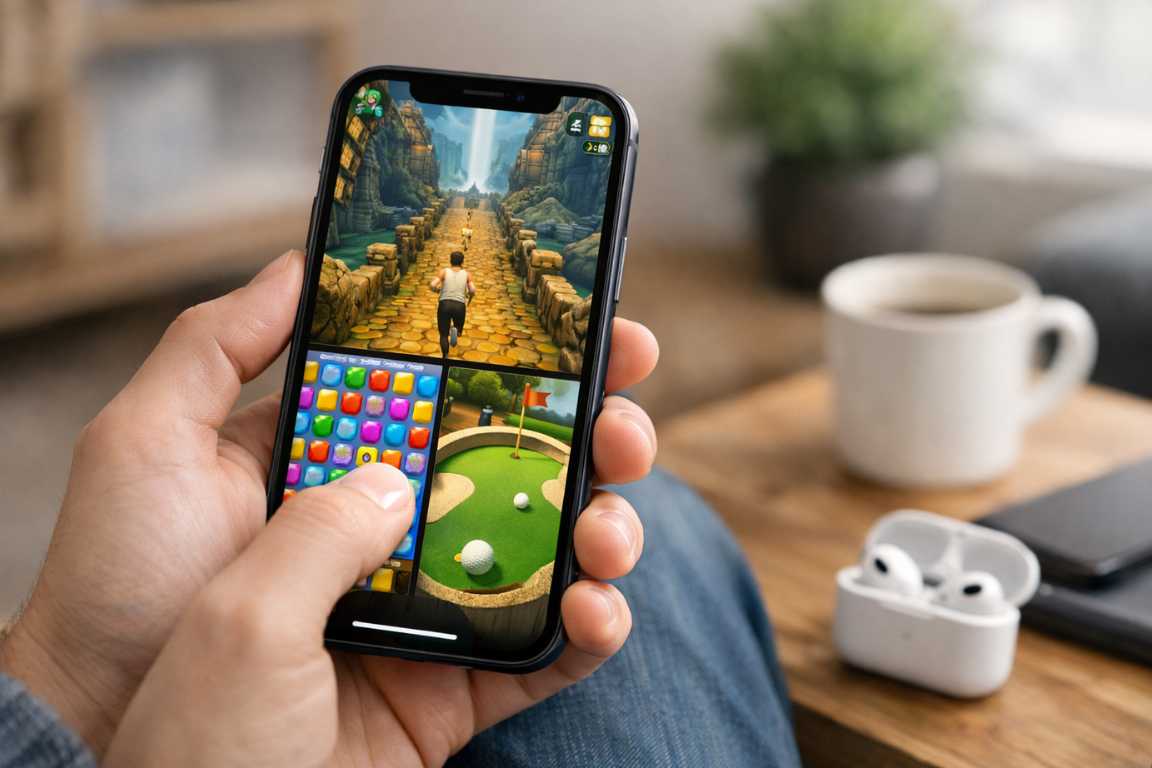
iOS Games for One-Hand Play: The Essential Guide
We use our iPhones everywhere. You might use yours on a crowded subway or while carrying a morning coffee. Perhaps you check it during those few quiet minutes between meetings. In these moments, the luxury of two-handed gaming rarely exists. This reality has sparked a significant shift in mobile design. This shift led to a growing library of high-quality iOS Games for One-Hand Play. These titles offer more than just a distraction. They provide immersive experiences through intuitive controls. These controls fit perfectly into the flow of a busy lifestyle. This guide explores the vibrant landscape of one-hand iOS games. We will highlight the design principles that make them successful. You will also learn how to find the perfect titles for your personal collection. In the modern era of mobile technology, searching for high-quality iOS Games for One-Hand Play has become a common necessity for busy users. Mobile devices have grown larger over the years. This growth makes traditional two-handed gaming difficult in public spaces. Developers have responded by creating casual games that prioritize accessibility. These games allow you to maintain full control with just a single thumb. This evolution represents a sophisticated understanding of how people actually use their phones. It is no longer about making a game smaller. It is about making a game smarter for the human hand. The Appeal of iOS Games for One-Hand Play: Convenience Meets Fun The primary draw of these games is their unparalleled convenience. Modern life often demands multitasking. Requiring both hands to engage with a screen creates an impractical barrier. These games built with an understanding of real-world constraints allow players to dive into high-quality entertainment. You can do this without pausing your other activities. The tap-and-swipe control schemes are not merely a concession to accessibility. They represent a gaming philosophy. This philosophy prioritizes immediate engagement and ease of use. This makes casual games more appealing than ever before. Consider the daily commute. You might need one hand to hold a railing or a bag. A one-hand iOS game allows you to enjoy a full gaming experience in this restricted space. You do not have to sacrifice gameplay depth for this convenience. Many developers now build complex systems that require only simple inputs. This balance of simplicity and depth defines the current gold standard for mobile entertainment. Effortless commuting is just one benefit. You can navigate public transit safely while keeping one hand free for support. You can also manage your belongings without stopping your game. Seamless multitasking becomes a reality. You can enjoy a gaming session while sipping a drink or walking a pet. Some players even manage light household tasks while progressing in their favorite titles. This flexibility ensures that gaming fits into your life rather than forcing you to change your schedule. Enhanced comfort also plays a significant role in this trend. Holding a phone with two hands for long periods can lead to wrist fatigue. One-hand iOS games allow for a more relaxed and natural posture. You can shift the weight of the device and change your grip easily. This ergonomic benefit becomes especially important during extended gaming sessions. Finally, these games offer instant gratification. Most titles feature short and impactful bursts of play. They serve as the perfect companion for quick breaks throughout your day. These games transform mundane intervals into opportunities for entertainment. They remove the friction often associated with more complex mobile titles. Unlocking Seamless Gameplay: Characteristics of Great One-Hand Games A great one-hand game differs significantly from a frustrating one. Smart design prioritizes ergonomics without sacrificing depth. The best titles minimize the need for wide thumb stretches. They also avoid complex gestures that require a second hand for stability. Developers achieve this through several foundational design principles. When you look for iOS Games for One-Hand Play, you should notice these specific traits. Tap-based interactions represent the most intuitive method. This allows players to navigate menus or launch attacks with simple and precise taps. High-quality casual games often center their entire loop around this single action. Refined swipe mechanics also improve the experience. Smooth gestures for movement or navigation often stay in the lower half of the screen. This ensures every action stays within the natural reach of your thumb. This area is often called the thumb zone. Keeping critical buttons in this zone prevents hand strain. Minimal UI clutter is another hallmark of great design. A clean interface ensures that vital information and buttons sit strategically. This reduces the need to reposition your hand during critical moments. Portrait orientation is perhaps the most important factor. Games designed natively for portrait mode are inherently better for one-hand use. The vertical form factor of the iPhone optimizes this specific grip. It feels natural and secure in the palm. Strategic simplification also moves the focus of the game. The underlying mechanics may remain deep and complex. However, the input methods stay streamlined. This shifts the focus from manual dexterity to decision-making and timing. You spend less time fighting the controls and more time solving the challenges. This intelligent design allows the controls to fade into the background. The player can focus entirely on the game world. The Top Genres for iOS Games for One-Hand Play The casual games genre is where one-hand play truly flourishes. These games prioritize pick-up-and-play accessibility. They also feature short session lengths. These traits make them a natural fit for single-hand interaction. However, many other genres have adapted to this style of play. Let us look at how different categories handle the one-hand requirement. Engaging Puzzle Adventures Puzzles represent the most successful category for one-hand play. These games are often turn-based or static. They reward thought over rapid movement. This makes them perfect for one-hand iOS games. Match-3 games, logic puzzles, and digital crosswords allow players to strategically drag elements. You can move items across the screen at your own pace. The intellectual challenge remains high. However, the physical requirement stays minimal and satisfying. Developers often place the puzzle board in

Best Android Horror Games: Top Scary Mobile Titles
There is a specific, visceral kind of dread that only a handheld screen can provide. While a television maintains a safe distance across a room, a smartphone demands your full attention just inches from your face. This intimacy has allowed mobile horror to evolve from simple, pixelated jump scares into a sophisticated genre. Today, developers define the genre through psychological depth and technical prowess. The Best Android Horror Games offer atmospheric storytelling and high-fidelity graphics that rival traditional console experiences. These titles turn a simple commute or a quiet night at home into a heart-pounding ordeal that lingers long after you turn off the screen. The immersive nature of horror android games stems from the tactile connection between the player and the device. When you hold the source of the terror in your own hands, the boundaries between the game and reality begin to blur. Modern smartphones possess the processing power to deliver complex soundscapes and lighting effects. These features were impossible just a few years ago. By utilizing a pair of headphones, players thrust themselves into a 360-degree auditory nightmare. Every floorboard creak feels dangerously close in these scary games. Defining the Best Android Horror Games of 2024 Key factors contributing to this immersion include immersive audio and tactile interaction. Binaural sound design ensures that whispers and footsteps appear to come from specific directions. This heightens the sense of vulnerability for the player. Touchscreens allow for a more direct connection to the environment. The act of slowly turning a door handle or searching through a drawer feels intensely personal. Portability also plays a massive role. The ability to play in total darkness, isolated from the outside world, allows the game’s atmosphere to take full control. Independent developers frequently experiment with unique features of mobile hardware. They create fresh ways to frighten their audience through haptic feedback and gyroscope controls. The Google Play Store serves as a home to a vast library of titles. However, only a few stand out for their ability to deliver consistent tension and high-quality gameplay. Whether you prefer the slow burn of a psychological thriller or the frantic energy of a survival chase, the following titles represent the pinnacle of mobile terror. Psychological Thrillers: The Art of Unsettling the Mind Psychological horror relies on what you cannot see. It uses atmosphere and narrative to create a lingering sense of unease. These games challenge your perception of reality. They leave you questioning the safety of your surroundings long after the session ends. Forgotten Memories This title is a masterclass in atmospheric horror. It blends classic survival mechanics with a deeply disturbing narrative. Players explore a desolate asylum filled with mannequins and haunting memories. The game utilizes a third-person perspective to create a sense of claustrophobia. You must manage your flashlight battery while solving intricate puzzles. The lighting engine creates shadows that dance on the walls, making every corner feel suspicious. Forgotten Memories remains one of the Best Android Horror Games due to its high production values and chilling voice acting. Eyes – The Horror Game Though it features terrifying entities, the true horror lies in the feeling of being hunted. You explore a labyrinthine mansion while collecting artifacts. Tension builds steadily as you avoid an unseen pursuer. The game uses a unique mechanic where you can “see” through the eyes of the monster for a brief moment. This provides a glimpse of your own location from the predator’s perspective. It is a terrifying way to realize just how close the danger has become. Many fans consider it one of the most replayable scary games on the platform. The Ghost This cooperative experience puts players in a haunted hospital or high school. The pressure of solving puzzles while a malevolent entity stalks the halls creates a suffocating environment. You must work with your teammates to find an exit. However, the ghost can pick you off one by one if you stray too far from the group. The proximity-based voice chat adds another layer of realism. Hearing your friend’s scream fade into the distance as a monster drags them away provides a chilling thrill. It is a standout among horror android games for social players. Survival Horror Masterpieces: Strategy Under Pressure In survival horror, your resources remain limited and your enemies stay relentless. These games are not just about being scared. They require you to manage your inventory and make split-second decisions to stay alive. The stress of resource management adds a heavy layer of dread to the gameplay loop. Dead by Daylight Mobile This asymmetrical multiplayer game has become a cultural phenomenon. One player takes on the role of a powerful killer. Four others must coordinate to repair generators and escape. It is a high-stakes game of hide-and-seek that rewards both strategy and bravery. The mobile version translates the intense action of the PC original perfectly. You can choose from various iconic horror movie killers. Each killer possesses unique abilities that force survivors to change their tactics constantly. The heartbeat mechanic alerts you when the killer approaches, creating a physical sensation of panic. Identity V Identity V features a striking gothic art style reminiscent of a Tim Burton film. It offers a similar asymmetrical experience to Dead by Daylight but adds its own unique lore. The character designs are haunting, featuring button eyes and stitched skin. Each survivor has a specific backstory that connects to the mysterious Manor. The game updates frequently with new maps and hunters, keeping the meta fresh. Its visual flair makes it one of the most aesthetically pleasing horror android games available today. Granny A viral sensation for a reason, Granny is a pure stealth-horror experience. You are trapped in a house and must find a way out without making a sound. Granny hears everything you do. If you drop a vase or step on a creaky floorboard, she will come running. The simplicity of the premise only makes the gameplay more nerve-wracking. You spend much of your time hiding under beds