

The clock ticks slowly. Whether you are stuck on a long-haul flight, enduring a protracted layover, or simply navigating a cross-country train, those stretches of travel time can quickly turn into monotonous voids. The widespread nature of modern travel means that finding reliable ways to pass the time is more important than ever. But what if your pocket-sized device could transform into an endless source of captivating entertainment, ready to whisk you away to new worlds at a moment’s notice? Your iPhone or iPad is more than just a communication tool; it is a powerful portable arcade, brimming with a universe of engaging experiences. This comprehensive iOS Games for Travel Guide is crafted to help you unlock that potential, navigating the vast array of options to ensure you have the perfect digital companion for every leg of your journey. Prepare to keep your spirits high and your mind active, discovering gripping narratives, mind-bending puzzles, and strategic challenges—all playable even without an internet connection. Why iOS Games Are Your Best Travel Companions When you are on the move, reliable internet access often becomes a luxury, rather than a certainty. This is precisely where offline games truly shine, offering uninterrupted mobile entertainment that adapts to your journey. The beauty of the iOS ecosystem lies in its robust selection of high-quality titles that often boast stunning graphics, immersive gameplay, and deep replayability, many of which are specifically designed to function flawlessly without Wi-Fi or cellular data. Choosing the right travel games means you can conserve your precious data plan, avoid spotty connections, and dive into a world of fun, whether you are soaring above the clouds or cruising down the highway. The convenience and quality make them indispensable. Uninterrupted Entertainment: Travel often comes with unpredictable internet blackouts or areas with no signal. Offline iOS games provide reliable, continuous fun, ensuring you can play anytime, anywhere, regardless of internet availability. This offers peace of mind and consistent engagement. Data Saving: Constantly relying on mobile data for gaming can quickly deplete your allowance, leading to costly overage charges or the need to purchase expensive roaming packages. Opting for offline travel games helps you avoid costly roaming charges or exceeding your data cap, saving your data for essential communication or navigation. Portability: Your iPhone or iPad is already your constant companion, making it the most convenient and readily available entertainment hub. There’s no need to pack additional gadgets or worry about extra weight, making it a seamless part of your travel gear. Diverse Genres: The iOS App Store boasts an incredible variety of genres. From quick casual fixes that fill a few minutes to deep, immersive epics that can consume hours, there is a game for every mood, every attention span, and every type of traveler. This ensures your mobile entertainment never grows stale. Essential Considerations for Choosing Travel Games Before you fill your device with games, it is wise to consider a few factors specific to travel that will optimize your experience. These considerations go beyond just gameplay and focus on the practicalities of gaming on the go. Offline Capability: This is arguably the most crucial factor. Always prioritize games that explicitly state they can be played offline. While many games allow this, it’s vital to double-check and even test them by putting your device in airplane mode before you depart. Battery Consumption: Longer play sessions demand careful battery management. Opt for less graphically intensive games or those with simplified visuals for extended play sessions. High-fidelity 3D games can be battery hogs, so balance visual appeal with the longevity of your device’s charge. Storage Footprint: Modern games can be quite large, especially expansive RPGs or adventure titles. Check file sizes to ensure you have enough space on your device, particularly if you have an older model or a large library of photos and videos. You may need to offload other content temporarily. Controls: Think about your typical travel scenarios. Games with intuitive touch controls that work well in various travel scenarios are ideal. One-handed play might be preferable on a crowded train or bus, while a game requiring two hands and more intricate gestures could be perfect for a relaxed evening in your hotel room. Top Picks: Engaging Offline iOS Games for Your Travel Guide To get you started, here is a curated list of exceptional offline iOS games that are perfect for keeping you entertained on your journeys. These games span various genres, ensuring there is something for everyone looking for quality mobile entertainment. Puzzle and Mind Games: Sharpen Your Wits on the Go Puzzle games are ideal for travel because they often require concentration and provide a satisfying sense of accomplishment. They can be played in short bursts or for extended periods, making them incredibly flexible for varying travel schedules and great brain teasers. Monument Valley 1 & 2: These beautiful illusion-based puzzle games are visual masterpieces with a calming atmosphere and stunning minimalist art direction. Their intuitive touch controls and captivating levels make them perfect for quiet travel moments. Both are entirely playable offline, offering a truly unique experience. Alto’s Odyssey/Adventure: Experience endless snowboarding or sandboarding with minimalist graphics and serene music. These endless runners are incredibly addictive, easy to pick up, and provide a fluid, meditative experience. They require no internet connection after the initial download, making them perfect for quick diversions. The Room Series: Dive into a world of intricate mechanical puzzles and mysterious narratives. Each game in “The Room” series offers a truly immersive experience, challenging your observational skills and logical thinking with its tactile puzzles. They are a prime example of premium mobile entertainment that can be enjoyed completely offline, perfect for deep engagement. Threes!: A deceptively simple yet profoundly addictive number puzzle game. Its elegant design and clever mechanics make it fantastic for short bursts of play and it does not demand much battery life, making it a stellar option for any journey. Role-Playing Games (RPGs): Epic Adventures Without Wi-Fi For those who love deep narratives
iOS Games Beginner Mistakes to Avoid: A Pro Guide
The Apple App Store has undergone a massive transformation over the last decade, evolving from a simple marketplace for casual puzzles into a powerhouse of high-fidelity, AAA-quality gaming experiences. Whether you are playing on the latest iPhone or a high-end iPad Pro, the hardware is more capable than ever. However, because mobile gaming is so accessible, many new players dive into complex titles without understanding the underlying systems. To truly enjoy your mobile experience, you must learn about iOS Games Beginner Mistakes to Avoid early in your journey. By identifying common mistakes and implementing tips for beginners, you can save time, money, and frustration. Mastering the iOS platform requires a combination of technical knowledge and strategic gameplay. Many users treat mobile games as “throwaway” experiences, but modern titles often require the same level of dedication as console or PC counterparts. This guide will walk you through the essential errors to avoid and provide a roadmap for becoming a more efficient and effective mobile gamer. From resource management to hardware optimization, every detail counts when you are aiming for the top of the leaderboards. The Critical Importance of the Tutorial Phase One of the most frequent common mistakes made by new players is the urge to skip the introductory tutorial. When you download a new, visually stunning game, the adrenaline often drives you to jump straight into the combat or exploration. However, developers invest hundreds of hours into designing these tutorials specifically to prevent players from getting stuck later. In modern iOS gaming, mechanics are often layered. A tutorial doesn’t just show you how to move; it explains the interplay between different energy types, ability cooldowns, and interface shortcuts that are unique to touch-screen controls. Think of the tutorial as your essential foundation. Skipping it is one of the primary errors to avoid because it leads to a lack of fundamental knowledge. For instance, many strategy or RPG games on iOS have “hidden” mechanics, such as long-press actions or swipe-gestures for secondary attacks, that are only explained in the opening minutes. If you rush through, you might spend hours playing inefficiently, only to realize later that you missed a core mechanic that makes the game significantly easier. Active Engagement: Instead of tapping through text boxes as fast as possible, read the descriptions. Often, these boxes contain tips for beginners regarding character builds or elemental weaknesses. Practice Makes Perfect: Use the low-stakes environment of a tutorial to master the sensitivity of the touch controls. Adjusting your muscle memory early on is vital for competitive play. The Help Menu: Most modern games include a “Codex” or “Help” section. If you find yourself confused after the tutorial, revisit these menus rather than guessing and wasting resources. Effective Management of In-Game Economies The majority of successful iOS titles operate on a “freemium” model, which relies on complex internal economies. These games typically feature multiple currencies: a “soft” currency (like gold or coins) earned through gameplay, and a “premium” currency (like gems or diamonds) that is usually purchased with real money or earned slowly through achievements. A massive part of iOS Games Beginner Mistakes to Avoid involves the reckless spending of these resources during the first few hours of play. Beginners often fall into the trap of spending premium currency on instant gratification. This might include speeding up a building timer, refilling an energy bar, or buying cosmetic items that offer no statistical advantage. In the early stages of a game, resources feel plentiful because the game “showers” you with rewards to keep you engaged. However, this abundance eventually disappears, and players who spent their gems early find themselves unable to afford essential late-game upgrades. Learning tips for beginners regarding currency conservation is the difference between a smooth progression and hitting a “paywall” later on. To avoid these common mistakes, you should adopt a “saver” mentality. Before spending any non-renewable resource, ask yourself if the purchase provides a permanent benefit to your account. Upgrading your storage capacity or unlocking a permanent character slot is usually a wise investment, whereas buying a one-time XP boost is often a waste. Researching the “pity system” in gacha-style games is also essential; knowing when you are guaranteed a high-level drop can help you time your spending for maximum efficiency. Identifying the Top iOS Games Beginner Mistakes to Avoid When we look at iOS Games Beginner Mistakes to Avoid, we must talk about technical optimization. Your iPhone is a sophisticated computer, but it has limitations, especially regarding heat and battery life. A major error players make is ignoring their device’s health while gaming. High-end games like Genshin Impact or Call of Duty: Mobile push the processor to its limits. If you play while your phone is charging, or if you have dozens of background apps running, you will experience thermal throttling. This results in dropped frames, lag, and a general decrease in responsiveness that can ruin a competitive match. Optimization is not just about the hardware; it’s about the software environment. Many players forget to check their storage space. iOS games often require significant “post-install” downloads. A game might list itself as 2GB in the App Store, but once you open it, it downloads another 10GB of assets. If your storage is near capacity, the game may struggle to load textures or may even crash during critical moments. To avoid these errors to avoid, ensure you have at least 15% of your storage free at all times to allow for temporary cache files and updates. Another technical mistake is ignoring the “Game Mode” or “Focus” settings on iOS. Receiving a phone call or a barrage of Discord notifications in the middle of a boss fight can lead to an immediate loss. Setting up a dedicated “Gaming Focus” that silences non-essential notifications and limits background data usage is one of the best tips for beginners looking for a professional experience. This ensures that the processor can dedicate all available cycles to the game currently on your screen. The Power of Community
iOS Games Performance Optimization: Smooth Gameplay & FPS Boost
In the intensely competitive realm of mobile gaming, delivering an unparalleled user experience is not just an advantage—it’s a necessity. For developers building games within Apple’s vibrant ecosystem, mastering iOS games performance optimization is more than a technical challenge; it’s the bedrock of player satisfaction, enduring retention, and ultimately, commercial success. A game marred by lagging frame rates, stuttering animations, or rapid battery drain can swiftly transform an innovative concept into a source of player frustration. This guide uncovers essential strategies and best practices to fine-tune your iOS games, ensuring fluid gameplay and a significant boost in frame rates for your audience. Understanding the Imperative of iOS Games Performance Optimization The path to a thriving mobile game begins long before its official release, with performance at the very heart of its design. Modern mobile gamers, accustomed to high-quality experiences on increasingly powerful devices, have minimal patience for titles that fall short on execution. For iOS games, optimization extends beyond merely getting a game to function; it’s about ensuring it operates flawlessly, efficiently, and engagingly across Apple’s diverse hardware landscape. Enhanced User Experience: A game that runs smoothly is a joy to play. Players are more likely to spend longer periods within the game, leading to higher engagement and satisfaction. This translates directly into positive word-of-mouth, better App Store ratings, and a more robust community of dedicated players, all crucial benefits of successfully optimizing your iOS games. Improved Player Retention: Performance issues are a leading cause of uninstalls. By ensuring your game runs optimally, you reduce frustration and keep players coming back. By addressing performance issues head-on, developers can significantly enhance player loyalty and prevent early uninstalls, ensuring continuous engagement and growth for their titles. Wider Audience Reach: While the latest iPhones boast incredible processing power, a significant portion of the market still uses older devices. Optimization allows your game to perform well on a broader spectrum of hardware. By thoroughly optimizing your iOS games, you can broaden your market appeal and ensure a satisfying experience for a larger segment of users, rather than limiting your audience to only the latest device owners. Reduced Battery Drain: An unoptimized game can quickly deplete a device’s battery, cutting short gameplay sessions and leading to negative reviews. Efficient code and asset management extend playtime. Efficiently optimized code and graphics mean less work for the device’s processor and GPU, extending gameplay sessions and preventing users from having to constantly seek out a charger. Positive App Store Reviews: Performance is a frequent topic in app reviews. A well-optimized game garners higher ratings and attracts more downloads. Performance directly correlates with user satisfaction, influencing reviews and ratings which are vital for discoverability and attracting new players in the competitive App Store ecosystem. Common performance bottlenecks often manifest as slow loading times, inconsistent frame rates, visual glitches, and overheating devices. Addressing these proactively through targeted optimization efforts is key to building a robust and enjoyable iOS game that delivers smooth gameplay. Key Strategies for Effective iOS Games Performance Optimization Attaining peak performance for your iOS game demands a comprehensive, multi-faceted strategy that addresses various aspects of game development. Every component—from graphics rendering and code execution to meticulous resource management—presents unique opportunities for enhancement. Here’s how to effectively optimize your iOS games: Graphics and Rendering Efficiency While compelling visual fidelity is a major attraction for many games, it frequently comes with a considerable performance cost. The crucial task is to strike a balance between delivering stunning visuals and ensuring efficient rendering. Texture Compression and Atlases: Textures are a primary consumer of memory and bandwidth. Use appropriate compression formats (e.g., PVRTC for iOS) to reduce their size without significant visual degradation. Texture atlases, which combine multiple smaller textures into a single larger one, reduce draw calls by allowing many sprites to be rendered in one go. PVRTC (PowerVR Texture Compression) is highly efficient for Apple’s GPUs, reducing VRAM usage and bandwidth, which are critical for an FPS boost. When compiling textures into atlases, ensure consistency in material properties to maximize batching. Shader Optimization: Complex shaders can be performance hogs. Simplify shaders where possible, minimize the number of texture lookups, and avoid expensive calculations per pixel. Utilize shader variants to load only the necessary shaders for a given platform or quality setting. Avoid complex mathematical operations and branching within shaders. Pre-calculate values on the CPU when possible and pass them as uniforms to the shader. Using physically-based rendering (PBR) workflows can be visually stunning but requires careful optimization of material properties and lighting. Draw Call Batching: Each draw call incurs CPU overhead. Batching combines multiple meshes or sprites into a single draw call, significantly reducing this overhead. Unity and Unreal Engine have built-in static and dynamic batching features. Ensure materials share the same shader and texture atlas for effective batching. Each draw call forces the CPU to prepare data for the GPU, creating overhead. Static batching combines immobile geometry, while dynamic batching processes smaller moving objects. Effective batching is a cornerstone of achieving smooth gameplay, especially in scenes with many objects. Level of Detail (LOD) Systems: For 3D models, LOD systems switch between different versions of a model based on its distance from the camera. Distant objects can use lower-polygon models and simpler textures, saving rendering resources. Beyond polygonal reduction, LOD can also involve simplifying shaders or using lower-resolution textures for distant objects. This dynamic adjustment ensures that rendering resources are allocated efficiently where they are most visible and impactful, contributing to a better FPS boost. Particle System Optimization: Particle effects can be visually impressive but computationally expensive. Limit the number of particles, reduce their lifespan, use smaller textures, and ensure they are appropriately culled when off-screen. Overdraw, where pixels are rendered multiple times, is a common culprit in particle effects. Reducing particle count, using cheaper shaders, and ensuring proper frustum culling (not rendering particles outside the camera view) are crucial steps to optimize iOS games in this area. Code Optimization for Smooth Gameplay Efficiently written code serves as the

Android Games Multiplayer Tips: Master Online Play
Entering the arena of competitive mobile gaming is more than just a casual pastime; it is a global experience that demands both tactical skill and technical precision. Whether you are orchestrating a complex strategy in a MOBA, building vast empires in a real-time strategy (RTS) game, or testing your reflexes in a fast-paced shooter, the thrill of real-time competition is unparalleled. To consistently outperform your opponents, you must look beyond basic gameplay mechanics. This comprehensive guide to Android Games Multiplayer Tips provides a professional blueprint for optimizing your device, refining your tactical approach, and dominating the virtual battlefield. By understanding the nuances of multiplayer android games and implementing expert online play tips, you can elevate your ranking and enjoy a much smoother gaming experience. The landscape of mobile gaming has evolved significantly over the last decade. We have moved from simple, localized high-score boards to massive, persistent online worlds that host millions of players simultaneously. This shift means that the margin for error has shrunk. A single millisecond of lag or a poorly timed notification can be the difference between a legendary victory and a frustrating defeat. Therefore, mastering the technical and strategic elements of the game is no longer optional for those who wish to reach the top tiers of play. Essential Android Games Multiplayer Tips for a Competitive Edge To succeed in any digital environment, one must first understand the variables that contribute to success. Success in the mobile space is built upon a tripod of stability: your hardware, your connection, and your individual skill set. This guide will break down each of these components in detail, ensuring that you have the knowledge required to compete at the highest levels. Applying these Android Games Multiplayer Tips consistently will help you develop the muscle memory and situational awareness needed to thrive in any genre, from Battle Royales to tactical card games. Selecting the Best Multiplayer Android Games The foundation of a superior gaming experience lies in selecting the right title. The Google Play Store offers a massive library of thousands of options, but performance, community health, and developer commitment vary significantly between games. If you choose a game with poor server infrastructure or a “pay-to-win” ecosystem, no amount of skill will save you from a subpar experience. Research Player Reviews and Community Sentiment: Before committing your time and potentially your money to a download, analyze recent feedback. Do not just look at the star rating; read the text of the reviews. Focus on comments regarding server stability, the fairness of matchmaking, and the frequency of game-breaking bugs. A game might look beautiful in screenshots, but if the community is constantly complaining about “rubber-banding” or hackers, it may be best to look elsewhere. Cross-Platform Capabilities: Many modern titles, such as Fortnite, Genshin Impact, and Roblox, allow you to play alongside users on different platforms, including PC and consoles. This functionality significantly increases the player pool, which typically leads to faster matchmaking times and the ability to play with a wider circle of friends. However, be aware that playing against PC players might put you at a disadvantage due to their use of a mouse and keyboard, so look for games that offer input-based matchmaking. Game Mechanics and Monetization Models: Determine if the core gameplay loop aligns with your personal preferences. Do you prefer high-speed twitch action or deep, methodical strategic planning? Furthermore, scrutinize the monetization model. In the world of multiplayer android games, it is vital to prioritize titles that reward skill and time investment over those that offer direct power-ups through microtransactions. “Pay-to-win” mechanics can quickly drain the fun out of a competitive environment. Technical Online Play Tips: Connectivity and Hardware Before you even join a lobby, technical preparation is required to ensure your hardware does not hinder your performance. These foundational online play tips focus on reducing latency and preventing mid-game interruptions that could lead to a loss. Stabilizing Your Internet Connection: High-speed Wi-Fi is the gold standard for online play. If possible, use a 5GHz band rather than the more common 2.4GHz band, as the former is less prone to interference from other household devices like microwaves and Bluetooth speakers. For the most serious players, using a USB-C to Ethernet adapter can provide a wired connection to your mobile device, virtually eliminating Wi-Fi-related ping spikes. If you must use mobile data, ensure you have a strong 5G or LTE signal, and try to play in an area with clear line-of-sight to a cell tower. Resource Management and Background Processes: Android is a powerful multitasking operating system, but this can be a drawback for gaming. Applications running in the background—such as social media apps, email syncs, and cloud backups—compete for RAM and CPU cycles. Before starting a session, use the “Close All” button in your recent apps menu. Some devices also allow you to “Force Stop” heavy apps to ensure the device’s full processing capacity is dedicated to the game engine. Power and Thermal Management: High-fidelity gaming is incredibly resource-intensive and drains battery life rapidly. Ensure your device is connected to a high-quality charger or is sufficiently charged before you start. Be aware that many Android devices throttle their CPU and GPU performance when the battery drops below 15 or 20 percent to save power. Furthermore, heat is the enemy of performance. If your phone gets too hot, it will automatically slow down (thermal throttling) to protect its internal components. Remove thick protective cases during long sessions and consider playing in a cool, well-ventilated room. Mastering In-Game Strategies for Android Multiplayer Games Once you are in the match, your success depends on how well you utilize the tools at your disposal and how effectively you collaborate with others. Strategic depth is what separates the casual player from the professional. Communication and Teamwork In team-based environments, communication is often the primary driver of victory. Even if you are playing with strangers, using the available communication tools can provide a massive advantage over a disorganized opponent. Strategic Voice Chat:
Best Tips for iOS Gaming: Elevate Your Mobile Experience
The iPhone has transitioned from a simple communication device into a sophisticated gaming machine capable of rivaling dedicated portable consoles. As mobile titles become more complex and graphically demanding, the gap between casual play and competitive performance continues to widen. Finding the Best Tips for iOS Gaming is essential for anyone looking to stay ahead of the curve. Whether you are climbing the ranks in a high-stakes battle royale or enjoying a visually stunning RPG, mastering your hardware and software is essential. This guide outlines the most effective strategies to optimize your device, refine your techniques, and dominate the digital landscape. By understanding the intersection of hardware power and software optimization, you can transform your mobile device into a high-performance gaming rig that responds to your every command with precision and speed. Optimizing Your Device for Peak Performance To maintain a competitive edge, your hardware must operate at its highest potential. These optimization strategies ensure that your iPhone provides a smooth, stutter-free experience even during the most demanding gameplay sessions. Using iOS gaming tips like these can prevent frame drops at critical moments. Modern iPhones are equipped with powerful A-series and M-series chips, but even the strongest hardware can be throttled by poor settings or cluttered system files. Proper maintenance is not just about speed; it is about consistency over long periods of play. Clean Your Storage for Speed Modern mobile games are resource-intensive and require significant storage space to function correctly. A cluttered device often results in performance bottlenecks and increased load times. When your storage is nearly full, the system struggles to manage temporary swap files, which can lead to perceptible lag. By maintaining a lean file system, you allow the operating system to manage data more efficiently and ensure that your game assets load as quickly as possible. Delete titles that are no longer in your rotation to free up blocks of flash storage. Offload large media files or high-resolution videos to cloud storage services like iCloud or Google Drive. Clear the cache on resource-heavy applications, particularly social media apps, to prevent unnecessary data bloat. Regularly check the “Other” or “System Data” category in your storage settings to identify hidden files that are taking up space. Manage Active Processes and Background Tasks iOS is renowned for its industry-leading memory management, but high-end games require every available CPU cycle and megabyte of RAM. Before launching a session, ensure your device is focused solely on the task at hand. Background processes can occasionally spike in CPU usage, causing “micro-stuttering” which can be the difference between victory and defeat in fast-paced environments. Close all background applications to free up system resources and prevent RAM fragmentation. Disable automatic app updates and background refreshes to prevent sudden performance dips during a match. Ensure that heavy social media or streaming apps are fully shut down rather than minimized, as these often continue to ping servers for updates. Utilize the “Focus Mode” feature to silence incoming calls and notifications, ensuring you remain undisturbed. Understanding the Impact of iOS Game Mode With recent updates, Apple has introduced specific features designed to prioritize gaming performance. Game Mode automatically minimizes background activity to keep frame rates high and consistent. It also significantly reduces latency for wireless accessories like AirPods and third-party game controllers. Understanding how to trigger and utilize these system-level optimizations is a core part of the Best Tips for iOS Gaming that professional players rely on. When Game Mode is active, your iPhone gives the game top priority for the processor, ensuring that background tasks do not interfere with your refresh rate. The Best Tips for iOS Gaming for Competitive Play When you move beyond casual play into the realm of competitive gaming, every millisecond counts. To truly excel, you need to go deeper into the software settings that most users ignore. These settings are the foundation of professional-grade mobile performance. Monitor Battery Health and Power Settings Power management is a critical factor in sustained performance. An aging battery can lead to CPU throttling, where the system slows down the processor to prevent an unexpected shutdown. Similarly, software settings may intentionally limit the hardware to save energy, which is detrimental during a gaming session. If you want to improve skills and maintain a high level of play, you must ensure your device has the power it needs to run at full tilt. Check your Battery Health settings to ensure your device supports peak performance capability. If it says “Service,” a battery replacement may be necessary for stable gaming. Disable Low Power Mode before gaming, as it drastically reduces the frame rate and visual fidelity to preserve battery life. For long-form gaming, keep the device connected to a power source to prevent the system from entering a low-performance state as the battery drains. Use a high-wattage charger to ensure the battery level stays stable even while the GPU is under heavy load. Prioritize Software Updates and Graphics Drivers Apple frequently releases updates that include specific optimizations for the Metal graphics engine and general bug fixes. Keeping your software current ensures compatibility with the latest gaming technologies and security patches. Furthermore, developers often release patches shortly after an iOS update to take advantage of new APIs. Staying up to date ensures you are running the most efficient version of your favorite titles. Mastering Controls and Input The way you interact with your device determines your reaction speed and accuracy. Refining your interface can transform a frustrating experience into a seamless one. Learning specific iPhone gameplay tricks regarding your control layout can give you a massive advantage over players using default settings. Whether you prefer the portability of touch or the precision of a controller, customization is your greatest ally. Customize Your Touch Interface for Efficiency Most high-tier iOS games allow for deep customization of the HUD (Heads-Up Display). A layout that works for one player may not work for another; therefore, personalization is key. A well-designed HUD minimizes the distance your fingers need to travel and

How to Free Storage for Android Games: A Complete Guide
Few things are more disruptive to a mobile gamer than a storage full notification appearing exactly when a new title launches or a massive update is required. As mobile games evolve into high-fidelity experiences that rival console titles, they demand increasingly sophisticated hardware and substantial storage footprints. Knowing How to Free Storage for Android Games is no longer just a luxury; it is a necessity for anyone who wants to maintain a library of the latest titles without sacrificing device performance. This is not merely about making room for new downloads; a cluttered device often suffers from sluggish performance, frequent crashes, and a diminished gaming experience. If you find yourself constantly deleting precious files to make room for your library, this guide provides a comprehensive roadmap to reclaiming your gigabytes and ensuring your Android device remains a high-performance gaming machine. In the modern era of mobile gaming, titles like Genshin Impact, Call of Duty: Mobile, and PUBG Mobile can easily exceed 15GB to 20GB after all assets are downloaded. This creates a significant challenge for users with 64GB or even 128GB of internal storage. By understanding How to Free Storage for Android Games, you can effectively manage these massive files and ensure your operating system has enough breathing room to function correctly. When your storage is nearly full, the system struggles to write temporary files, leading to what many gamers describe as “lag” or “stuttering.” This guide will walk you through the technical steps required to perform deep storage optimization and reclaim your digital space. Understanding Why Android Games Consume So Much Space To solve the storage crisis, it is important to understand what is occupying the space. Modern Android games often feature high-resolution textures, complex audio files, and expansive cinematic sequences. Unlike the simple pixel art games of the past, today’s titles use 4K textures and lossless audio to provide an immersive experience. Beyond the initial installation package (the APK or AAB file), games generate temporary files and download additional assets during gameplay. This “post-install” download is where many gamers are caught off guard, as a 2GB download in the Play Store can quickly turn into a 10GB footprint on your drive. Furthermore, the “live service” model of modern gaming means frequent updates and patches. Developers often release content updates every few weeks, and while these updates sometimes replace old files, they often add new ones, causing the game to grow significantly over time. These files, along with the accumulated clear cache data, gradually erode your available free space and can eventually impact the overall speed of the operating system. Understanding the architecture of these files is the first step in successful storage optimization. Immediate Action: Clearing Cache and Game Data The fastest way to reclaim space is by addressing the temporary files stored by your applications. When you look for ways on How to Free Storage for Android Games, the most common advice is to clear cache. The cache consists of data that games use to load assets more quickly, such as images from an in-game store or frequently used textures. While this improves speed during the initial load, the cache can grow to several gigabytes if left unchecked, especially in games that frequently cycle through seasonal content. It is important to distinguish between clearing the cache and clearing data. Clearing the cache is a non-destructive process that removes temporary files while keeping your login information and game progress safe. Clearing data, however, is essentially a factory reset for that specific app. It will delete your accounts, saved games (if not synced to the cloud), and custom settings. Always ensure your game progress is linked to Google Play Games, Facebook, or a dedicated developer account before attempting to clear data. How to Clear Cache for Specific Games and Apps Targeting individual applications allows you to reclaim space from the most demanding games without affecting the rest of your system. This surgical approach to storage optimization ensures you don’t lose data on apps you use daily. Open the Settings app on your device. Navigate to Apps, App Management, or Apps and notifications (the naming varies by manufacturer). Select See all apps to view the full list of installed software. Locate and select the specific game you wish to manage, usually the one with the largest file size. Tap on Storage and cache. Select Clear cache. This removes temporary files while keeping your save files and settings intact. You may be surprised to find that some social media apps and web browsers also hold onto several gigabytes of cache. While your primary goal is to free space for games, cleaning the cache of apps like TikTok, Instagram, or Chrome can provide the extra room you need for that next big patch. Clearing Cache for All Apps While most modern Android versions (Android 8.0 and later) encourage managing apps individually for security reasons, some manufacturers like Samsung or Xiaomi offer a system-wide storage cleaner. These utilities scan the entire device for “junk files,” which include system logs, temporary advertisement files, and redundant cache data across all applications simultaneously. Using these built-in tools is a safe way to perform general maintenance without risking individual game data. Look for features named Device Care, Phone Manager, or Storage Cleaner in your settings menu to initiate a broad storage optimization scan. Uninstalling Unused Apps and Games It is common for users to have several large games installed that they no longer play. Maybe you downloaded a “trending” game three months ago, played it for an hour, and never opened it again. Conducting a regular audit of your app drawer is the most effective way to ensure your storage remains optimized. Because games are so large, deleting just one or two unused titles can often free space more effectively than clearing the cache of twenty smaller apps. Identifying Storage Hogs Android includes built-in tools to help you identify which applications are using the most space. This transparency is vital when learning How to Free Storage
How to Install iPhone Games Safely: The Ultimate Guide
Your iPhone is more than just a communication device; it is a high-performance gaming console that fits in your pocket. With millions of titles ranging from quick puzzles to immersive role-playing adventures, the temptation to download the latest hit is constant. However, the convenience of mobile gaming comes with significant security responsibilities. Protecting your personal data and device integrity requires more than just a quick tap on a download button. This guide provides a comprehensive look at How to Install iPhone Games Safely, ensuring your gaming sessions remain focused on entertainment rather than troubleshooting security breaches. Whether you are a casual player or a hardcore enthusiast, understanding the nuances of the iOS ecosystem is the first step toward a secure digital experience. The mobile gaming industry has exploded over the last decade, and with that growth comes increased interest from malicious actors. When you install iOS games, you are essentially granting a piece of software access to your hardware. If that software is not properly vetted, it could lead to data theft, battery drain from hidden background processes, or even the compromise of your financial information. Therefore, learning the best practices for a safe download is not just a technical skill—it is a necessary habit for the modern smartphone user. In the following sections, we will break down the official methods, debunk common myths about mobile files, and provide actionable tips to keep your device running smoothly and securely. The Gold Standard: The Apple App Store The iOS ecosystem, designed and managed by Apple, is renowned for its robust security features. This closed-system approach significantly reduces the risks often associated with more open platforms. The primary and most recommended method to install iOS games is through the official Apple App Store. This is not merely a suggestion; it is the cornerstone of iPhone security and the most reliable way to ensure you are getting a legitimate product. The Rigorous App Review Process The App Store is more than just a marketplace; it is a curated collection of applications that have undergone a rigorous review process. Every game submitted to the store is checked by both automated systems and human reviewers. They look for malware, privacy compliance, performance issues, and adherence to strict guidelines regarding content. This meticulous vetting process ensures that when you choose a safe download from the App Store, you are receiving a functional product that respects your privacy. Security Scrutiny: Apple’s review team scans for malicious code, privacy violations, and deceptive practices. This makes it incredibly difficult for harmful apps to reach your device. While no system is 100% perfect, the App Store’s barrier to entry is significantly higher than that of third-party websites. Automatic Updates: Games installed from the App Store benefit from automatic updates. These updates are crucial because they often include the latest security patches and bug fixes. By keeping your games updated, you close potential loopholes that hackers might exploit. Integrated Billing: Any purchases you make within a game are managed securely through your Apple ID. This means you do not have to share your credit card information directly with every game developer, adding an extra layer of financial protection. The Truth About the iPhone APK Myth When discussing mobile game installations, you might encounter the term iPhone apk. It is crucial to understand that an APK (Android Package Kit) is the package file format used by the Android operating system. It is fundamentally incompatible with iOS. If you see a website offering an iPhone apk, it is a major red flag. Why APKs Don’t Work on iOS For Apple devices, the equivalent file format is an IPA (iOS App Store Package). However, unlike Android, where users can often “sideload” files from various sources by simply toggling a setting, iOS is designed to prevent direct sideloading from untrusted sources. This architectural difference is a core component of iPhone security. The closed ecosystem maintains a high safety standard by ensuring that software cannot be installed without proper cryptographic signatures from Apple. Malicious Websites and Fake Files: Any website claiming to offer iPhone apk files for download is almost certainly a scam. These sites are designed to trick users into downloading malware, adware, or engaging in phishing schemes. These files will not install on your iPhone, and the act of downloading them could expose your computer or device to digital threats. Always remember: if the file extension is .apk, it is not meant for your iPhone. Step-by-Step: How to Install iPhone Games Safely To ensure you are following the safest path, you should always stick to the official methods provided by Apple. Here is the most secure workflow for getting new games on your device: Open the App Store: Locate the blue App Store icon on your home screen. This is the only place you should look for new games. Use the Search Tab: Tap the magnifying glass icon to search for a specific title or genre. Verify the Developer: Before tapping “Get” or the price button, scroll down to see the developer’s name. Tap on it to see their other games. Reputable developers usually have a portfolio of well-rated apps. Check Privacy Labels: Apple now requires developers to provide “Privacy Nutrition Labels.” These tell you exactly what data the game collects, such as your location, contact info, or identifiers used to track you across other apps. Read Recent Reviews: Don’t just look at the star rating. Read the most recent comments to see if a recent update has introduced bugs or aggressive monetization. Complete the Download: Use Face ID, Touch ID, or your Apple ID password to authorize the installation. This ensures that no app can be installed without your explicit consent. Identifying Red Flags in Game Downloads Even though the App Store is safe, some developers try to push the boundaries of what is acceptable. Being a savvy consumer involves knowing how to spot a low-quality or potentially invasive application. Here are several signs that a game might not be worth your

Android Games Beginner Mistakes to Avoid: A Master Guide
The world of Android gaming has expanded far beyond simple puzzles, now offering complex strategy, high-fidelity shooters, and massive multiplayer worlds. While these games are more accessible than ever, new players often fall into predictable traps that hinder their progress and drain their device’s battery. Learning to navigate these hurdles early on can transform a frustrating session into a seamless, rewarding journey. If you want to excel, understanding the most common Android Games Beginner Mistakes to Avoid is the first step toward becoming a pro. This guide highlights the most critical errors to avoid and provides actionable steps to elevate your mobile play. Android as a platform is incredibly versatile, supporting millions of hardware configurations. This diversity is a strength, but it also means that a “one-size-fits-all” approach rarely works for gaming. Many users assume that simply downloading a game from the Play Store is enough to ensure a great experience. However, without proper preparation, you may find your phone lagging or your progress stalled by simple oversights. By following these tips for beginners, you can ensure that your hardware and your strategy are perfectly aligned. Overlooking Device Optimization: The Technical Foundation One of the most frequent errors beginners make is ignoring their device’s performance settings. An Android phone is a powerful tool, but it requires specific conditions to run demanding games smoothly. Many players launch a high-end title while their hardware is struggling under the weight of background tasks, leading to lag, stuttering, and overheating. This is one of those common mistakes that can be easily fixed with a few taps in your settings menu. Ignoring Background Apps: Too many applications running simultaneously consume RAM and processing power, which directly impacts frame rates. When you have social media apps, email clients, and browsers open in the background, they constantly ping for updates, stealing valuable resources from your game. Outdated Software: Keeping the Android operating system and the game apps updated is vital for performance patches and stability. Developers frequently release updates that optimize how a game interacts with specific chipsets. If you are running an older version, you might experience crashes that have already been fixed for others. Storage Constraints: A device with almost no free space can slow down significantly. Android uses a portion of your internal storage as “virtual memory” or cache. When your storage is at 99% capacity, the system struggles to move data quickly, leading to longer load times and erratic performance during gameplay. Power Saving Mode: While helpful for extending battery life, these modes often throttle the processor. To avoid errors in performance, ensure that any “Battery Saver” or “Low Power” mode is disabled before starting a session. Many modern phones also include a “Game Mode” or “Game Booster” which does the opposite—it prioritizes the game’s CPU and GPU needs over everything else. Solution: Optimize Your Device for Peak Performance Before you start a session, take a moment to prepare your hardware. Close unnecessary background apps, ensure your software is up to date, and clear out old files to free up storage. Disabling power-saving mode and ensuring you have a stable internet connection will provide a much more fluid experience. These small adjustments ensure your device is working with you, not against you. Additionally, consider the physical state of your device; removing a thick protective case can sometimes help with heat dissipation during intense 3D gaming. Android Games Beginner Mistakes to Avoid: Resource Management Modern Android games often feature intricate economies involving multiple currencies, upgrade materials, and limited-time resources. A common pitfall for new players is the impulsive management of these items. Whether it is spending premium currency on cosmetic items too early or failing to collect daily login bonuses, poor resource management can stall your progress later in the game. This is a primary area where players can avoid errors that lead to “hitting a wall” in progression. In many free-to-play titles, players receive a surge of premium currency at the start. Beginners often rush to spend this on speeding up timers or buying basic gear that could be earned through regular play. This leads to a shortage of resources when the difficulty curve spikes and strategic investments become necessary. You must treat your in-game wallet with the same scrutiny as your real-world finances if you want to remain competitive without spending actual money. Common Pitfalls in Resource Usage: Impulsive Spending: Using rare gems or gold without understanding their long-term value. Often, these items are best saved for “end-game” content or rare summons. Neglecting Daily Rewards: Missing out on the free resources provided just for logging in. Even if you don’t have time to play, logging in for thirty seconds to claim a reward can accumulate significant wealth over a month. Unwise Upgrades: Investing heavily in starting characters or weapons that are quickly outclassed. Many beginners max out the “Level 1” sword only to find a “Level 10” sword ten minutes later, effectively wasting all the materials spent on the first item. Ignoring Resource Caps: Failing to claim rewards when your inventory is full, effectively wasting potential gains. Always keep an eye on your storage limits. Solution: Strategic Resource Management To avoid these common mistakes, adopt a patient approach to spending. Research which upgrades provide the most long-term value and participate in community events to maximize your earnings. Most mobile games have a “meta” or a most effective tactic available; knowing which items are part of this meta will prevent you from wasting resources on subpar gear. By understanding the true value of each currency, you can make informed decisions that will keep you competitive without needing to rely on constant microtransactions. The Danger of Skipping Tutorials and Guides It is tempting to skip the opening cutscenes and tutorials to get straight to the action. However, this is a fundamental mistake. Modern mobile games often have unique mechanics or control schemes that are not immediately obvious. By rushing past the educational phase, you may miss out on core strategies or hidden features
Android Games Optimization Tutorial: Boost Mobile Performance
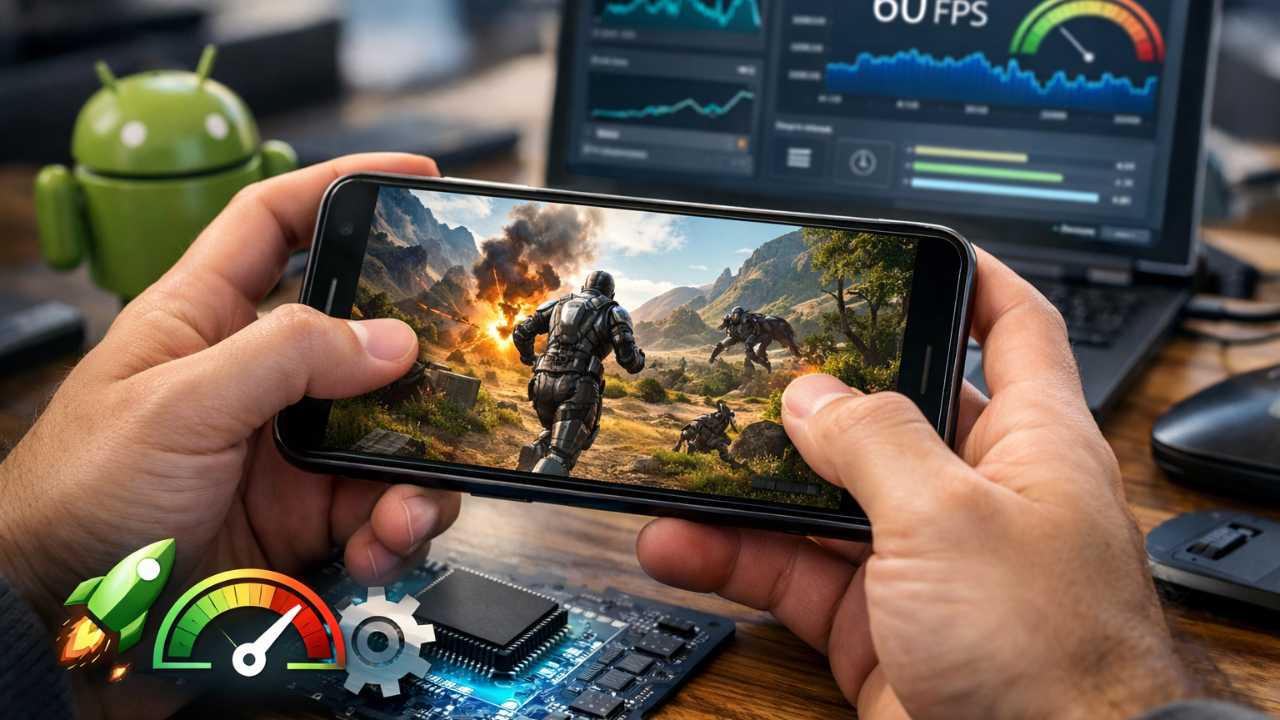
In the high-stakes world of mobile gaming, the difference between victory and defeat often comes down to a matter of milliseconds. Choppy frame rates, sudden lag spikes, and thermal throttling do more than just disrupt your immersion; they can render competitive play nearly impossible. Whether you are navigating a fast-paced battle royale or exploring a graphically intense open world, your hardware needs to be operating at its peak. This Android Games Optimization Tutorial provides a professional framework for optimizing your Android device, offering actionable strategies to stabilize gameplay, sharpen visual clarity, and ensure your hardware remains cool under pressure. By the end of this guide, you will have a comprehensive understanding of how to squeeze every drop of power out of your smartphone or tablet. Modern mobile titles are increasingly sophisticated, pushing the limits of handheld silicon. While flagship devices offer impressive raw power, even the most advanced hardware can falter without proper configuration. For mid-range or legacy devices, the need to optimize android games is the bridge between a slideshow and a playable experience. Beyond simply boosting frames per second, a well-optimized system reduces input latency and preserves battery health, allowing for longer and more consistent gaming sessions. Understanding the technical hurdles of mobile hardware is the first step toward taking full control of your gaming environment. Why Comprehensive Performance Tuning is Essential Mobile gaming has evolved from simple 2D puzzles to complex, high-fidelity experiences that rival previous-generation consoles. Engines like Unreal Engine 5 and Unity are now capable of producing stunning graphics with real-time lighting and complex physics. However, these advancements come at a cost to system resources. Without a structured Android Games Optimization Tutorial, most users are playing at a disadvantage. Performance tuning ensures that your System on a Chip (SoC) allocates resources efficiently, preventing the dreaded “stutter” that occurs when the CPU and GPU are out of sync. Furthermore, optimization is not just about speed; it is about consistency. A device that runs at 90 FPS for five minutes but drops to 20 FPS due to heat is less desirable than a device that maintains a rock-solid 60 FPS for an hour. To optimize android games effectively, we must look at the device as a holistic system where software, hardware, and even ambient temperature play critical roles. Identifying Performance Bottlenecks Before applying solutions, it is necessary to diagnose the specific factors hindering your performance. Every mobile device has different limitations. A budget phone might struggle with raw GPU power, while a flagship phone might struggle with thermal management. The most common obstacles include: CPU Overload: The central processor cannot keep pace with game logic, AI routines, and physics calculations. This often results in input lag and micro-stuttering. GPU Strain: The graphics processor is overwhelmed by high resolutions, complex graphics, or post-processing effects like motion blur and bloom. Memory Constraints: Insufficient RAM causes the system to swap data between the memory and the slower internal storage, leading to significant hitching during asset loading. Thermal Throttling: As the device generates heat, the OS forces the hardware to slow down to prevent permanent damage. This is the primary cause of performance degradation during long sessions. Background Activity: Non-gaming applications, sync services, and social media notifications competing for system resources and interrupt the game’s execution thread. Network Jitter: High latency, packet loss, or unstable Wi-Fi signals affecting the synchronization between your device and the game server. Implementing Your Android Games Optimization Tutorial Strategy A holistic approach to optimization requires a combination of software management and system-level tweaks. By refining how your Android OS handles resources, you can dedicate the maximum possible power to your active game. Follow these performance tips to clean up your system environment. Manage Background Processes Effectively Every application running in the background consumes a portion of your CPU cycles and a slice of your available RAM. Before launching a demanding title, manually close unnecessary apps. However, simply “swiping away” apps is often not enough, as many services restart automatically. To truly optimize android games, you should navigate to the “Running Services” section within the Developer Options to see which apps are silently eating your resources. Apps like Facebook, Instagram, and various mail clients are notorious for background resource consumption. Leverage Advanced Developer Options Android’s hidden settings provide powerful tools for enthusiasts. To access these, navigate to Settings, then About Phone, and tap the Build Number seven times until a message appears saying “You are now a developer.” Within the Developer Options menu, you can find several hidden performance tips: Window and Transition Scales: Change “Window animation scale,” “Transition animation scale,” and “Animator duration scale” to 0.5x or “Off.” This doesn’t increase raw FPS, but it makes the OS feel significantly more responsive by reducing the time spent on UI animations. Force 4x MSAA: This setting forces the system to use multi-sample anti-aliasing in OpenGL ES 2.0 apps. While this improves the visual quality of graphics by smoothing jagged edges, it is extremely demanding. Use this only if you have a high-end device and want better visuals at the cost of battery life. Disable HW Overlays: Forcing the system to use the GPU for screen compositing can sometimes alleviate CPU strain, though it can increase power consumption. Experiment with this setting to see if it stabilizes your frame rate. Utilize Native Game Boosters Most modern Android manufacturers, including Samsung, Xiaomi, and OnePlus, include a dedicated game mode or “Game Turbo” utility. These utilities are designed to automate resource management. They typically offer features such as: Automated RAM clearing upon game launch. Priority bandwidth allocation to the game for lower ping. Prevention of accidental touches on the navigation bar. DND (Do Not Disturb) modes that silence intrusive notifications. Always ensure these modes are active to prevent external interruptions and ensure the OS knows to prioritize the gaming task over background syncs. Fine-Tuning In-Game Graphics Settings The most significant performance gains in any Android Games Optimization Tutorial are often found within the game’s own settings menu. The goal
Android Games Update Log Tips: Mastering New Features
For many mobile gamers, an update notification is often viewed as a brief interruption or a simple technical necessity. However, for those who want to maintain a competitive edge, that download is the gateway to a more refined and strategic experience. Understanding the Android Games Update Log Tips provided by developers is paramount for dedicated players who wish to excel in their favorite virtual worlds. These documents are far more than dense jargon; they serve as essential blueprints for new content, critical bug fixes, and shifts in gameplay mechanics that can redefine your entire strategy. This guide provides the tools necessary to decode any update log and effectively utilize every new features guide to your advantage, ensuring you never fall behind the curve. The landscape of mobile gaming is constantly shifting. Unlike the static console games of previous decades, modern Android titles are living ecosystems. They breathe, grow, and change through a continuous cycle of patches. By paying attention to patch notes, you are essentially looking at the “State of the Union” for your game. Whether you are climbing the ranks in a competitive battle royale or managing a complex strategy empire, the information contained within these logs dictates how you should spend your time and resources. Why Android Games Update Log Tips Are Indispensable for Every Gamer Every time a developer pushes an update, they are potentially altering the fundamental balance of the game. The accompanying update log, or patch notes, serves as the primary communication channel between creators and their community. Ignoring these details can put you at a significant disadvantage, leaving you unaware of character balance changes, new game modes, or resolutions to bugs that may have hindered your previous sessions. In the high-stakes environment of mobile esports, a single unread line about a weapon cooldown can be the difference between victory and defeat. Grasping the nuances of these updates impacts your resource management and overall enjoyment. An informed player adapts quickly, exploits new mechanics, and avoids the frustration of unexpected changes. Viewing these logs as insider information allows you to stay one step ahead of the competition. Furthermore, understanding the technical side of an update helps you manage your device’s storage and performance. Large updates often require significant space, and knowing exactly what is being added allows you to decide if certain high-resolution assets or optional data packs are worth the storage cost on your Android device. Transparency is another key factor. When developers are detailed in their logs, it shows a commitment to their player base. By following these Android Games Update Log Tips, you can discern which developers are actively listening to community feedback and which are simply performing routine maintenance. This knowledge can help you decide which games are worth your long-term investment of time and potentially money. The Anatomy of an Effective Update Log While formats vary across different studios, quality update logs typically follow a standard structure. Knowing how to navigate these sections will save you time and ensure you grasp the most relevant information without getting lost in the technical minutiae. New Content and Features This section details the most visible changes, such as new characters, levels, events, or cosmetic items. A comprehensive new features guide will explain exactly how these additions function and how they fit into the existing game world. For example, if a new RPG character is introduced, this section might detail their elemental affinity, their role in a team composition, and how their unique passive abilities interact with existing heroes. Understanding this immediately allows you to start planning your “pulls” or resource allocation before you even open the app. Balance Changes This is the most critical section for competitive play. It outlines adjustments to character abilities, item statistics, or economic systems. These changes directly shift the game meta, making certain strategies more or less viable. Often referred to as “buffs” (improvements) and “nerfs” (reductions in power), these adjustments are the developer’s way of ensuring the game remains fair and varied. If your favorite weapon has its damage reduced by 5%, you need to know so you can determine if it is still the best choice for your playstyle or if it is time to switch to a different loadout. Bug Fixes Stability is the foundation of any good game. Developers use this space to address issues ranging from minor graphical glitches to game-breaking exploits. Confirming that a recurring issue has been resolved provides peace of mind during high-stakes play. It is also helpful to see if “stealth” bugs—issues that players may have felt but couldn’t quite prove—have been officially recognized and corrected. This section is particularly useful for Android users who may be playing on a wide variety of hardware configurations, as many fixes are device-specific. Performance Improvements These notes detail optimizations intended to reduce lag, increase frame rates, or shorten load times. Understanding these can help you adjust your device settings for the smoothest possible experience. For Android gamers, this might involve updates to how the game handles RAM or how it interacts with the latest version of the Android OS. If an update specifically mentions improved GPU rendering for mid-range chipsets, you might find that you can finally increase your graphics settings from “Medium” to “High” without losing frames. Quality of Life Enhancements Small but impactful changes, such as user interface tweaks or better inventory management, fall into this category. These updates are designed to make the daily gameplay experience more intuitive and less tedious. A change as simple as adding a “Claim All” button for daily rewards can save you minutes of clicking every week. While they don’t change the game’s mechanics, these enhancements significantly improve the long-term player experience. Mastering Patch Notes: Practical Tips for Decoding Updates Navigating lengthy technical documents can feel tedious, but a structured approach allows you to extract maximum value with minimal effort. Here is how you can approach every update log like a professional analyst. Prioritize Based on Your Playstyle: If you are a competitive player,