
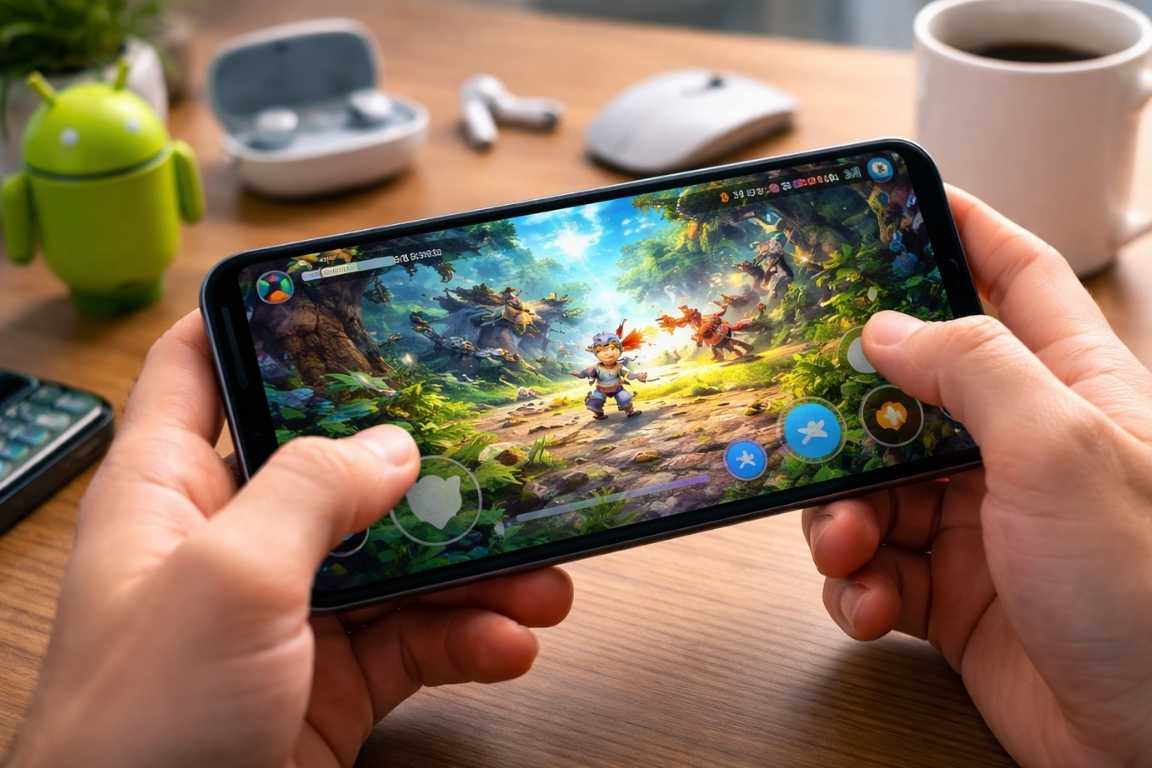
The world of gaming is no longer confined to expensive consoles and high-end PCs; it lives right in your pocket. For many, a smartphone is the primary gateway to interactive entertainment, offering a vast library of experiences that cater to every interest. However, with millions of apps available, knowing where to start can feel daunting. This Android Games for Beginners Guide is designed to simplify that process, providing you with the foundational knowledge and practical tips needed to navigate the Android gaming landscape with confidence. Whether you are looking to sharpen your mind with puzzles or simply find a way to pass the time, your journey into mobile gaming starts here. Finding the right beginner android games can transform your device from a simple communication tool into a portable entertainment powerhouse. Why the Android Games for Beginners Guide is Essential for Newcomers The Android ecosystem offers an unparalleled entry point for those new to gaming. Unlike traditional gaming setups that require significant financial investment and technical knowledge, mobile gaming utilizes the hardware you already own. This accessibility removes the initial friction often associated with a new hobby. Most modern smartphones, even budget-friendly ones, are more than capable of running easy games that provide hours of entertainment without requiring complex configurations. The Google Play Store serves as a massive repository of titles across every imaginable genre. Because many of these games are free to download, you can explore various styles and mechanics without any financial commitment. This risk-free environment allows you to discover what you truly enjoy. Furthermore, the touch-screen interface is inherently intuitive. For many casual and puzzle games, the controls are as simple as a tap or a swipe, making the learning curve incredibly gentle compared to the complex button layouts of traditional controllers. In this Android Games for Beginners Guide, we emphasize that the best way to learn is by doing, and the platform allows for infinite experimentation. Choosing Your First Games: Best Genres for Beginners Success in mobile gaming starts with choosing titles that match your comfort level. Certain genres are particularly well-suited for beginners because they prioritize clear objectives and relaxed pacing. When looking for beginner android games, identifying the genre is the first step toward a satisfying experience. Puzzle Games: The Ultimate Mental Workout Puzzle games are perhaps the most approachable titles available on any mobile platform. They focus on logic, pattern recognition, and spatial reasoning rather than fast reflexes. Match-3 games, where you align three or more identical items, are a staple of the mobile experience. Tile-sliding puzzles and digital versions of classic games like Sudoku or Crosswords provide a satisfying mental challenge without the pressure of a ticking clock. These easy games allow you to pick up the phone, play for two minutes, and put it back down without losing progress, making them perfect for busy lifestyles. Casual Arcade Titles for Quick Fun Designed for quick sessions, casual arcade games usually feature one-touch controls. Endless runners, where a character moves automatically and you swipe to avoid obstacles, are perfect for filling short gaps in your day. They offer immediate feedback and a clear sense of progression. These are often the first beginner android games people download because the mechanics are visible and require no prior gaming knowledge. The goal is usually to beat your own high score, which provides a low-stress motivation to keep improving. Simulation and Management Games If you prefer a slower pace, simulations allow you to build and nurture virtual worlds. Whether you are managing a small virtual farm, designing a bustling city, or running a digital cafe, these games progress at your own speed. They allow for creative expression without the stress of combat or time-sensitive goals. Management games are excellent for those who want a long-term project they can check on a few times a day. Story-Driven Adventures and Visual Novels For those who enjoy a good narrative, point-and-click adventure games or visual novels focus on exploration and dialogue. These titles often feel like interactive books or movies, where the primary goal is to solve mysteries and move the story forward through simple interactions. They are perfect for players who want to be immersed in a world without needing to master complex movement or combat mechanics. Crucial First-Time Tips for a Smooth Experience Beyond just picking a game, a few practical considerations will help ensure your experience remains enjoyable and frustration-free. These first-time tips are essential for maintaining your device and your sanity as you explore the Play Store. Master the Intuitive Controls Every game handles touch input differently. Most beginner-friendly titles include a brief tutorial to show you the ropes. Do not skip these! They explain the specific logic of the game. Take a moment to look at the settings menu as well; many games allow you to adjust the sensitivity or reposition buttons to better fit your hands. Understanding how to interact with the screen is the first hurdle in any Android Games for Beginners Guide. Monitor Your Device Health and Battery Gaming can be resource-intensive, even when playing easy games. It is a good practice to close unnecessary background apps to ensure the game runs smoothly and does not stutter. If you notice your phone getting warm, take a short break to let it cool down; heat can affect the longevity of your phone’s internal components. Keeping a charger nearby during longer sessions is also wise, as high-quality graphics and constant screen-on time can drain battery life faster than standard social media or messaging apps. Understand the World of In-App Purchases Many free games include options to buy virtual items or currency with real money. This is known as “freemium” gaming. While these are often optional, it is important to understand how a game is monetized. As a beginner, focus on enjoying the free content first. You can always set up password protection for purchases in the Google Play Store settings to prevent accidental spending. This is one of the most important first-time tips

How to Speed Up Android Games: A Guide to Peak Performance
High-stakes mobile gaming requires more than just skill; it requires a device that can keep pace with your reflexes. There is nothing quite as disruptive as a frame rate drop or a sudden freeze just as you are about to secure a victory. If you have noticed your device struggling to maintain a smooth experience, you are not alone. Learning how to speed up Android games is a priority for millions of players globally who want to eliminate stuttering and latency. This guide provides a comprehensive roadmap to optimizing your Android device, ranging from simple maintenance to advanced system tweaks, to ensure your gameplay remains fluid and responsive. By implementing a consistent android lag fix strategy, you can transform a stuttering mess into a professional-grade gaming environment. Understanding the Causes of Performance Lag To effectively resolve performance issues, it is essential to identify why they occur. Mobile gaming is a resource-intensive task that pushes hardware to its limits. Unlike basic web browsing or social media scrolling, gaming requires the simultaneous coordination of the Central Processing Unit (CPU), the Graphics Processing Unit (GPU), and the Random Access Memory (RAM). Several factors typically contribute to a sluggish experience: Insufficient Memory: Games rely heavily on RAM to store active data that needs to be accessed quickly. If too many applications are active in the background, the system cannot allocate enough resources to your game. When the RAM is saturated, the Android operating system may start “swapping” data to the slower internal storage, which causes significant stuttering. Hardware Limitations: Mobile technology moves fast. Older processors or graphics chips may struggle with the demanding requirements of modern, high-fidelity titles. Games like Genshin Impact or Call of Duty: Mobile require significant performance boost capabilities that older chipsets simply cannot provide without substantial setting adjustments. Storage Constraints: When internal storage is nearly full, the operating system struggles to manage temporary files and swap data. This leads to a general system slowdown because the Android file system requires a certain amount of “breathing room” to move data blocks around efficiently. A device with 99 percent storage filled will always perform worse than one with 20 percent free space. Connectivity Issues: In multiplayer environments, high latency or a fluctuating signal can mimic hardware lag. This is often referred to as “ping spikes.” Even if your phone is the fastest on the market, a poor connection will make the game feel unresponsive and “jittery,” making faster gaming nearly impossible to achieve in a competitive setting. Thermal Throttling: High-end gaming generates significant heat. To protect the hardware from permanent damage, your phone may automatically reduce its clock speed—a process known as thermal throttling. This results in a noticeable performance dip after 15 to 20 minutes of intense play, as the device tries to cool itself down by working less hard. Immediate Solutions for Smoother Gameplay If you need a quick boost before your next session, these initial steps can provide immediate relief by freeing up system resources. These are the “low-hanging fruit” of optimization that every gamer should perform regularly. Close Unnecessary Background Applications Every open app consumes a portion of your CPU and RAM. Even if you aren’t actively using an app, it might be syncing data or checking for notifications in the background. Before launching a demanding title, use the recent apps switcher to close everything else. This ensures that your game has exclusive access to the device’s processing power. For a more aggressive android lag fix, you can go into Settings > Apps and “Force Stop” apps that are known resource hogs, such as social media platforms or navigation tools. Clear the System Cache Apps and games store temporary data to speed up loading times, but these files can become cluttered or corrupted over time. Navigating to your settings and clearing the cache for specific games can often resolve stability issues without affecting your saved progress. To do this, go to Settings, then Apps, select your game, and choose the option to clear cache under the storage menu. Note that you should clear the “Cache,” not the “Data,” as clearing data will delete your login info and local save files. Perform a System Restart It is a simple step that is often overlooked. Restarting your device flushes the memory and terminates any runaway background processes that might be invisible to the user. A fresh boot clears out the “cobwebs” of the operating system and is often the easiest way to restore a device to its optimal operating state for faster gaming. How to Speed Up Android Games: Advanced System Tweaks For users looking to extract every bit of power from their hardware, deeper settings can be adjusted within the Android operating system. These tweaks require entering a hidden menu but offer the most significant performance boost available without rooting the device. Unlock Developer Options Android contains a hidden menu designed for programmers that offers several performance-related toggles. To access this, go to Settings, select “About Phone,” and tap the “Build Number” seven times. A notification will appear saying “You are now a developer.” Once enabled, you will find Developer Options in your System or General Management menu. Force 4x MSAA: This setting forces the device to use multi-sample anti-aliasing. While it makes graphics look significantly smoother by removing jagged edges, it is extremely taxing on the GPU. Enable this only if you have a modern flagship device and want the best visuals. Conversely, if you are experiencing lag, ensure this is turned OFF to save resources. Adjust Animation Scales: Locate the Window Animation Scale, Transition Animation Scale, and Animator Duration Scale. Reducing these from 1x to 0.5x (or turning them off entirely) makes the entire interface feel much faster. While this doesn’t technically increase the FPS of the game, it reduces the delay when switching between the home screen and your game, contributing to an overall sense of a faster gaming experience. Limit Background Processes: You can manually restrict the number of apps allowed to run in
How to Install Android Games Safely: The Ultimate Security Guide
Android has become the world’s most popular gaming platform, offering everything from quick puzzles to massive multiplayer adventures. However, the platform’s open nature means that the excitement of a new download must be balanced with a commitment to security. If you want to know How to Install Android Games Safely, you must understand that the process is no longer just a matter of hitting a button; it is about protecting your personal data, your privacy, and the integrity of your hardware. This guide provides the essential knowledge and best practices to help you navigate the mobile gaming landscape securely while ensuring every safe download contributes to a better user experience. The flexibility of the Android operating system is its greatest strength and its most significant vulnerability. Unlike more restrictive ecosystems, Android allows users to source software from various locations. While this promotes innovation and user freedom, it also opens the door to malicious actors who prey on unsuspecting gamers. Whether you are looking to install android games from the official store or exploring alternative repositories, maintaining a security-first mindset is the only way to ensure your device remains functional and your private information remains private. Why Learning How to Install Android Games Safely is Essential The digital world is full of convenience, but it is also home to sophisticated threats. Unsafe game downloads can result in a range of issues, from intrusive adware that ruins the user experience to severe malware designed to harvest sensitive information. Malicious software often masquerades as trending games to trick users into granting broad permissions. Once these applications are active, they can compromise the very foundation of your digital life. When you do not prioritize a safe download, you risk exposing your device to several critical threats. These include: Data Theft: Capturing personal data, including banking credentials, social media login details, and private photos. Intrusive Adware: Bombarding the device with aggressive, unremovable advertisements that appear even when the game is closed. Unauthorized Installations: Installing secondary unwanted applications or “bloatware” without user knowledge, which can further compromise security. System Performance Degradation: Draining battery life and slowing down the processor by running hidden crypto-miners or background processes. Root Access Exploits: Compromising the core operating system, leading to potential data loss or making the device completely unusable. By prioritizing safety during the installation process, you create a layer of defense that keeps your gaming experience enjoyable and your data private. Understanding the nuances of the android apk structure and the verification processes of different platforms is the first step toward total mobile security. The Gold Standard: Google Play Store For the majority of users, the Google Play Store remains the safest and most reliable source to install android games. Google utilizes a multi-layered security approach to vet applications before they reach the public. Several factors make it the preferred choice for anyone concerned about device health. Pre-screened Applications and Play Protect Every game on the store is scanned for malware and known security vulnerabilities via Google Play Protect. This service doesn’t just scan apps when they are uploaded to the store; it also runs periodically on your device to ensure that apps already installed are not behaving in a suspicious manner. This continuous monitoring is a cornerstone of Android security. Automatic Security Updates Games installed through the official store receive managed updates. This is crucial because security is a moving target. When a developer discovers a vulnerability, they issue a patch. Google Play ensures these patches are delivered and installed quickly, often without the user needing to manually intervene. This keeps your safe download secure over the long term. Developer Accountability and Transparency Google enforces strict policies on developers. They are required to disclose what data they collect and why. Furthermore, Google’s Data Safety section provides a clear summary of an app’s privacy practices. If a developer violates these terms, their games are removed, and their accounts are often banned, providing a high level of accountability that third-party sites lack. Community Verification User ratings and detailed reviews allow you to see the experiences of others. While not every review is accurate, a sudden influx of negative comments mentioning “bugs,” “crashes,” or “weird behavior” can serve as an early warning system. Always check the “Newest” reviews to see the current state of the game before you decide to install android games. Navigating Third-Party Sources and APK Sideloading While the Play Store is the safest route, some players look toward alternative stores or direct file downloads. This is often motivated by a desire for regional exclusives, beta testing, or accessing older games that have been delisted from the main store. However, moving outside of the official ecosystem increases risk significantly and requires a much higher level of technical caution. Understanding the Android APK An android apk (Android Package Kit) is the file format used to distribute and install apps on the Android system. Think of it as a .zip file that contains all the code, assets, and certificates required for the game to run. Sideloading is the process of manually installing these files from a source other than the official store. When you sideload, you bypass the automated security checks provided by Google, placing the responsibility of verification entirely on your shoulders. The danger of a random android apk found online is that it can be “repackaged.” A malicious actor can take a legitimate game, inject a small piece of harmful code, and then redistribute it as a “free” or “modded” version. To the user, the game looks and plays normally, but in the background, the malware is executing its hidden agenda. Detailed Best Practices for Manual Installations If you find it necessary to sideload a game, you must follow a disciplined protocol to minimize your exposure to risk. Following these steps is the only way to maintain a safe download environment outside of the Play Store. 1. Enable Unknown Sources Sparingly By default, Android blocks the installation of apps from unknown sources. To sideload, you must manually grant
Best Tips for Android Gaming: Master Your Mobile Experience
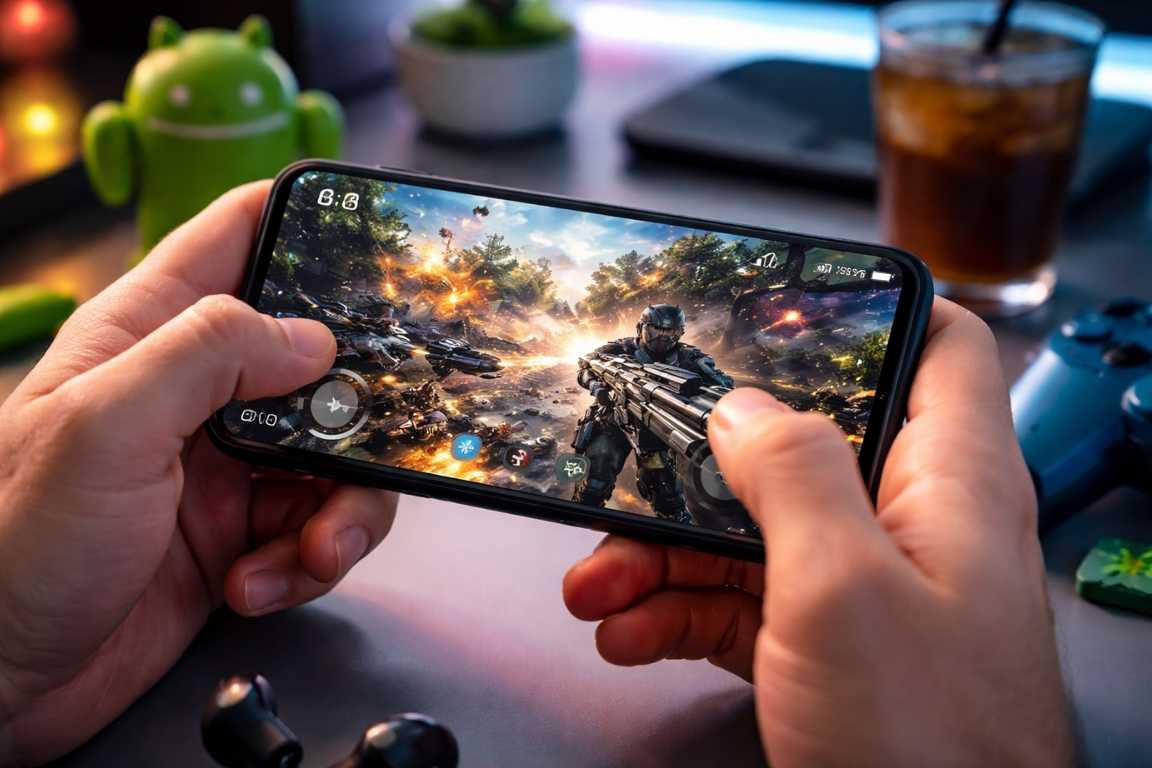
Mobile gaming has undergone a massive transformation, turning the modern smartphone into a sophisticated portable console capable of delivering high-fidelity experiences. From high-stakes tactical shooters to complex strategy titles, the Android ecosystem offers a near-limitless universe of entertainment. However, achieving dominance on the leaderboards requires more than just a fast download. To truly excel, you must understand the Best Tips for Android Gaming to synchronize your hardware and software while refining your physical approach to play. This guide provides professional-grade strategies and android gaming tips to optimize your device, sharpen your gameplay tricks, and ensure every session is smooth and responsive. Optimizing Performance: Best Tips for Android Gaming The foundation of any superior gaming experience is a well-tuned device. Hardware constraints are often the primary cause of input lag and frame drops, which can be the difference between victory and defeat. By prioritizing system resources, you can ensure your phone remains focused on the task at hand. Clear Background Applications and System Cache One of the most immediate ways to improve skills and responsiveness is to reclaim system memory. Every application running in the background consumes RAM and processing power that should be dedicated to your game. Manual Closure: Before launching a resource-intensive title, close all unnecessary applications via the recent apps screen. Cache Management: Periodically navigate to your device settings to clear the cache of high-impact apps. This removes temporary files that may clutter system memory, though you should be careful not to delete essential game data or login credentials. Utilize Game Boosters and Performance Modes Modern Android manufacturers often include dedicated gaming software designed to prioritize GPU and CPU output. These tools are essential for maintaining a steady frame rate during intense sequences. Activate Game Mode: Explore your settings for features like Game Turbo or Performance Mode. These utilities allocate maximum resources to the active game while silencing background processes. Disable Battery Optimization: While power-saving modes are useful for daily longevity, they often throttle the processor. Ensure these settings are disabled during gaming to allow the hardware to run at its full clock speed. Keep Your Software Current Software updates are frequently overlooked as android gaming tips. Developers regularly release patches that optimize how a game interacts with specific Android versions, often fixing memory leaks and thermal issues. System Updates: Regularly check for Android OS updates to ensure your device has the latest drivers and security patches. App Updates: Enable automatic updates in the Google Play Store so that your games always benefit from the latest performance enhancements. Mastering In-Game and Display Settings Technical excellence is not just about raw power; it is about finding the perfect balance between visual quality and tactical utility. Fine-tuning your internal settings can provide a significant competitive advantage when you apply specific gameplay tricks. Adjust Graphics for Consistency While ultra-high graphics settings look impressive, they can lead to thermal throttling, which causes the phone to slow down as it gets hot. Frame Rate Over Resolution: In competitive environments, a high frame rate is more valuable than high resolution. Lowering the visual quality slightly to achieve a consistent 60 or 120 FPS will make your inputs feel more immediate. Disable Performance-Heavy Effects: Turning off motion blur, anti-aliasing, and complex shadows can stabilize your performance without sacrificing much of the core experience. Optimize Your Display Refresh Rate If your device features a high-refresh-rate screen, such as 90Hz or 120Hz, you must ensure it is active. This setting makes movement appear fluid and reduces the perceived blur during fast-paced action. Motion Smoothness: Check your display settings to confirm the refresh rate is set to the maximum available. This provides a smoother visual flow that helps in tracking moving targets. Enhance Your Setup with Hardware and Connectivity The physical way you interact with your device is just as important as the software running on it. Expanding your setup with the right accessories can help you improve skills and bridge the gap between mobile play and a professional console experience. The Advantage of Physical Controllers For certain genres, such as racing or platformers, touchscreens can be limiting. Integrating a physical controller offers tactile feedback and precision that on-screen buttons cannot match. Controller Compatibility: Many Android games natively support Bluetooth controllers from major consoles. Using a physical peripheral frees up screen real estate, allowing you to see more of the environment. Manage Heat with Cooling Solutions Heat is the enemy of performance. If a device becomes too hot, it will automatically lower its performance to cool down. Using gameplay tricks like external cooling can prevent this. External Cooling: For long sessions, consider using a clip-on cooling fan. These devices help dissipate heat from the back of the phone, allowing the processor to maintain peak speeds for longer periods. Ensure a Robust Network Connection In online multiplayer, your connection speed is just as vital as your reaction time. High latency, or ping, can result in your actions being delayed on the server. Prioritize Wi-Fi: Whenever possible, play on a 5GHz Wi-Fi band rather than cellular data. Wi-Fi typically offers a more stable connection with lower latency. Distance to Router: Physical obstructions can degrade your signal. Positioning yourself closer to the router can significantly reduce packet loss. Advanced Gameplay Strategies and Physical Ergonomics Skill development involves more than just faster thumbs; it requires a deep understanding of game systems and a commitment to personal well-being. Following these android gaming tips will help you stay competitive. Refine Your Interface Most competitive mobile games allow you to move the buttons on the screen. Do not settle for the default layout if it does not feel natural. Custom HUD: Rearrange your on-screen controls to match your grip style. Increasing the size of essential buttons, like the fire or jump icons, can reduce the frequency of missed inputs. Sensitivity Tuning: Spend time in practice modes to adjust your look and aim sensitivity. Finding the right balance between speed and precision is key to winning long-range engagements. Study and Adapt The best players are
How to Record Offline Gameplay: The Ultimate Guide
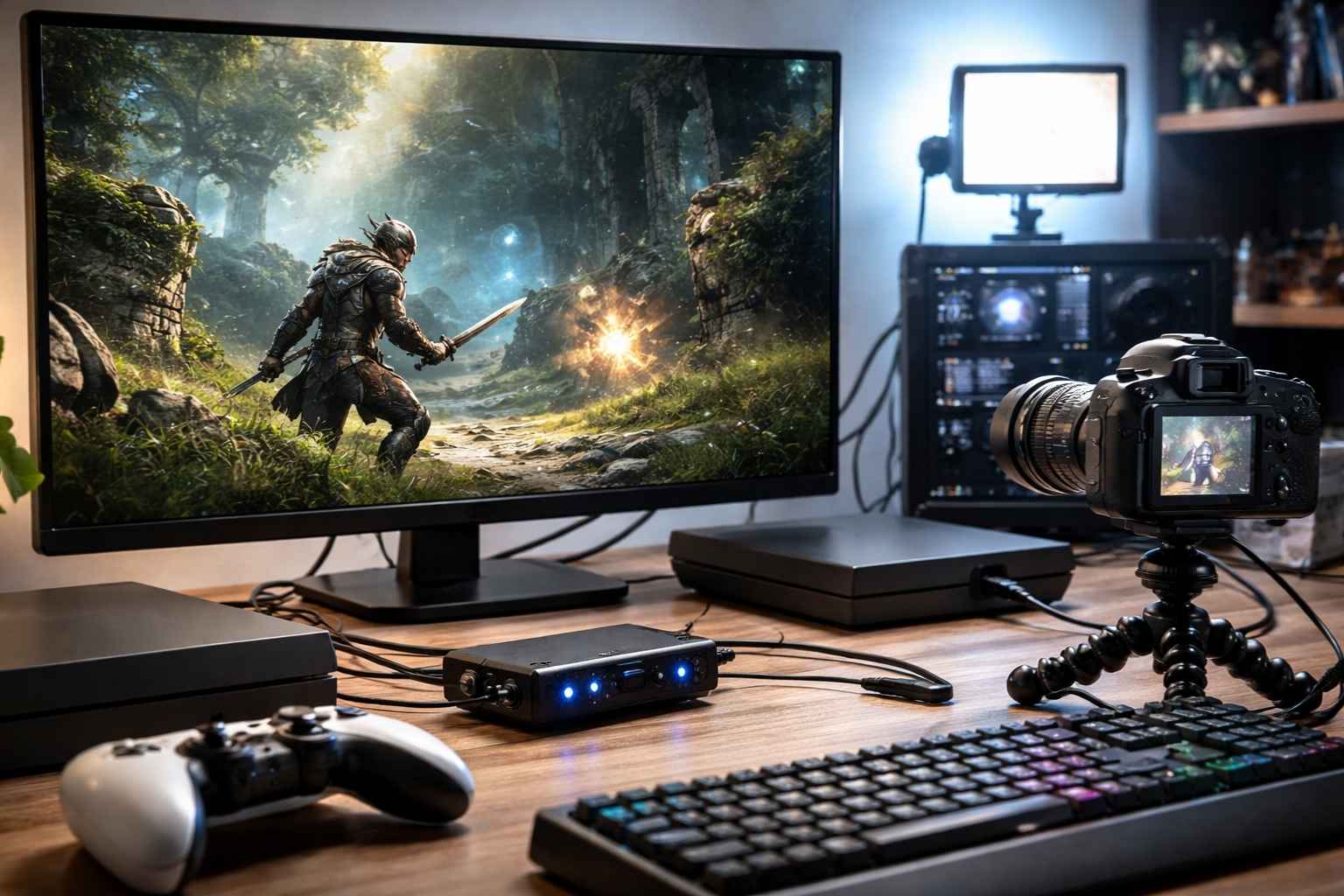
Many of gaming’s most profound achievements happen when you are disconnected from the world. Whether you are conquering a legendary boss in a single-player campaign or perfecting a high-speed local race, these offline moments are often the ones most worth keeping. Preserving these experiences allows you to relive your victories, share your progress with others, or analyze your playstyle to improve. This comprehensive guide details the most effective ways to How to Record Offline Gameplay, ensuring you can screen record offline games and capture gameplay in high-quality without needing an active internet connection. By mastering these techniques, you ensure that no achievement goes undocumented, regardless of your connectivity status. The primary advantage of offline gaming is its stability. Without the dependency on a network, you experience zero lag and consistent performance. Recording in this environment is often less taxing on your hardware because your system is not simultaneously managing data uploads to a streaming platform. Capturing these sessions serves several professional and personal purposes. Content creators can produce high-quality highlight reels, gameplay montages, or instructional reviews for an audience without the artifacts sometimes caused by fluctuating internet speeds. Performance analysis allows players to review strategic decisions, identify technical mistakes, and refine their skills. Furthermore, digital preservation helps build a personal archive of your favorite gaming milestones and narrative experiences, while social sharing allows you to showcase impressive feats or humorous glitches to friends at a later time. How to Record Offline Gameplay on PC with Software PC gamers have access to the most flexible recording options. Various software solutions allow for deep customization, enabling you to fine-tune quality and performance settings to match your hardware. Once installed, these tools function perfectly in an offline environment, as they do not require a handshake with a server to begin the local writing process to your hard drive. OBS Studio: The Professional Standard OBS Studio (Open Broadcaster Software) is a powerful, free, and open-source application preferred by many professional creators. It is exceptionally versatile and handles offline recording with high efficiency. Unlike many proprietary applications, OBS provides granular control over every aspect of the video encoding process. To get started, install the software and create a new Scene. Under the Sources box, select Game Capture to focus on your specific game window. This is generally more efficient than Display Capture, as it only records the game engine itself rather than your entire desktop. Within the Audio Mixer, verify that your desktop sound and microphone levels are correctly balanced. You can add filters like Noise Suppression or Limiters to ensure your voice-over remains crisp and clear. In the Settings menu under Output, you can select your preferred recording path and format. While MP4 is common, many professionals prefer MKV because it is more resilient to system crashes; if your computer loses power, an MKV file remains playable up to the point of the crash, whereas an MP4 may become corrupted. Since you are recording offline, you can often increase the bitrate to 20,000 kbps or higher for 1080p video to ensure maximum visual fidelity since you aren’t limited by internet upload speeds. Simply click Start Recording before you begin your session and stop it when you are finished. NVIDIA ShadowPlay: Efficient and Seamless For users with NVIDIA graphics cards, ShadowPlay offers a streamlined experience with virtually no impact on game performance. It is integrated directly into the GeForce Experience application and uses a dedicated hardware encoder (NVENC) on the GPU to handle the video processing. Ensure the In-Game Overlay is toggled on in your settings. While playing, you can use a keyboard shortcut, typically Alt+Z, to bring up the control panel. From here, you can choose to record manually or use the Instant Replay feature. Instant Replay is a revolutionary tool for those who want to capture gameplay without recording hours of dead space. It keeps a rolling buffer of the last few minutes of play, allowing you to hit a hotkey to save that amazing move after it already happened. This is ideal for capturing unexpected highlights while maintaining a clean hard drive. AMD ReLive: Integrated Recording for Radeon Users AMD users have access to ReLive, a built-in feature of the Radeon Software suite. Like its NVIDIA counterpart, ReLive is designed to minimize hardware strain by using the graphics card for encoding. It is an excellent choice for users who want a native solution without installing third-party apps. Navigate to the Record and Stream tab in your Radeon Software to enable the feature. You can adjust the resolution, recording quality, and audio bitrates to suit your needs. Predefined hotkeys allow you to start and stop recordings instantly while you are focused on the game. ReLive also supports a “Scene Editor,” which allows you to place custom overlays or webcam feeds onto your offline recording, giving it a polished, professional look even if you aren’t streaming live. Recording on Consoles: PlayStation, Xbox, and Nintendo Switch Modern consoles are equipped with dedicated hardware for capturing gameplay, making it simple to save clips without the need for additional equipment or an internet connection. This accessibility has democratized game sharing, allowing console players to screen record offline games with a single button press. PlayStation 4 and PlayStation 5 Both PlayStation consoles feature a dedicated Create or Share button on the controller. On the PS5, a short press opens the capture menu, allowing you to save a video of “recent gameplay.” You can choose to save the last 15 seconds, 30 seconds, or up to the last 60 minutes of play. A long press can be configured to take a screenshot or start a manual recording for a longer duration. You can customize the length and quality of these clips in the console system settings under Captures and Broadcasts. For offline play, you can set the manual recording resolution to 4K (on PS5) to get the most out of your cinematic experiences. Once the recording is finished, the file is saved to your Media Gallery, where you
Mastery Guide: Achieving Offline Games Skill Improvement
While the spotlight often shines on high-stakes online arenas, the true test of a gamer’s discipline frequently lies in the solitary world of offline play. Many assume that without the pressure of live opponents, there is less incentive to hone one’s abilities. However, achieving offline games skill improvement offers a unique, controlled environment for personal growth, deep strategic thinking, and genuine technical development. Whether you are dismantling a complex AI, navigating intricate environmental puzzles, or perfecting a high-speed run, the path to mastery requires more than just time—it requires intent. This guide provides the framework to transform your approach, moving you from casual play to a higher standard of technical execution. By focusing on tips and tricks designed for the solo experience, you can improve offline game skills across any genre, from RPGs to fast-paced action titles. The Foundation of Mastery: System Comprehension To conquer a game, you must first deconstruct its architecture. Mastery goes beyond basic control familiarity; it requires a deep dive into the underlying logic that governs the experience. Understanding the internal systems is the bedrock of any meaningful effort toward offline games skill improvement. Deconstructing Mechanics and Systems Every title, from minimalist puzzles to sprawling role-playing games, operates on a specific set of rules. To improve, you must identify and analyze these components: Core Gameplay Loop: Identify the primary cycle of action. Is it a loop of exploration, collection, and crafting, or a sequence of combat and character progression? Understanding this cycle allows you to optimize every movement within it. Resource Management: Study how the game handles health, stamina, currency, and items. Skilled players distinguish themselves by how efficiently they conserve and deploy these limited assets. Combat Dynamics: Move beyond uncoordinated inputs. Analyze hitboxes, damage variables, enemy behavior patterns, and counter-mechanics. Learning the rhythm of an encounter is far more effective than relying on reflexes alone. Progression Paths: Determine how the game rewards growth. Whether through experience points, gear upgrades, or hidden techniques, knowing the most efficient path to power is essential for high-level play. Take the time to experiment with the environment. Use tutorials as a starting point, but spend time testing the boundaries of the game’s logic to see how it responds to different strategies. This experimental phase is where you find the most valuable tricks to bypass difficult obstacles. Identifying Weaknesses Through Self-Diagnostics Honest self-assessment is the fastest way to bridge the gap between your current skill level and your goals. Everyone has blind spots, and identifying them is a prerequisite for progress. If you want to improve offline game skills, you must become your own harshest critic and most observant coach. Recording and Reviewing Play: If your platform allows, record your sessions. Watching your performance from a detached perspective reveals habits, errors, and missed opportunities that are often invisible during active play. You may notice that you consistently fail to dodge in a specific direction or that you ignore vital UI elements during intense moments. Isolating Challenges: Identify specific pain points. Are you struggling with a particular boss, a certain type of logic puzzle, or spatial awareness in open worlds? Pinpoint the exact moment your strategy fails. By isolating these moments, you can create targeted practice routines rather than replaying large sections of the game inefficiently. Movement and Precision: Evaluate your positioning. Are you taking unnecessary damage due to poor timing? Is your platforming imprecise? Tightening your physical control over the character is often the simplest way to see immediate results. High-level play often comes down to pixel-perfect positioning and frame-accurate inputs. Decision-Making Under Pressure: Assess your cognitive load. Do you rush into encounters without a plan, or do you struggle to adapt when a situation shifts? Understanding your mental hurdles is just as important as mastering the controls. Strategic tips often involve slowing down the pace of your own decision-making to match the game’s internal clock. Strategic Practice and Deliberate Play for Offline Games Skill Improvement Spending hundreds of hours in a game does not guarantee improvement if that time is spent aimlessly. To see real growth, you must engage in deliberate practice—focused, intentional effort aimed at specific goals. This is the cornerstone of offline games skill improvement. The Principles of Deliberate Practice Deliberate practice is the opposite of mindless repetition. It involves a structured approach to skill acquisition: Set Micro-Goals: Move away from broad goals like “getting better.” Instead, focus on specific targets, such as mastering a perfect parry, completing a level without using healing items, or achieving a specific accuracy percentage. Single-Skill Focus: Do not attempt to fix everything at once. Dedicate specific sessions to mastering one element, such as movement speed, resource conservation, or enemy pattern recognition. This focused approach accelerates muscle memory development. Incremental Difficulty: Once a skill becomes comfortable, increase the challenge. Use higher difficulty settings or self-imposed handicaps to ensure you stay at the edge of your comfort zone. If the game feels easy, you are likely no longer improving. By applying these tricks to your practice sessions, you transform the game into a training ground. This disciplined mindset distinguishes the casual enthusiast from the expert player. Consistency and the Long-Term View True mastery is a marathon. It requires a patient, consistent approach to development. To improve offline game skills, you must treat your gaming time as a developmental process rather than just a leisure activity. Frequent, Short Sessions: Short bursts of focused practice (30 to 60 minutes) are generally more effective for building muscle memory than infrequent marathon sessions. Consistency helps the brain retain complex patterns and inputs. During sleep, the brain consolidates these patterns, making the next day’s session even more productive. Reframing Failure: Treat every failure as a data point. Instead of experiencing frustration, analyze why the attempt failed and what specific adjustment is required for the next try. In offline games, deaths and failures are often the most effective teachers because they highlight the exact limits of your current strategy. Tracking Progress: Maintain a mental or physical log of your
Offline Games Optimization Tips for Superior Smooth Gameplay
Nothing breaks the immersion of a sprawling open world or a high-stakes action sequence like a sudden drop in frame rate. While offline games offer the benefit of playing without an internet connection, they still demand significant resources from your hardware. Even high-end gaming rigs can encounter stuttering and performance bottlenecks if not properly configured. Achieving a consistent, buttery-smooth experience requires a blend of hardware awareness and strategic software adjustments. This guide provides a comprehensive roadmap to Offline Games Optimization Tips, ensuring every frame contributes to a superior gaming experience. Whether you are playing a modern AAA masterpiece or a classic title, these strategies will help you get the most out of your hardware. The Foundation: Understanding Your Hardware Before making technical adjustments, it is essential to understand the components that drive your performance. Your system relies on a delicate balance between the processor, graphics card, and memory. Identifying which component is struggling is the first step toward effective optimization. In many cases, users try to optimize offline games by adjusting settings that do not address the actual bottleneck. For instance, lowering graphics settings will not help much if your CPU is the part struggling to keep up with game logic. CPU (Central Processing Unit): Often called the brain of your system, the CPU handles game logic, artificial intelligence, and physics calculations. In offline games, the CPU is responsible for managing the behavior of non-player characters (NPCs) and calculating the physics of every object in the world. If your CPU is outdated or overheating, you may notice stuttering in games with many moving parts or complex environments, regardless of how powerful your graphics card is. GPU (Graphics Processing Unit): This is the primary engine for rendering visuals. The GPU takes the instructions from the CPU and turns them into the images you see on your screen. This component has the most direct impact on your frame rate and graphical fidelity. When looking for fps tips, the GPU is usually the first place to look. Modern GPUs also come with dedicated video memory (VRAM), which stores textures and shaders for quick access. RAM (Random Access Memory): This serves as short-term storage for game data. When a game runs, it loads necessary assets from your storage drive into the RAM so the CPU and GPU can access them instantly. Insufficient RAM leads to slow asset loading and hitching during gameplay as the system is forced to swap data between the RAM and the much slower storage drive. Storage Drive: The type of drive you use has a massive impact on the “feel” of a game. Using a Solid State Drive (SSD) instead of a traditional Hard Disk Drive (HDD) dramatically reduces loading times and improves how quickly the game can stream textures and environments. This is crucial for open-world games where the map is constantly loading in the background. Essential Software Maintenance Software that is neglected can act as a silent performance killer. Keeping your system primed through regular updates ensures that your hardware and software are communicating as efficiently as possible. A clean operating system environment is vital for smooth gameplay, as background tasks can steal valuable cycles from your game. Graphics Driver Updates Graphics card manufacturers like NVIDIA, AMD, and Intel frequently release updates that include specific optimizations for new titles and general performance patches. These drivers act as the translator between your operating system and your hardware. Without the latest drivers, your hardware may not be used to its full potential. You should check for updates at least once a month. For a clean installation, some advanced users use tools like Display Driver Uninstaller (DDU) to remove old driver remnants before installing new ones, preventing potential conflicts. Operating System Optimization Windows frequently introduces background patches that improve system resource management. Ensure your operating system is up to date by navigating to the Windows Update section in your settings. A current OS is more adept at prioritizing gaming tasks over background processes. Additionally, check for “Optional Updates” as these often include firmware and motherboard drivers that can stabilize your system under load. Refining In-Game Settings for Offline Games Optimization Tips The most immediate impact on performance comes from the settings menu within the game itself. While it is tempting to use the “Ultra” preset, manual tuning often yields a much better balance of visual quality and speed. Understanding what each setting does allows you to make informed trade-offs. Resolution and Scaling: Running a game at your monitor’s native resolution provides the sharpest image. However, if your frame rate is low, lowering the resolution is the fastest way to gain performance. Many modern games also offer “Resolution Scaling” or technologies like DLSS (Deep Learning Super Sampling) and FSR (FidelityFX Super Resolution). These tools render the game at a lower resolution and then use AI or advanced algorithms to upscale the image, providing a massive boost to fps tips without a significant loss in clarity. Shadows and Lighting: Dynamic shadows are among the most demanding tasks for a GPU. They require the system to calculate light paths and occlusions in real-time. Reducing shadow quality from Ultra to Medium can often result in a double-digit increase in frames per second. Similarly, settings like Ambient Occlusion (SSAO, HBAO) add depth to shadows in corners but can be taxing. If you need more performance, consider lowering these first. Anti-Aliasing: This setting smooths out jagged edges on objects. While high-level MSAA (Multi-Sample Anti-Aliasing) looks excellent, it is incredibly resource-intensive. Consider using lighter alternatives like FXAA (Fast Approximate Anti-Aliasing) or SMAA (Subpixel Morphological Anti-Aliasing) for a smoother experience on mid-range hardware. These methods use post-processing to blur the “jaggies” rather than intensive sampling. Texture Quality: Texture quality depends heavily on your GPU’s video memory (VRAM). Unlike shadows, textures usually do not impact the frame rate as long as you have enough VRAM to hold them. However, if you exceed your VRAM limit, the game will stutter significantly as it moves data back and forth to your
Offline Games Without Ads Guide: Enjoy Uninterrupted Play
There is a specific kind of frustration that occurs when you are deep in the zone of a gaming session, only to have your momentum shattered by a loud, intrusive advertisement. For many mobile gamers, these interruptions have become an expected tax on their leisure time. However, a growing community of players is reclaiming their experience by seeking out high-quality offline games without ads. This Offline Games Without Ads Guide is designed to help you navigate the landscape of mobile gaming, leading you directly to titles that promise a truly seamless experience, no matter where you are. By choosing ad-free offline games, you are prioritizing the quality of your leisure time and ensuring uninterrupted play regardless of your internet connectivity. Imagine a long commute, a remote getaway, or a quiet evening at home enhanced by captivating gameplay that never grinds to a halt for a commercial. The modern mobile marketplace is saturated with “free-to-play” titles that are, in reality, designed to keep you watching 30-second clips of other apps. Ad-free offline games offer a sanctuary of entertainment, free from the constant pings and pop-ups that plague modern mobile titles. Beyond the lack of distractions, these games offer a reliable way to play without worrying about data limits or Wi-Fi signals. This guide will explore why this shift is happening and provide you with a curated list of titles to get you started. Why Ad-Free Offline Games Matter for Uninterrupted Play The appeal of ad-free offline games extends far beyond mere convenience. For many players, advertisements fundamentally diminish the creative immersion of a game. Each break forces a mental reset, disrupting the flow of storytelling or the rhythm of strategic thinking. In psychological terms, this is a disruption of “flow”—the state of being fully immersed and focused on an activity. This constant disruption can turn what should be an enjoyable hobby into a frustrating test of patience. Furthermore, constant connectivity is not always a guarantee. Whether you are traveling through areas with poor signal strength, sitting on an airplane, or simply prefer to disconnect from the internet to save battery, offline capabilities are invaluable. True freedom in gaming means having your entertainment within reach at all times, from an airplane seat to a mountain cabin. When a game requires a constant “handshake” with a server just to serve you an ad, it limits where and how you can enjoy your own purchase. Beyond the practical benefits, ad-free offline games often represent a more respectful development philosophy. Many developers who offer a premium, ad-free experience prioritize deep, engaging mechanics and a polished interface over aggressive monetization. This approach frequently results in higher-quality games that respect your time and provide a more fulfilling experience from start to finish. When a developer doesn’t need to design “pain points” to encourage you to pay for ad removal, they can focus entirely on making the game fun. A Strategic Offline Games Without Ads Guide for Mobile Users To truly master the world of mobile gaming, one must understand the shift in the industry. Ten years ago, most mobile games were “premium”—you paid a few dollars upfront and owned the game. Today, the “freemium” model dominates. This model often relies on psychological tricks to encourage spending or ad consumption. By following an Offline Games Without Ads Guide, you are essentially filtering for quality and integrity. You are looking for games where the primary goal is your entertainment, not your data or your attention span. When searching for these games, it is important to look for specific markers. Premium pricing is the most obvious one, but there are also “open-source” games and “charity” projects that offer completely free experiences without strings attached. Understanding these nuances is key to maintaining a library of games that provide uninterrupted play. Top Picks: Best Ad-Free Offline Games Across Genres Finding genuine gems in a sea of ad-laden free-to-play titles can be difficult. To save you time, we have curated a selection of fantastic games across various genres that promise a focused experience. These ad-free offline games have been selected for their depth, replayability, and commitment to a seamless user experience. Puzzle and Brain Teasers Puzzle games are ideal for quick sessions or long-form challenges. When they are offline and ad-free, they become the ultimate portable brain exercise. Slice and Dice: A unique tactical dice-rolling roguelike where you control a party of heroes. Each hero is represented by a die, and as you level up, you customize the faces of those dice. Its strategic depth and challenging gameplay keep you engaged for hours without a single commercial break. It is one of the best examples of a game designed for pure mechanical satisfaction. Mini Metro and Mini Motorways: These elegant simulation games challenge you to design efficient transportation networks for growing cities. Their minimalist aesthetic and addictive loops are perfectly suited for quiet, offline play. There are no timers, no “energy” systems, and no ads to break the zen-like concentration required to keep your city moving. Monument Valley 1 & 2: These are masterpieces of mobile design. They utilize impossible geometry and optical illusions to tell a wordless, beautiful story. Because they are premium titles, the experience is entirely self-contained, allowing you to get lost in the architecture and the atmosphere without interruption. Card and Strategy Games For those who enjoy planning several steps ahead, strategy games offer immense replayability. Removing ads allows you to focus entirely on your next move and ensures uninterrupted play during intense tactical situations. Balatro: A recent sensation that blends deck-building with poker-inspired mechanics. You play illegal poker hands, discover game-changing jokers, and trigger adrenaline-pumping combos. Its ingenious design and endless combinations make for deeply satisfying runs that are completely free of advertisements. Slay the Spire: A cornerstone of the deck-building genre, this title offers immense depth and multiple characters, providing countless hours of play as you ascend the spire. Every run is different, and the lack of ads ensures that your strategic flow remains intact from

Offline Games Tutorial for Beginners: The Ultimate Guide
While high-speed internet has transformed how we access entertainment, there is a distinct and uninterrupted joy found in offline gaming. In an era of constant notifications and always-on requirements, the ability to play without a Wi-Fi signal or mobile data is more than just a backup plan; it is a way to enjoy a more focused and immersive experience. This Offline Games Tutorial for Beginners is designed to help you navigate the landscape of single-player entertainment. Whether you are preparing for a long flight, heading to a remote location, or simply looking to save on data, this guide serves as your starting point for discovering the best in offline entertainment. By the end of this article, you will understand exactly how to curate a library of beginner offline games that work whenever and wherever you are. The Essential Offline Games Tutorial for Beginners: Why Go Offline? The appeal of offline games extends far beyond the simple convenience of not needing a router. These titles offer several functional and psychological advantages that can significantly elevate your time spent playing. In a world where “Games as a Service” often requires a constant handshake with a server, choosing games that function independently offers a sense of ownership and reliability that is increasingly rare. One of the most immediate benefits is freedom from connectivity issues. When you play offline, your experience is never hampered by lag, server maintenance, or sudden connection drops. This reliability creates a frustration-free environment where the only thing that matters is the gameplay itself. For those living in areas with unstable internet or for travelers, having a dedicated list of beginner offline games is essential for consistent fun. Additionally, offline gaming is often better for your hardware. When a device does not have to constantly ping a remote server or download background assets, it consumes fewer system resources. For mobile users and laptop gamers, this results in longer battery life and smoother performance, as the processor can dedicate its full power to rendering the game rather than managing network traffic. This is a critical point often overlooked by new players who wonder why their battery drains so quickly during online sessions. There is also the matter of immersion. Without the distractions of online lobbies, global chat windows, or social media notifications, you can truly lose yourself in a game’s narrative. This allows for a deeper appreciation of world-building and storytelling, enabling you to progress at your own pace without the external pressure of competitive play. Finally, offline games are a superior choice for privacy, as they typically collect far less user data than their online counterparts, ensuring your gaming sessions remain a private escape. Understanding Your Hardware and Platform Capabilities Before choosing a game, you must consider the hardware you intend to use. Each platform offers a unique experience, and understanding the requirements of each is the first phase of our step-by-step guide to offline mastery. Mobile Devices (Smartphones and Tablets) Smartphones and tablets are the most accessible platforms for casual play. While many mobile games are lightweight, some high-quality adventure titles require significant storage space. It is vital to check your internal storage capacity before downloading. Modern mobile operating systems like iOS and Android have made it easier to find games, but players must be wary of “free-to-play” titles that often require an internet connection to load advertisements or verify in-app purchases. Personal Computers (PC and Mac) PCs offer the widest variety of offline titles, ranging from small independent projects to massive, graphically intensive blockbusters. When choosing a PC game, check your system specifications, specifically your RAM, CPU, and graphics card (GPU), to ensure a smooth experience. Digital storefronts like Steam and GOG (Good Old Games) are the primary sources for these titles. GOG, in particular, is a favorite for offline enthusiasts because its games are DRM-free, meaning they do not require a launcher to verify your license every time you play. Gaming Consoles Systems like the PlayStation 5, Xbox Series X, and Nintendo Switch are built specifically for high-fidelity gaming. While digital versions of games are common, physical discs or cartridges are excellent for offline play. On the Nintendo Switch, the portability factor makes it the premier choice for offline gaming on the go. Even with digital purchases, you should ensure your console is set as your “primary” device, which usually allows you to play your downloaded library without being signed into an online account. Discovering Categories and Genres for Beginners The diversity of offline gaming ensures there is something for every personality. Familiarizing yourself with these common genres will help you narrow down your search for the perfect beginner offline games. Role-Playing Games (RPGs): These focus on storytelling and character growth. They often provide dozens, or even hundreds, of hours of content within a single purchase. They are perfect for players who want to get lost in another world. Puzzle Games: These are perfect for those who enjoy logic and strategy. They range from simple, relaxing tasks to complex challenges that require intense focus and creative thinking. Strategy Games: These require tactical thinking and long-term planning. Because these games often involve complex calculations rather than fast reflexes, they are excellent for deep, methodical play during long periods without internet. Action and Adventure Games: These combine combat and exploration. Many of the most famous single-player stories fall into this category, offering cinematic experiences that rival major motion pictures. Simulation Games: These allow you to build and manage cities, farms, or even virtual lives. They are known for being highly addictive and providing a great sense of creative accomplishment without any competitive stress. The Definitive Step-by-Step Guide to Setting Up Offline Games If you want to ensure your gaming session isn’t cut short by a “Connection Required” pop-up, follow this step-by-step guide to proper setup. Step 1: Research and Selection Not every single-player game is truly offline. Some titles require an “initial check-in” or use “Denuvo” security that pings a server every few days. Before buying, check the
iOS Games Controller Tips: Master Mobile Gaming on iPhone
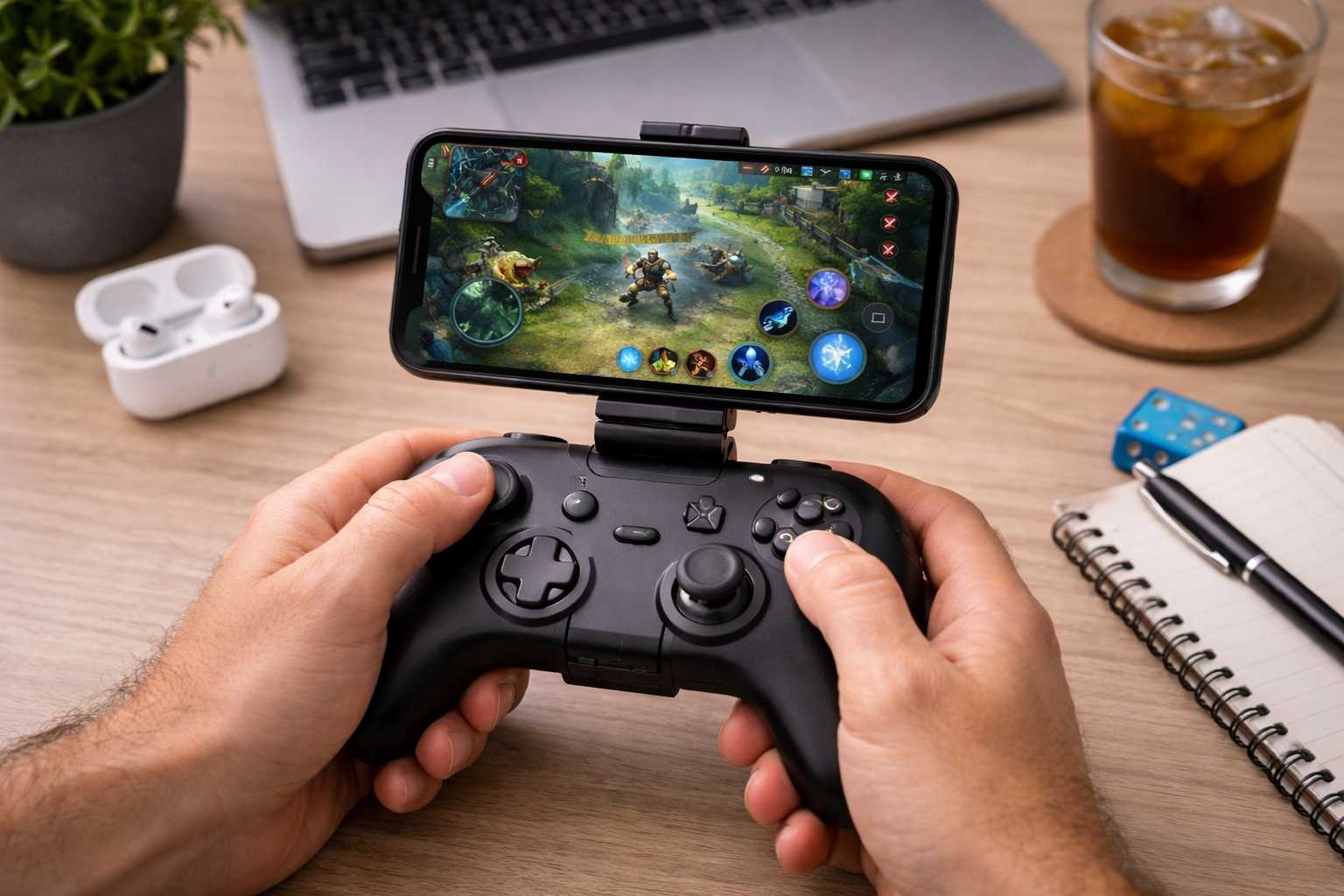
Mobile gaming has undergone a massive transformation, moving beyond simple puzzles to offer deep, console-quality adventures that rival traditional gaming systems. While touchscreens are convenient for a quick session during a commute, serious players often find themselves limited by the lack of tactile feedback and the physical obstructions of their own fingers. This is where mastering iOS Games Controller Tips becomes essential, bridging the gap between a smartphone and a high-end console. By understanding the nuances of controller support and mastering a few technical strategies, you can completely redefine how you play on an iPhone or iPad. This comprehensive guide provides the essential knowledge needed to choose the right hardware, optimize your settings, and gain a competitive edge in any digital environment. Whether you are tackling the latest open-world RPG or competing in a high-stakes battle royale, the implementation of a physical interface changes everything. With the advancement of Apple’s silicon, including the M-series chips in iPads and the A-pro series in iPhones, the software is now powerful enough to demand better input methods. Throughout this article, we will explore iOS Games Controller Tips that cover everything from basic pairing to advanced latency reduction, ensuring you get the most out of your hardware investment. We will also look at controller support iOS features that many users overlook, as well as general gamepad tips to keep your gear in top shape. Why an iOS Games Controller is a Game-Changer For years, mobile gaming was strictly defined by touch controls. While intuitive for some casual genres, they often fall short during high-stakes action or complex RPGs where precision is paramount. The introduction of robust system-wide controller support iOS has changed the landscape entirely. A physical controller offers the precision and ergonomic comfort that glass screens simply cannot replicate, allowing for a level of immersion previously reserved for home consoles. Precision and Accuracy: Analog sticks and physical buttons offer significantly more control than swiping on glass. This is vital for aiming in shooters or executing frame-perfect combos in fighting games. The tactile “click” of a button provides immediate feedback to the brain, reducing the cognitive load of constantly checking where your thumbs are positioned on the screen. Ergonomics and Comfort: Long gaming sessions are much easier on the hands when using a dedicated grip. This reduces cramping and prevents the screen from becoming obscured by fingerprints and sweat. Furthermore, holding a controller allows for a more natural posture, which can prevent neck and wrist strain over hours of play. Immersive Experience: Removing your hands from the display allows you to see the full art and interface of the game. Modern mobile titles feature stunning graphics and complex HUDs (Heads-Up Displays); using a controller ensures that 100% of that screen real estate is dedicated to the visual experience rather than being covered by your thumbs. Competitive Edge: In multiplayer environments, those using controllers typically react faster and move more fluidly than touch-based opponents. This is particularly evident in games like Call of Duty: Mobile or Apex Legends, where movement and aiming must happen simultaneously. Choosing Your Perfect Companion: Best Controllers for iOS The market for compatible controllers is diverse, ranging from pocket-sized attachments to full-sized console gamepads. Your choice should depend on your specific playstyle and whether you prioritize portability or familiar comfort. When searching for gamepad tips, the first step is always identifying the hardware that fits your hand size and device type. MFi Certified Controllers Made For iPhone (MFi) controllers are built specifically for the Apple ecosystem. They are guaranteed to work across the operating system and often feature integrated phone mounts or specialized Lightning/USB-C connectors. Backbone One: This controller snaps onto the sides of your iPhone, turning it into a handheld console similar to a Nintendo Switch. It is widely praised for its low latency because it connects directly via the port rather than Bluetooth. It also features a dedicated button to launch its own software hub, which organizes all your controller-compatible games in one place. SteelSeries Nimbus Plus: This follows a traditional console layout and connects via Bluetooth. It is known for its incredible 50-hour battery life and comfortable, sturdy build. It also includes a detachable iPhone mount, making it a great versatile choice for both iPad and iPhone users. Razer Kishi V2: Much like the Backbone, the Kishi offers a wrap-around design. It features micro-switch buttons that provide a clicky, responsive feel, which is highly sought after by competitive gamers. Its extendable bridge ensures it fits various iPhone models, even with some slim cases. Console Controllers: The Versatile Option If you already own a home console, you likely already have a world-class iOS controller. Apple has worked closely with Sony and Microsoft to ensure their hardware works seamlessly with controller support iOS protocols. PlayStation DualSense and DualShock 4: These are excellent for those who prefer the symmetrical stick layout. Interestingly, the DualSense even supports advanced haptics and adaptive triggers in certain native iOS titles and via PS Remote Play, offering a premium feel that mobile-specific controllers sometimes lack. Xbox Wireless Controller: These are highly regarded for their offset sticks and industry-standard ergonomics. Since the Xbox controller uses a standard Bluetooth protocol (on newer models), it is incredibly stable when paired with an iPad or Apple TV. Nintendo Switch Pro Controller: A solid option for those who prefer Nintendo’s specific button feel. While it was not supported for a long time, recent iOS updates have finally brought this fan-favorite into the fold. Advanced iOS Games Controller Tips for Pro Players Simply connecting a controller is the first step, but true mastery involves optimization. To get the most out of your setup, follow these iOS Games Controller Tips designed to minimize distractions and maximize performance. Optimize Your Device Environment Gaming is resource-intensive, and your iPhone is constantly trying to balance background tasks. To ensure the smoothest experience, disable notifications by using a dedicated Gaming Focus Mode. This prevents pop-ups from interrupting your view or causing a momentary dip in frame