
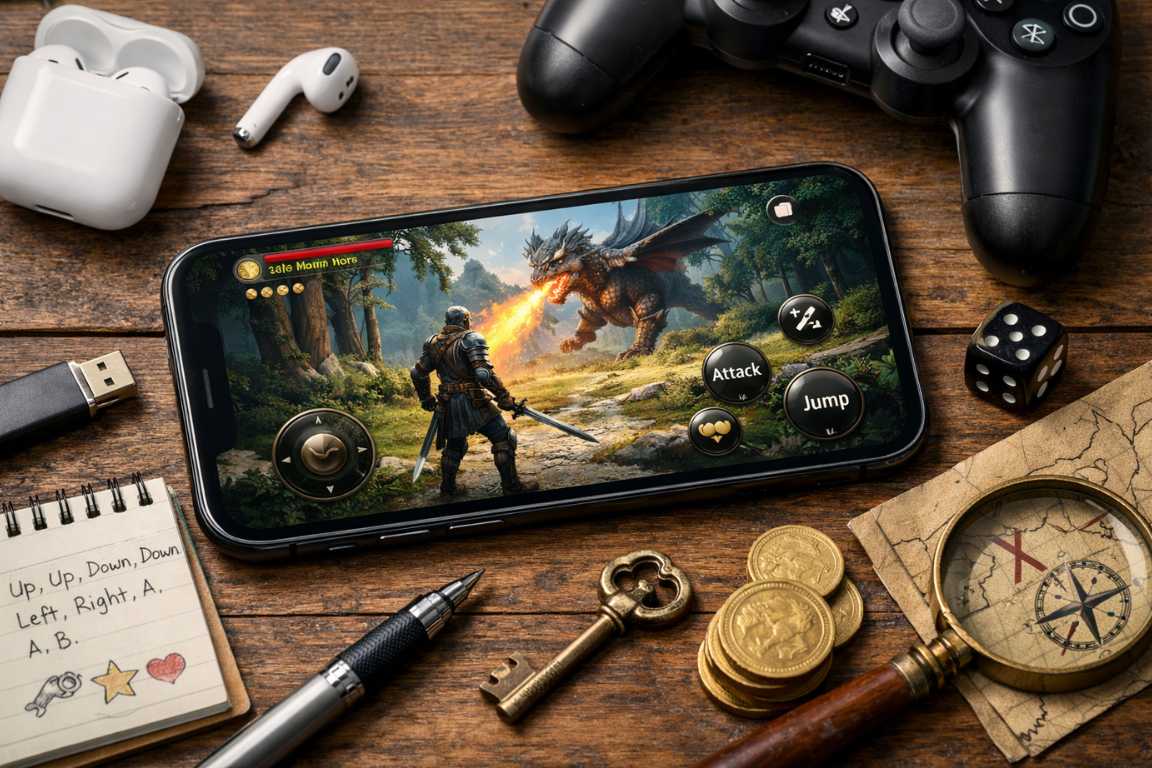
Mastering your favorite mobile titles requires more than just quick reflexes; it requires knowledge. This comprehensive iOS Games Cheat Codes Tutorial explores legitimate ways to gain an advantage, uncovering secret tricks and hidden features to enhance your mobile gaming experience safely and effectively. Whether you are a casual player looking to get past a difficult level or a competitive gamer seeking an edge, understanding the nuances of the iOS ecosystem is essential. In the vibrant world of mobile gaming, the allure of finding a secret advantage remains a powerful draw. Imagine instantly unlocking every character, gaining unlimited resources, or discovering hidden levels with a simple sequence of actions. While the golden age of console-style button combinations might seem like a distant memory, the spirit of finding an edge through hidden features is very much alive on the iPhone and iPad. This guide will help you understand what cheating means in the modern mobile landscape, how to uncover legitimate advantages, and how to enhance your gameplay safely without resorting to risky, unauthorized methods. Understanding Cheat Codes in the iOS Gaming Landscape The term cheat code often evokes nostalgic memories of inputting complex button combinations on a controller to trigger extraordinary effects like invincibility or infinite ammo. However, the ecosystem of cheat codes iOS users look for today operates differently. The shift toward free-to-play models, in-app purchases, and persistent online environments has largely replaced traditional, universal codes. In this context, an iOS Games Cheat Codes Tutorial refers less to developer-published string commands and more to a broader spectrum of legitimate methods to gain an advantage. Modern mobile games are built on sophisticated architectures that frequently communicate with remote servers. This means that “hard-coded” cheats that once existed in offline cartridges are now rare. Instead, secret tricks often involve understanding the internal logic of the game, leveraging timing, or identifying specific patterns that developers left as “Easter eggs” for the most dedicated players. These hidden features are often intentional, designed to reward exploration and deep engagement rather than to break the game’s economy. The evolution of game mechanics has seen a transition from “God Mode” codes to progression-based rewards. Modern iOS games are often designed with progression systems intertwined with either skillful play or in-app purchases. This structure means that traditional codes that bypass these systems are rarely implemented by developers, as they could undermine the game’s balance and financial model. However, secret tricks still exist in the form of optimized paths, character synergies, and environment interactions that the average player might overlook. Mastering the iOS Games Cheat Codes Tutorial To truly excel, one must recognize that cheat codes iOS players use today are frequently hidden in plain sight. Developers often embed “Easter eggs,” hidden levels, or specific input sequences that unlock unique content. These are legitimate secret tricks designed to reward curious players. For example, tapping a specific part of the screen multiple times in a menu might reveal a developer credits screen with a hidden reward, or finishing a tutorial in a specific record time might unlock a unique cosmetic item. A significant portion of what might be considered cheats today comes from the collective intelligence of the gaming community. Players meticulously explore game mechanics, uncover glitches, and share optimal strategies that effectively act as an advantage for those in the know. This collaborative discovery process is the cornerstone of modern mobile gaming mastery. By following a structured iOS Games Cheat Codes Tutorial approach, you can learn to identify these opportunities yourself. Community discoveries often involve “frame-perfect” movements or specific resource management strategies. For instance, in many “idle” games, there are hidden features related to the internal clock of the device. While we do not recommend manipulating system settings—as this can lead to data corruption—understanding how the game calculates time-based rewards can help you optimize your play sessions. This deep understanding of mechanics is what separates a novice from a master. Discovering Hidden Features and Secret Tricks in Your Games Unearthing the advantages within your favorite iOS games often requires a blend of exploration, observation, and community engagement. While you might not be typing in traditional directional commands, there are numerous ways to find the equivalent of hidden features that can significantly impact your gameplay. Start by looking at the interface with a critical eye. Developers often leave subtle visual cues to indicate interactable objects that aren’t immediately obvious. Exploring In-Game Menus and Settings Before venturing outside the app, take a deep dive into the game itself. Many hidden features are found in plain sight within the interface. Check every menu, every settings tab, and every corner of your inventory or character screen. Developers sometimes hide accessibility options that can unintentionally give an edge, such as high-contrast modes that make enemies easier to spot or simplified control schemes that allow for faster input execution. Pay attention to tutorial pop-ups that you might have skipped too quickly, as they often contain the foundational secret tricks required for high-level play. Furthermore, look for “Daily Rewards” or “Achievement” menus. Sometimes, these menus have sub-pages or “info” buttons that, when interacted with, provide hidden features like bonus currency or temporary power-ups. Some games even have a “Promo Code” section buried in the settings. Finding these codes often involves following the developer on social media, but they function as the closest modern equivalent to traditional cheat codes iOS enthusiasts remember. Leveraging the Gaming Community for Insights The most potent resource for discovering advantages in the modern era is the global gaming community. Millions of players are exploring, experimenting, and sharing their findings online. Tapping into this collective knowledge can unlock advantages you might never find on your own. This is a vital part of any iOS Games Cheat Codes Tutorial because the “meta” (the most effective tactics available) is constantly shifting. Forum Diving: Reputable gaming forums like those on Reddit, specific game wikis, or dedicated fan sites are goldmines for secret tricks. Search for your game’s name combined with terms like “secrets,” “tricks,” “hidden,” or
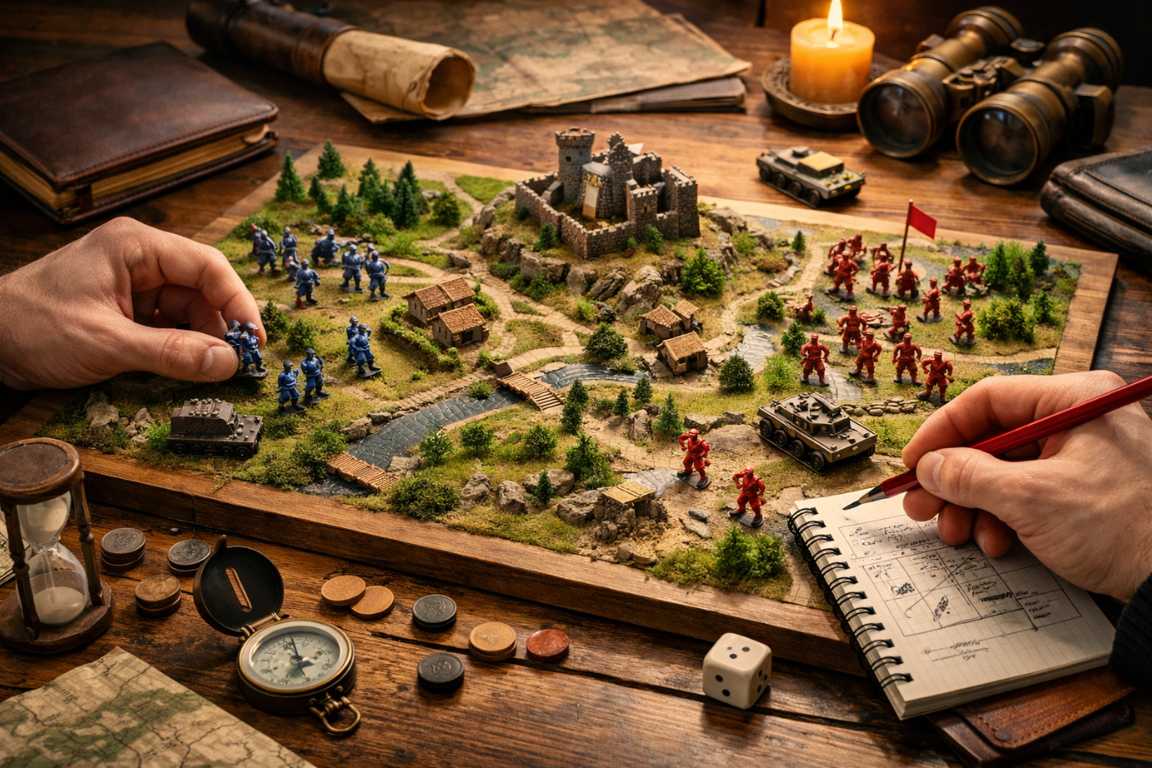
Offline Strategy Games Tutorial: Master Tactical Success
In an era defined by constant connectivity and the relentless pace of multiplayer arenas, there is a profound satisfaction in stepping back and immersing oneself in a focused, self-contained challenge. This Offline Strategy Games Tutorial is designed to guide you through that world, providing the insights needed to conquer complex puzzles, rich narratives, and endless hours of tactical engagement without the need for an internet connection. Whether you are a seasoned general or a newcomer to the genre, mastering these games requires a blend of patient planning and decisive action. This guide explores the foundational principles and advanced tactics needed to elevate your gameplay and dominate the digital landscape with confidence. The primary appeal of strategy offline games lies in their intricate design and the freedom they afford the player. Unlike fast-paced online matches where lag or toxic players can ruin the experience, these titles remove the pressure of real-time human opponents. This environment allows you to ponder every move, save your progress at any time, and experiment with diverse approaches. This measured pace fosters a deeper connection to the game mechanics and a more thorough understanding of strategic nuances. By focusing on a single-player environment, players can develop skills that are often overlooked in the chaotic rush of competitive ladder climbing. The Unique Depth of an Offline Strategy Games Tutorial When we look at the core of strategic gaming, we see that offline play offers a unique “Zen” experience. Here, you are not just playing against a program; you are engaging with a set of rules designed to test the limits of your logic. Playing offline eliminates distractions from online notifications or connectivity issues, allowing for total immersion in the world-building and systemic depth of the game. This immersion is vital for titles that require high levels of concentration, such as 4X (Explore, Expand, Exploit, Exterminate) games or deep historical simulations. Furthermore, paced learning is a cornerstone of any Offline Strategy Games Tutorial. You can take as much time as necessary to learn complex systems and unit interactions. There is no timer ticking down while you read a tooltip or analyze a tech tree. This freedom allows for a more academic approach to gaming, where failure is not a source of frustration but a data point for future success. Computer-controlled opponents often provide varied challenges that ensure fresh experiences across multiple playthroughs. Modern AI, while sometimes predictable, can be tuned to offer legendary difficulty levels that push even the most veteran players to their limits. Choosing Your Adventure: Exploring Popular Genres The world of strategy is vast, encompassing everything from sweeping historical epics to localized tactical skirmishes. Selecting the right entry point is the first step toward mastery. Consider which type of challenge resonates with your personal playstyle and how much time you are willing to invest in a single session. Strategy offline games vary wildly in their scope and complexity. Turn-Based Strategy (TBS) Titles like Civilization or XCOM emphasize careful planning over quick reflexes. In these games, foresight is your greatest weapon, as every individual turn carries significant weight. You are encouraged to look five, ten, or even fifty turns into the future. The beauty of TBS is the “one more turn” syndrome, where the incremental progress of your empire or squad keeps you engaged for hours on end. For a beginner, a walkthrough of a TBS game often starts with understanding the economy before moving on to military conquest. Real-Time Strategy (RTS) Classics such as the early Age of Empires or StarCraft entries require rapid decision-making, efficient resource management, and simultaneous unit control. While the “real-time” aspect adds pressure, playing these offline allows you to use the “pause” button (in many titles) to assess the battlefield. This is where you practice your “build orders”—a sequence of construction and unit production that optimizes your early-game strength. Mastering the RTS genre is about balancing your macro-management (the big picture) with micro-management (individual unit control). Grand Strategy Games such as Crusader Kings or Hearts of Iron focus on large-scale political, economic, and military management spanning centuries. These are arguably the most complex strategy offline games available. They require a deep understanding of diplomacy, trade, and logistics. A tutorial for grand strategy often feels more like a history or political science lesson, as you navigate the intricacies of royal lineages or global supply chains. Success here is not measured by a single battle but by the survival and prosperity of your nation over hundreds of years. Tactical RPGs These games blend role-playing elements with grid-based combat. Titles like Final Fantasy Tactics or Fire Emblem focus on character progression alongside battlefield positioning. In these games, your units are not nameless soldiers; they are characters with unique abilities, backstories, and growth potential. The strategy involves not just winning the fight, but ensuring your favorite units survive to gain experience and unlock more powerful classes. Core Mechanics and Early Game Foundations Regardless of the specific setting, several universal principles underpin all successful strategy gameplay. Mastering these fundamentals creates a solid foundation for any campaign. In any Offline Strategy Games Tutorial, the first lesson is almost always regarding resource management. Resources are the lifeblood of your empire, and without them, your tactical genius will have no tools to work with. Efficiency is paramount. You must prioritize your needs based on your immediate objectives. For example, in the early stages of a game, you might prioritize food and wood to increase your population and build basic structures. As the game progresses, your needs will shift toward luxury goods, advanced metals, or energy sources. A key walkthrough tip is to always keep your resource gatherers busy. Idleness is the enemy of progress. If a worker is not gathering, building, or repairing, they are a drain on your potential. Optimization is also about placement. Placing your structures strategically to minimize travel time for your workers can significantly increase your resource output over time. Furthermore, you must anticipate future requirements. If you know that a certain high-tier unit
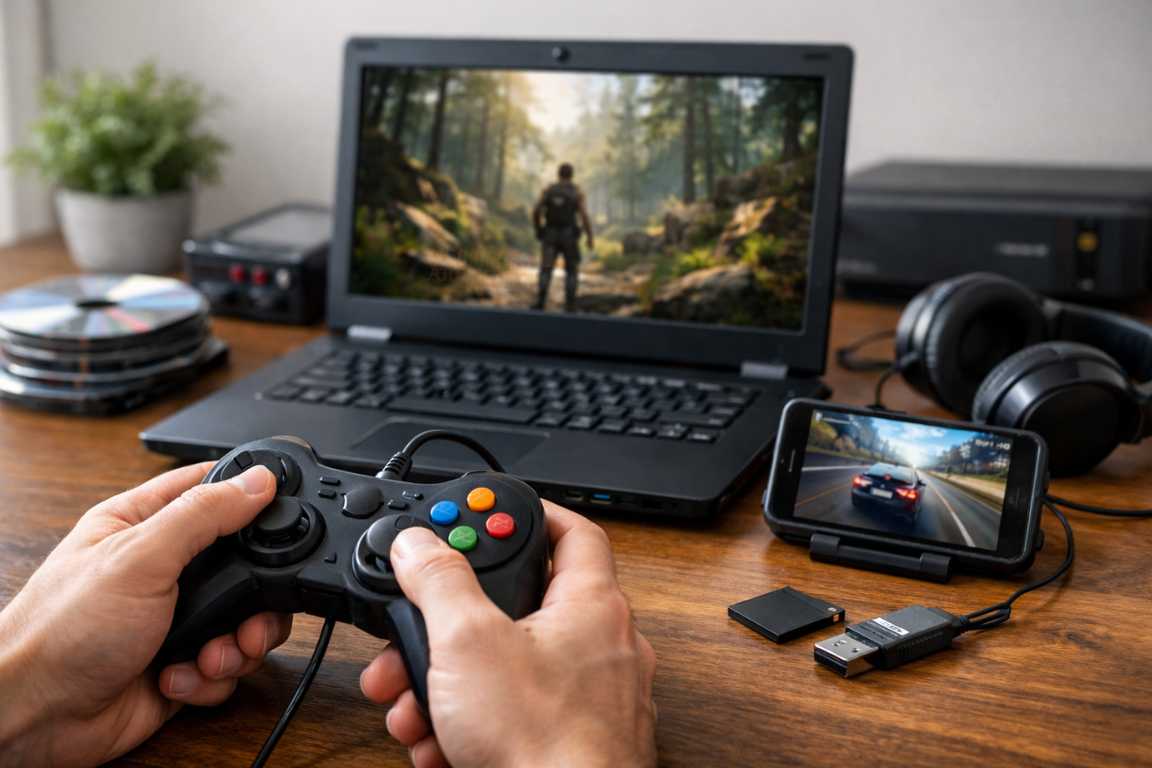
Tips to Play Low-End Games Offline: Smooth Play Guide
A top-tier gaming rig is a luxury that many aspire to, but it is certainly not a requirement for a meaningful and immersive gaming experience. While the modern gaming industry often focuses on resource-heavy graphics, ray tracing, and demanding system requirements, high-quality entertainment remains accessible to those with modest hardware. The challenge for many users lies not in finding great titles, but in ensuring those titles run without the frustration of stutters, crashes, or low frame rates. This comprehensive guide provides a detailed roadmap for optimizing your system and software settings. By following these Tips to Play Low-End Games Offline, you can achieve a seamless, lag-free adventure on almost any machine, regardless of its age or specifications. Implementing practical system tweaks and intelligent in-game adjustments allows you to unlock hundreds of hours of entertainment from your existing hardware. Whether you are using an old office laptop or a decade-old desktop, the goal is smooth play through careful management of limited resources. Understanding how your computer processes data and renders images is the first step toward transforming a sluggish machine into a functional gaming station. This article explores everything from basic operating system maintenance to advanced configuration file editing, ensuring you have the tools to fix lag once and for all. Essential Tips to Play Low-End Games Offline: System Foundations Before exploring specific game optimizations, it is essential to understand the capabilities and limitations of your hardware. Identifying bottlenecks and addressing them at the operating system level can significantly enhance performance for offline low-end games. A well-optimized environment provides a stable foundation, ensuring that hardware resources are dedicated to the task at hand rather than being wasted on unnecessary background processes that provide no benefit to the gamer. Mastering Resource Management The most immediate way to improve performance is to reclaim the resources currently being used by your operating system. Even if you aren’t actively using a program, it may be consuming “cycles” from your CPU or occupying space in your RAM. Close Background Applications: Even minor programs running in the background can consume precious CPU, RAM, and GPU resources. Before launching a game, make it a habit to close web browsers, communication tools, and non-essential software. A single open tab in a modern browser can sometimes consume more memory than a game from 2010. Disable Unnecessary Startup Programs: Many applications launch automatically when your computer starts. Access the Task Manager via Ctrl+Shift+Esc, navigate to the Startup tab, and disable programs you do not need immediately. This frees up memory from the moment you boot the system, ensuring your offline low-end games have the largest possible pool of resources to draw from. Update Graphics Drivers: Outdated drivers are a common cause of poor performance and visual glitches. Regularly check for and install the latest updates for your integrated or dedicated graphics card. Even for older hardware, manufacturers occasionally release updates that provide a much-needed lag fix or improve compatibility with certain game engines. Optimizing Power and Storage How your computer manages power and accesses data can have a profound impact on how smoothly a game runs. This is particularly true for laptops, which often prioritize battery life over performance by default. Adjust Power Settings: Ensure your computer is set to the High Performance profile in the Windows Power Options. While this may increase power consumption and fan noise, it prevents the system from “throttling” components to save energy. Throttling is a major cause of stuttering, so keeping your hardware running at full capacity is vital for smooth play. Defragment Your Hard Drive: If your system uses a traditional Hard Disk Drive (HDD), fragmentation can slow down data access significantly. Regularly defragmenting the drive helps the system retrieve game files more efficiently. Note that Solid State Drive (SSD) users should avoid this, as it does not improve SSD performance and can actually reduce the drive’s lifespan. Clean Up Disk Space: A cluttered drive can impact overall system responsiveness. Uninstall unused programs, delete temporary files, and move large media to external storage. Aim to keep at least 15 to 20 percent of your drive space free so the operating system has room for “swap files” and temporary data processing. In-Game Settings: Your Primary Toolkit for Improved Performance Once the operating system is primed, the most impactful adjustments for smooth play will happen within the game’s own settings menu. Developers frequently include a variety of graphical options to accommodate different hardware configurations. Understanding which settings to prioritize can be the difference between a frustrating, slideshow-like experience and a fluid, enjoyable one. Prioritizing Performance Over Visuals When working with limited hardware, you must accept that you cannot run games at “Ultra” settings. However, by strategically lowering specific settings, you can maintain a decent visual experience while drastically increasing your frame rate. Resolution: This is the single most critical setting for performance. Lowering the resolution reduces the total number of pixels the graphics card must render every second. Experimenting with resolutions like 1280×720 or 1024×768 can provide a massive boost on weak hardware. While the image may look slightly softer, the increase in fluidity is often a necessary trade-off. Texture Quality: Textures are the detailed images applied to 3D models. Lowering this setting reduces the amount of video memory (VRAM) required. If your textures exceed your available VRAM, the game will start swapping data with your slower system RAM, causing massive stutters. Lowering textures is a key lag fix for older cards. Shadow Quality: Rendering dynamic shadows is computationally expensive for the GPU. Reducing shadow quality or disabling them entirely can significantly increase frame rates with minimal impact on the actual gameplay mechanics. Anti-Aliasing: This feature smooths out “jagged” edges on objects. While it improves visual fidelity, it is very demanding. Turning it off or using a very basic setting like FXAA can reclaim a significant amount of processing power. Additional Graphical Tweaks Beyond the basics, several other settings contribute to the overall load on your system. Disabling these is one of the top Tips

Tips for Gaming on Low-End Android: Performance Guide
Mobile gaming has evolved from simple 2D puzzles to complex, high-fidelity experiences that rival some older console titles. However, not everyone has access to the latest flagship smartphones with high-refresh-rate displays and the newest processors. If you are operating on a budget device, you might feel left behind as new, demanding titles hit the Google Play Store. This is where Tips for Gaming on Low-End Android become essential. By understanding how your hardware works and learning to manipulate the software environment, you can turn a laggy, frustrating experience into an enjoyable one. This guide is designed to help you understand the nuances of optimization and how to squeeze every drop of power out of your current hardware for smooth gameplay. The core of the mobile gaming experience on a budget lies in resource management. When you use a low-end device, your System on a Chip (SoC) has very little room for error. Every background process, every extra pixel rendered, and every megabyte of stored data competes for the attention of your processor and memory. By applying specific low-end android tips, you can ensure that the game you are playing becomes the absolute priority for your operating system. Whether you are looking to improve your frame rates in competitive shooters or just want a stable experience in a casual RPG, the following strategies will provide a comprehensive roadmap to better mobile gaming. Understanding the Limitations of Your Low-End Android Device Before we dive into the specific Tips for Gaming on Low-End Android, it is crucial to understand what is happening under the hood of your smartphone. A mobile device relies on three primary pillars for gaming performance: the Central Processing Unit (CPU), the Graphics Processing Unit (GPU), and Random Access Memory (RAM). In low-end devices, these components are often designed for power efficiency rather than raw performance. The CPU handles the logic of the game, such as AI behavior, physics calculations, and user inputs. If the CPU is overwhelmed, you will notice “input lag,” where the game takes a split second to respond to your touch. The GPU is responsible for drawing everything you see on the screen. When the GPU hits its limit, your frame rate drops, resulting in a “stuttering” visual experience. Finally, the RAM serves as the short-term memory. If your device has only 2GB or 3GB of RAM, the operating system may struggle to keep the game running while also managing background system services. This leads to crashes or the game being closed automatically by the system. Understanding these constraints allows you to approach optimization with a realistic mindset. Essential Tips for Gaming on Low-End Android Devices The first step in achieving smooth gameplay is to clean up your device’s software environment. Android is a versatile operating system, but its versatility often comes at the cost of background resource consumption. To maximize your gaming potential, you must treat your phone like a dedicated gaming machine during your play sessions. Mastering Storage Management One of the most overlooked low-end android tips is the management of internal storage. Most budget phones use eMMC storage, which is significantly slower than the UFS storage found in high-end devices. When your internal storage is nearly full (above 85% capacity), the operating system struggles to write temporary “swap files” and manage the file system efficiently. This slow-down affects everything, including game load times and in-game asset streaming. To fix this, go through your installed applications and delete anything you have not used in the last month. Clear out your “Downloads” folder and move large video files or photo albums to a cloud service or an external SD card. While an SD card is great for media, always try to keep your games installed on the internal storage. Internal memory typically has much higher read and write speeds than even a high-class SD card, which is vital for preventing “micro-stutters” when a game loads new textures or levels. Background Process Elimination Background apps are the silent killers of smooth gameplay. Even when you are not using them, apps like Facebook, Instagram, and various email clients are constantly syncing data, checking for notifications, and using your CPU. Before you launch a game, take a moment to clear your recent apps. However, clearing recent apps does not always stop the background services. For a more thorough optimization, go to your Settings, select Apps, and manually “Force Stop” heavy applications that you know consume significant resources. This ensures that your RAM is dedicated entirely to the game you are about to play. The Power of Clearing Cache Every app on your Android device stores temporary data called “cache” to speed up its own loading times. Over time, this cache can grow into several gigabytes of data. While cache is generally helpful, it can sometimes become fragmented or corrupted, leading to system-wide sluggishness. Periodically clearing the system cache through the storage settings can refresh your device. For specific games that seem to be performing worse over time, clearing that specific game’s cache (not data!) can often resolve unexplained performance dips. In-Game Graphical Optimization for Smooth Gameplay Once your device is primed, the next set of Tips for Gaming on Low-End Android involves the games themselves. Most modern mobile games are designed to run on a wide variety of hardware, which means they include hidden or accessible settings to scale the visuals down for older devices. Lowering Resolution and Texture Quality The resolution is the total number of pixels your GPU has to render every second. If you are playing on a budget 1080p screen but your GPU is struggling, lowering the in-game resolution to 720p can provide a massive boost to your frames per second (FPS). Similarly, texture quality determines the detail level of the skins and environments. High-resolution textures require more VRAM (Video RAM). By setting textures to “Low,” you reduce the strain on your GPU and memory, allowing for a much more consistent and smooth gameplay experience. Disabling Performance-Heavy Visual Effects Many games try to

Tips to Reduce Lag in Android Games for Smooth Gameplay
In the contemporary landscape of mobile entertainment, smartphones have evolved into powerful gaming machines capable of rendering complex three-dimensional environments and supporting high-stakes competitive play. However, a single second of latency can be the difference between a high score and a frustrating game-over screen. In the fast-paced world of mobile gaming, stuttering visuals and unresponsive controls are more than just minor inconveniences; they disrupt immersion and can ruin a competitive edge. Fortunately, most performance issues on Android are manageable with the right optimizations. Whether you are playing high-octane battle royales or intensive role-playing games, knowing the best Tips to Reduce Lag in Android Games is essential for maintaining a competitive edge and ensuring your device runs at its maximum potential. This guide provides a comprehensive roadmap to identifying the causes of latency and applying effective strategies to ensure your gameplay remains fluid and responsive. By understanding the intersection of hardware capabilities and software efficiency, users can transform a sluggish device into a high-performance gaming rig. We will explore everything from basic settings adjustments to advanced system-level tweaks, providing a complete lag fix android games enthusiasts can rely on for a smooth gameplay experience. Understanding Why Android Games Lag Before applying fixes, it is essential to understand why performance drops occur. Gaming lag is rarely the result of a single isolated issue. Instead, it is typically a combination of hardware limitations, software bottlenecks, and connectivity problems. Identifying the specific cause helps in applying the most effective solution rather than using a trial-and-error approach. Common causes of performance degradation include: Outdated Hardware: Mobile technology moves at a breakneck pace. Older processors (CPUs) and graphics chips (GPUs), along with limited RAM, may struggle with the high demands of modern titles that are optimized for the latest flagship chipsets. Thermal Throttling: This is a safety mechanism built into smartphones. When a device overheats due to intensive processing, the system intentionally slows down the clock speed of the processor to lower the temperature. This results in sudden and dramatic frame drops. Storage Constraints: Android devices use internal storage not just for files, but as a buffer for temporary data. A near-full internal drive can slow down data retrieval speeds, significantly impacting how quickly a game loads assets and textures. Background Activity: Multitasking is a core feature of Android, but it can be a detriment to gaming. Applications like social media, email clients, and system monitors run in the background, competing for the same CPU and memory resources needed by your game. Network Latency: For online multiplayer games, “ping” is the most critical factor. High ping or an unstable connection causes delays between your physical actions on the screen and the server’s response, often leading to “rubber-banding” where characters jump around the map. Unoptimized Software: Sometimes the fault lies with the code. Bugs within the Android operating system or the game itself can lead to memory leaks and general stability issues. Essential Tips to Reduce Lag in Android Games The most direct way to improve frame rates is to adjust the settings within the game menu itself. While it is naturally tempting to maximize visual fidelity to see every detail, finding a balance between aesthetics and performance is the key to a consistent and enjoyable experience. Most mobile developers include a variety of performance tips within their own menus, but users often overlook them. Lowering Graphics Quality for Stability Most high-end mobile games offer granular control over graphics. Adjusting these can lead to immediate performance gains and is often the first step in any lag fix android games guide. If your device is struggling, consider the following changes: Resolution Scaling: Lowering the resolution is perhaps the most impactful change you can make. By reducing the number of pixels the GPU must render for every frame, you significantly decrease the workload on the hardware. Many games have a resolution slider; moving this from High to Medium or Low can instantly stabilize your frame rate. Texture Quality: High-resolution textures require significant video memory (VRAM). When your device runs out of available memory for textures, it may begin to swap data with the slower internal storage, causing stuttering. Switching to medium or low texture settings can prevent this bottleneck during fast movement or complex scenes. Shadows and Reflections: Dynamic shadows and real-time reflections are computationally expensive. They require complex mathematical calculations for every light source in the game world. Disabling these features or lowering their quality usually provides a significant performance jump without heavily impacting the core gameplay mechanics. Anti-aliasing: This setting is designed to smooth out “jaggies” or pixelated edges on 3D objects. While it makes the game look much cleaner, it consumes a large amount of processing power. If your screen feels sluggish or the touch response seems delayed, turning off anti-aliasing (often labeled as MSAA or FXAA) is highly recommended. Frame Rate Limits: Modern gaming is all about high refresh rates, but consistency is more important than peak numbers. If your phone struggles to maintain 60 FPS and constantly fluctuates between 40 and 60, it can feel very jarring. Capping the frame rate at a steady 30 or 45 FPS can provide a much smoother and more predictable experience. Device Optimization for Peak Performance Your phone is a versatile tool designed to handle multiple tasks simultaneously. However, for an optimal gaming session, it needs to focus all its available power on a single task. Preparing your device before you launch a high-end game can prevent background interference and ensure smooth gameplay. Manage Background Apps and RAM RAM (Random Access Memory) is a finite resource. Apps like Facebook, Instagram, and WhatsApp are notorious for staying active in the background to provide instant notifications. These processes consume cycles that your game could be using. Closing these before a session ensures that your game has access to the maximum available memory. You can use the “Recent Apps” menu to clear these out. For a more thorough cleaning, go to Settings > Apps and manually “Force Stop” apps that
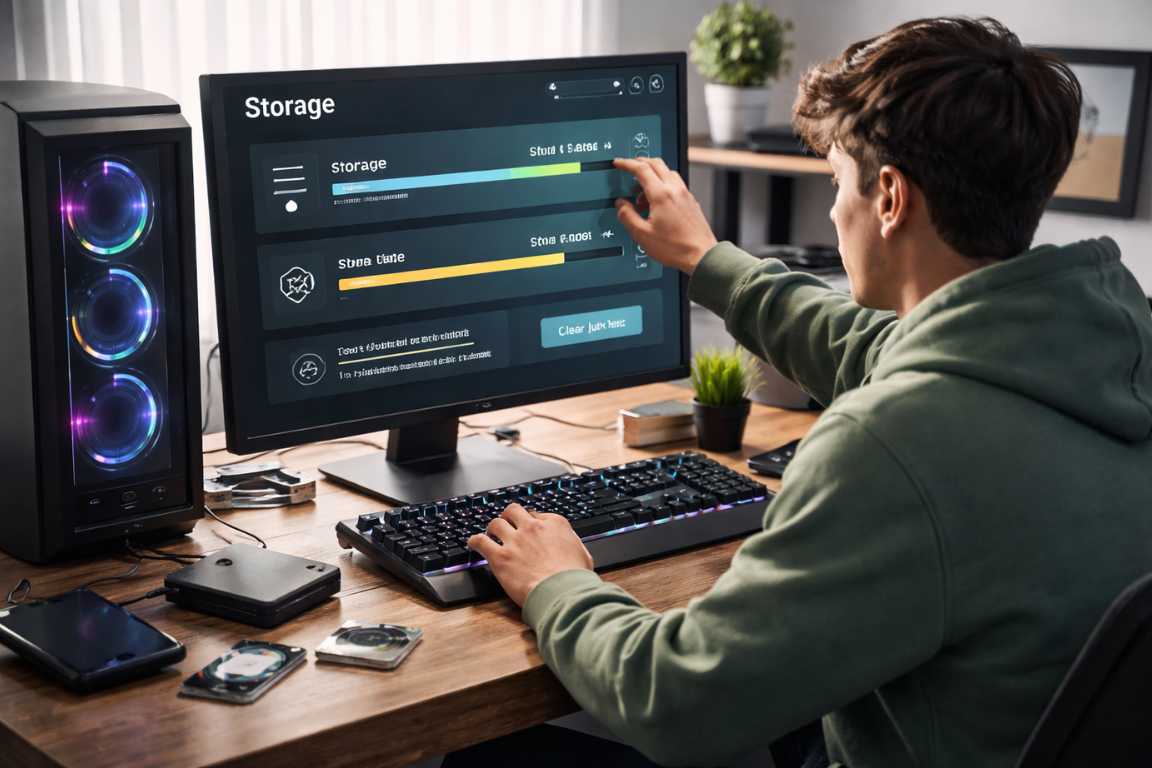
Tips to Free Storage for Low-End Games: Optimization Guide
Nothing kills the momentum of a gaming session faster than the dreaded low disk space notification appearing in the corner of your screen. While many modern low-end games are designed to be light on system resources and hardware requirements, the devices they run on often feature limited internal storage that fills up quickly with system clutter, hidden logs, and forgotten files. Reclaiming that vital capacity does not require a hardware upgrade or the purchase of a new solid-state drive; it simply requires a strategic and disciplined approach to digital housekeeping. This comprehensive guide provides actionable Tips to Free Storage for Low-End Games, offering step-by-step instructions to optimize your drive, clear redundant data, and ensure your favorite titles always have the room they need to perform at their best. For gamers using older laptops or budget desktop builds, storage management is not just about making room for new installs; it is about maintaining system health. A drive that is nearly at maximum capacity will struggle with file indexing, swap file management, and temporary data writing, all of which lead to stutters and increased load times. By following these Tips to Free Storage for Low-End Games, you are not just deleting files—you are fine-tuning your entire gaming environment for a smoother, more responsive experience. Analyzing Your Drive to Identify Storage Culprits Before you begin deleting folders at random, it is essential to understand exactly where your storage capacity has gone. Modern operating systems provide sophisticated visual tools that break down disk usage into specific categories, allowing you to target the biggest space-wasters first without accidentally removing vital system components. Check System Storage Settings The first step in any storage optimization plan is to use the native tools provided by your OS. In Windows 10 and 11, you can navigate to the Storage Settings menu by searching for “Storage” in the Start menu. This interface provides a color-coded breakdown of how much space is occupied by applications, documents, media, and system files. On macOS, users can go to “About This Mac” and then select the “Storage” tab to see a similar visualization. These tools are invaluable for identifying whether your storage issues stem from too many installed games or if your “System” or “Other” categories have ballooned out of proportion. Identify Large and Forgotten Files Many systems allow you to sort your files by size within the file explorer. Use this feature to find exceptionally large files that may be lingering on your drive. Common culprits include forgotten video recordings from past gaming sessions, old game installers (which are often no longer needed once the game is installed), and massive download archives from school or work projects that have long since been completed. By focusing on the largest files first, you can regain significant free space with minimal effort. Investigate System and Hidden Files You may notice a significant portion of your drive is labeled as System or Other. This is often a catch-all for temporary data, error logs, and cached files that the operating system uses for background processes. While some of these are necessary, many are remnants of uninstalled programs or old system updates. Addressing these specific categories through deep-cleaning tools can often yield several gigabytes of free space immediately, providing much-needed breathing room for your game library. Essential Steps to Clear Cache and Temporary Files One of the most effective Tips to Free Storage for Low-End Games is to regularly clear cache and purge temporary files. These files are created by your operating system and applications to speed up certain processes, such as loading web pages or remembering user preferences. However, over months of use, these files frequently become redundant, corrupted, or simply too large, taking up valuable room on your drive. Utilize Native Disk Cleanup Tools Both Windows and macOS offer built-in utilities designed to scrub unnecessary files from your system safely. These tools are the safest way to begin your cleaning process because they are programmed to ignore critical system files. Windows Disk Cleanup: Search for Disk Cleanup in your taskbar search box. Select your primary drive (usually C:) and let the tool scan for unnecessary files. For a much deeper clean, click on “Clean up system files.” This reveals options to delete old Windows Update files and previous installations, which can often exceed ten gigabytes in size. This is a primary method for storage optimization on Windows machines. macOS Storage Optimization: Go to the Apple menu, select About This Mac, click Storage, and then Manage. You will find recommendations such as “Store in iCloud” and “Optimize Storage.” The “Reduce Clutter” option is particularly helpful for identifying and removing large files that have not been opened in a long time, helping you maintain a high level of free space. Managing Browser Data and Web Caches Web browsers are notorious for accumulating hundreds of megabytes—sometimes gigabytes—of cached images, scripts, and cookies. While these help websites load faster during repeat visits, they can become a burden on a nearly full drive. To clear cache in your browser: Google Chrome: Navigate to Settings, then Privacy and Security, and select Clear Browsing Data. Ensure “Cached images and files” is checked. Mozilla Firefox: Go to Settings, then Privacy & Security. Under Cookies and Site Data, select Clear Data. Microsoft Edge: Navigate to Settings, then Privacy, Search, and Services. Under Clear Browsing Data, select Choose What to Clear. Cleaning Application and Game Caches Game launchers and other software maintain their own internal caches to improve performance and store temporary update data. Over time, these can grow bloated and slow down the launcher itself. Steam and Epic Games: These launchers often have internal settings to clear a download cache. In Steam, you can go to Settings, then Downloads, and click “Clear Download Cache.” This is one of the best Tips to Free Storage for Low-End Games because it can also fix games that refuse to update due to a perceived lack of space even when space is available. Proven Tips to Free Storage for

iOS Games Settings Guide: Optimize Performance & Gameplay
The modern iPhone is more than just a communication device; it is a high-performance gaming console that fits in your pocket. With the introduction of the A-series and M-series chips, Apple has narrowed the gap between mobile and desktop gaming. While Apple’s hardware provides a powerful foundation, the difference between a laggy experience and a competitive edge often lies in how you configure your software. Many players leave significant performance on the table by overlooking the depth of this iOS Games Settings Guide. This comprehensive guide will help you navigate both system-level configurations and in-game options to ensure every session is smooth, responsive, and immersive. To truly optimize gameplay, one must understand that the iOS ecosystem is designed to balance power efficiency with performance. However, for a gamer, the balance often needs to tilt heavily toward performance. By fine-tuning your iPhone settings, you can unlock higher frame rates, reduce input latency, and maintain a stable connection during intense multiplayer matches. Whether you are playing a high-fidelity RPG like Genshin Impact or a fast-paced shooter like Call of Duty: Mobile, the following strategies will ensure your hardware is working for you, not against you. Understanding Core iPhone Settings for Superior Gameplay Before adjusting settings within a specific game, you must prepare the operating system to prioritize your gaming performance. These system-wide adjustments create a stable environment that prevents the hardware from being pulled in too many directions at once. When you ignore these iPhone settings, you risk thermal throttling—a process where the phone slows down to protect its internal components from heat. Power Management: Keeping Your Game Alive Low Power Mode: While this feature is excellent for extending battery life during a long workday, it is the absolute enemy of high-performance gaming. Low Power Mode throttles the CPU and GPU, disables ProMotion (on supported models), and reduces background processes. This leads to dropped frames and stuttering. Always ensure this is disabled in Settings under the Battery menu before launching a demanding title. Battery Health and Peak Performance: High-end games generate significant heat, and heat affects battery longevity over time. Periodically check your Battery Health and Charging settings. If your maximum capacity has dropped significantly, the phone may struggle to provide the peak power required for intense gaming, leading to intentional performance dips. To optimize gameplay in the long term, avoid playing while your phone is under direct sunlight or in high-temperature environments. Optimized Battery Charging: This feature is designed to reduce battery aging by learning your daily charging habits. If you frequently play while the device is plugged in, monitor this setting to ensure the device isn’t limiting its performance based on perceived charging patterns. For the best game settings iOS experience, using a high-wattage official Apple charger ensures the phone doesn’t have to dip into battery reserves during peak GPU usage. Minimizing Distractions: Focus on the Fun Gaming Focus Mode: Nothing ruins a competitive match faster than a full-screen incoming call or a flurry of social media notifications. Use the Focus menu to create a dedicated Gaming profile. This allows you to silence all non-essential alerts and even automate the mode to turn on the moment you launch a specific game. Within this mode, you can also allow repeated calls from favorites just in case of emergencies, ensuring your iOS games settings guide implementation doesn’t cut you off from the world entirely. Notification Management: If you prefer not to use Focus modes, manually review your notification settings. Disabling banners for high-frequency apps like WhatsApp or Discord will prevent the UI from overlaying your game at critical moments. This is especially important for games that utilize the top area of the screen for maps or health bars. Advanced iOS Games Settings Guide to Performance Performance and visuals are the two pillars of a great mobile gaming experience. To get the most out of your device, you need to manage how resources are allocated across the system. This section of our iOS games settings guide focuses on the technical tweaks that provide the smoothest possible frame rates. Resource Allocation and Background Processes Background App Refresh: This process allows apps to check for updates and new content while they are not in use. For the best gaming experience, disable this in General settings. When this is active, your iPhone might decide to update a social media feed in the background while you are in a boss fight, causing a micro-stutter that could lead to defeat. Ensuring 100 percent of your system resources are dedicated to your active game is a cornerstone of how to optimize gameplay. Automatic Downloads: Ensure that the App Store is not set to download updates in the background. A large update starting mid-game can spike your latency and cause significant lag in online multiplayer matches. Furthermore, it consumes CPU cycles that should be reserved for rendering your game. Display and Brightness: While it might seem counterintuitive, your display settings affect performance. Disable True Tone and Night Shift during gaming sessions. While these features make the screen more comfortable for reading, they require real-time color processing that can marginally impact the GPU’s overhead and, more importantly, can distort the visual clarity and color accuracy of the game’s intended art style. Deep Dive into In-Game Settings: Unlocking Your Game’s Potential Once your iPhone is configured at the system level, the next step is to look at the internal game settings iOS options provided within the titles themselves. Modern mobile titles often provide a level of customization similar to PC gaming, allowing you to find the “sweet spot” for your specific iPhone model. Graphics: Striking the Visual Balance Frame Rate (FPS): In almost every scenario, you should prioritize frame rate over visual quality. A higher FPS, such as 60 or 120 on ProMotion-enabled devices (iPhone 13 Pro and newer), makes the game feel more responsive and reduces input lag. If a game offers a 60 FPS mode, enable it immediately. The fluidity of motion is much more beneficial for iPhone settings

Offline Survival Games Guide: Mastering the Wilderness
There is a distinct, visceral tension that comes with being the sole survivor in a digital wilderness. Embarking on a journey into the realm of this Offline Survival Games Guide offers an unparalleled blend of challenge, exploration, and creative freedom. Free from the tether of a constant internet connection, these titles provide a focused escape, allowing players to immerse themselves in gritty, resource-driven worlds at their own pace. Whether you are navigating a frozen wasteland, a lush tropical island, or a haunted forest, the principles of survival remain constant. This guide is designed to equip both newcomers and seasoned veterans with the knowledge and strategies needed to thrive, from understanding core mechanics to discovering the hidden depths of the genre. By following this beginner guide, you will transform from a vulnerable wanderer into a master of your environment. Understanding the Appeal of Survival Offline Games Offline survival games possess a unique atmosphere that sets them apart from multiplayer alternatives. Solitude often enhances the sense of isolation and urgency, making every decision and every resource gathered feel intensely personal. There is a profound satisfaction in overcoming dire circumstances through wit and perseverance while completely disconnected from the outside world. In a multiplayer setting, the threat often comes from other players; however, in survival offline games, the environment itself is your primary antagonist. The weather, the wildlife, and the scarcity of food become characters in their own right, demanding your full attention and respect. Key benefits of the offline experience include: Uninterrupted Play: Enjoy gaming anywhere and anytime without the frustration of network lag, server maintenance, or unexpected disconnections. This is particularly valuable for players with unstable connections or those who travel frequently. Focused Experience: Concentrate entirely on the world and its challenges without the distractions or toxicity sometimes found in online communities. You are the protagonist of your own story, and the world evolves based solely on your actions. Strategic Depth: Many titles offer intricate crafting systems, base building, and resource management that reward careful, long-term planning. Without the pressure of other players raiding your base while you are offline, you can spend hours perfecting your architectural designs and logistical pipelines. Varied Environments: From post-apocalyptic urban landscapes to desolate tropical islands and alien planets, the settings are as diverse as the dangers they harbor. The visual storytelling in these games is often more poignant when experienced in isolation. Strategic Foundations: Your Offline Survival Games Guide To succeed in the world of survival offline games, one must adopt a specific mindset. It is not merely about quick reflexes; it is about foresight. You must constantly look ahead to the next hour, the next day, and the next season. The core loop of these games usually involves four pillars: exploration, gathering, crafting, and building. Understanding how these pillars support one another is the first step toward mastery. Exploration allows you to find new resources and potential base locations, but it exposes you to danger. Gathering provides the raw materials, but it consumes your most precious resource: time. Crafting turns those raw materials into tools that make gathering more efficient, and building provides the safety needed to process your loot and recover your strength. This Offline Survival Games Guide emphasizes the importance of balancing these activities. If you spend too much time building without exploring, you will run out of high-tier materials. If you explore too far without a proper base, a single mistake can lead to a devastating loss of progress. Getting Started: A Beginner Guide to Offline Survival For those new to the genre, the initial hours in a survival game can feel overwhelming. Resource scarcity, environmental hazards, and hostile entities often create a steep learning curve. However, by mastering a few fundamental strategies and following this tips-heavy beginner guide, you can quickly move from merely clinging to life to dominating your environment. The “First Day” phenomenon is real; how you spend your first thirty minutes usually dictates your success for the next ten hours. Initial Steps for New Players Your first few days are the most critical. Focus on establishing a secure foothold before venturing too far into the unknown. Prioritize your immediate needs and physical safety above all else. Do not be lured by distant landmarks until you have the basic necessities secured. 1. Gather Essential Resources: Immediately collect basic materials like wood, stone, and plant fibers. These are the fundamental building blocks for your first tools and your first home. In most games, you can find these lying on the ground or by punching trees and rocks (though crafting a tool to do this is much more efficient). Tips for beginners: always carry a small surplus of these basics, as you never know when you might need to craft an emergency torch or a temporary bandage. 2. Secure a Water Source: Hydration is your most urgent requirement. In many survival titles, dehydration will kill you faster than hunger. Find clean water quickly or prioritize learning how to craft a purification system. Beware of drinking directly from stagnant ponds or salt water, as this often leads to illness, which further drains your hydration and health bars. This beginner guide recommends settling near a freshwater lake or river during your first week. 3. Source Food: Hunting, fishing, or foraging for edible plants will prevent starvation. Pay close attention to which items are safe to consume and which require cooking. Berries are a great early-game snack, but they provide little energy. Meat from small animals is better but must be cooked over a fire to avoid parasites. Understanding the nutritional value of different food items is a key component of any Offline Survival Games Guide. 4. Craft Basic Tools: A pickaxe, an axe, and a simple defensive weapon should be your first priority. These items drastically increase your efficiency and safety. A stone axe allows you to gather wood faster than using your bare hands, and a wooden club or spear gives you a fighting chance against low-level predators. Efficiency is

Offline Games Customization Tips: A Guide to Personalization
While online multiplayer titles often dominate the cultural conversation, offline games provide a unique, private canvas for deep personalization. When looking for effective Offline Games Customization Tips, it is important to understand that the transition from a standard playthrough to a truly curated experience begins when you realize that every element of the game—from visual fidelity to mechanical responsiveness—is within your control. This guide explores the essential techniques for tailoring your offline gaming world, ensuring every session is optimized for your specific preferences and hardware. By learning to personalize your environment, you move from being a passive consumer to an active architect of your digital entertainment. The Benefits of Personalization and Customization Customization is not merely a cosmetic endeavor; it is a fundamental method for enhancing immersion and performance. A finely tuned game reduces technical friction and allows the narrative and mechanics to take center stage. Whether you are a casual player seeking a comfortable evening or a dedicated enthusiast pushing your hardware to its limits, mastering these settings is invaluable. When you take the time to adjust offline game settings, you are essentially removing the barriers between your intent and the game’s execution. Enhanced Immersion: Strategic adjustments to visual and audio cues can draw you deeper into the environment. When the world reacts to your specific visual preferences, the suspension of disbelief becomes much easier to maintain. Optimized Performance: Balancing graphical settings ensures fluid gameplay and consistent frame rates. This is especially vital in offline titles where stuttering can break the flow of a carefully crafted narrative. Ergonomic Comfort: Tailoring controls and interface elements reduces physical strain during extended sessions. Comfort is the foundation of long-term engagement. Expanded Content: Utilizing community-made mods can introduce entirely new challenges, storylines, and assets that keep a game fresh years after its initial release. Optimizing In-Game Settings for Maximum Impact The first step in any personalization journey is exploring the internal options menu. These built-in tools are designed by the developers to offer a baseline of flexibility. However, many players overlook the depth available within these menus. To truly personalize your experience, you must go beyond the “Low, Medium, High” presets. Graphics and Display Settings Visual clarity is the cornerstone of the experience. Finding the equilibrium between aesthetic quality and system stability is key. Here is a breakdown of how to handle the most common graphical offline game settings: Resolution and Scaling: For maximum sharpness, always select your monitor’s native resolution. If performance lags, consider upscaling technologies like DLSS or FSR before lowering the base resolution. These technologies allow the game to render at a lower internal resolution while using AI or spatial filters to maintain a high-quality output. Texture Quality and Anisotropic Filtering: High-quality textures provide detail to surfaces. If your graphics card has sufficient video memory (VRAM), this should be a priority as it has a massive impact on visuals with a relatively low impact on frame rates. Anisotropic Filtering (AF) ensures that textures remain sharp when viewed at an angle, such as a long stone road stretching into the distance. Shadows and Lighting: These are often the most resource-intensive settings. Shadows provide depth, but high-resolution shadows can cripple a mid-range PC. Lowering shadow resolution or disabling “soft shadows” can provide a significant performance boost without ruining the atmosphere. Similarly, “Global Illumination” and “Ambient Occlusion” (like SSAO or HBAO+) add realistic shadows to crevices, significantly increasing the visual “weight” of objects. Field of View (FOV): Especially in first-person perspectives, a wider FOV increases situational awareness, though excessive widths may cause a “fish-eye” distortion. Many players find that a FOV between 90 and 105 degrees provides the best balance between peripheral vision and spatial accuracy. V-Sync and Input Lag: Vertical Synchronization (V-Sync) eliminates screen tearing by syncing the game’s frame rate to your monitor’s refresh rate. However, this can introduce a slight delay in responsiveness known as input lag. If you have a G-Sync or FreeSync monitor, you should typically disable V-Sync in the game menu and let the hardware handle the synchronization for a smoother, more responsive experience. Audio Personalization Sound provides the emotional backbone of a game. Proper audio balancing ensures that critical cues are never lost in the mix. In offline titles, audio is often used for environmental storytelling, and missing a faint whisper or a distant footstep can mean missing a narrative beat. Balanced Audio Channels: Adjust the ratios between music, sound effects, and dialogue to suit your hearing and the specific needs of the genre. In a dialogue-heavy RPG, you may want to boost voice clarity. In an atmospheric horror game, you might lower the music to emphasize creepy environmental sounds. Spatial Audio and 3D Sound: If you utilize headphones, look for virtual surround sound or 3D audio settings. Technologies like Windows Sonic or Dolby Atmos for Headphones can significantly improve your sense of direction within the game world, allowing you to pinpoint exactly where a sound is coming from in a 3D space. Control Remapping and Sensitivity The connection between the player and the screen is defined by the input device. Default layouts are rarely one-size-fits-all, and one of the best Offline Games Customization Tips is to spend time refining your physical interaction with the game. Custom Keybindings: Assign actions to the buttons that feel most intuitive. If a game requires frequent dodging, move that action to a mouse side button or a more accessible key like Space or Shift. This reduces the cognitive load during high-intensity moments. Sensitivity Tuning: Spend time in a safe area of the game to find a mouse or thumbstick sensitivity that allows for precise aiming and smooth movement. A common mistake is using a sensitivity that is too high, leading to over-correction. Lowering sensitivity often improves accuracy in the long run. Toggle vs. Hold: Choose whether actions like sprinting, aiming, or crouching require a single press or a continuous hold. This is largely a matter of personal preference and physical comfort, but making the right choice can prevent hand

Offline Games Beginner Mistakes: A Full Mastery Guide
There is a unique magic in the world of offline gaming. Without the constant distractions of online leaderboards, toxic matchmaking queues, or the pressure of real-time competition, players can truly lose themselves in rich narratives and meticulously crafted worlds. However, for those new to the medium, the transition from a casual observer to an active participant often comes with a steep learning curve. Many promising adventures are cut short not by a lack of inherent skill, but by simple oversights and common offline games beginner mistakes that lead to unnecessary frustration and burnout. Understanding how to navigate these early hurdles is the key to transforming a confusing, difficult experience into a rewarding and immersive journey. This comprehensive guide identifies the most frequent pitfalls and provides actionable strategies to help you master the art of the single-player experience. Entering a new digital world can be overwhelming. Whether you are stepping into a sprawling open-world RPG, a tight linear action game, or a complex strategy simulation, the rules of engagement are often vastly different from multiplayer environments. In this environment, you are the sole protagonist, and the game world reacts specifically to your choices. By learning about the mistakes beginners make, you can bypass the “trial by fire” phase and get straight to the enjoyment. This article serves as a roadmap for your growth, offering essential tips for new players who want to respect their time and maximize their fun. Avoiding Offline Games Beginner Mistakes in the Early Stages The allure of immediate action often leads players to bypass the very tools designed to help them succeed. This is perhaps the most frequent of all offline games beginner mistakes. While it is incredibly tempting to dive straight into the heart of a story or the heat of battle, every game operates on a unique internal logic that must be respected. Ignoring the foundation of a game is a recipe for struggle in later stages when the difficulty inevitably spikes. Skipping Tutorials and Introductory Sequences Many modern games feature introductory segments or “prologues” that explain core concepts, control schemes, and essential strategies. Treating these as a chore rather than a vital resource often leaves players underprepared for the first real challenge. These tutorials are not just about which button makes you jump; they often introduce “soft” mechanics, such as how stealth works, how to manage stamina, or how the environment can be used to your advantage. Consider these segments a vital investment in your future success. If you skip them, you might find yourself ten hours deep into a game before realizing you had a specific ability that would have made every previous encounter significantly easier. Ignoring In-Game Information and Dialogue Developers frequently use pop-up messages, character dialogue, and journal entries to provide subtle clues or lore. Rapidly clicking through these updates can result in missed objectives or a total lack of understanding regarding how the world functions. This is one of the classic mistakes beginners make in narrative-driven titles. Sometimes, a character will mention a specific weakness of a boss in a passing comment; if you are not paying attention, that boss fight will become ten times harder than intended. Patience in reading and listening is often rewarded with a much smoother, more intuitive gameplay experience. Not Learning Control Schemes Early On Even within the same genre, subtle differences in control layouts can significantly impact performance. Taking a moment to review the settings or practice movements in a safe area prevents costly errors during critical combat or platforming sequences. For instance, the timing of a “parry” or a “dodge roll” varies wildly between different action games. One of the best tips for new players is to spend five minutes in the options menu remapping keys to your preference or simply memorizing the layout before the stakes get high. Neglecting Character Builds and Skill Trees In role-playing games (RPGs) and many modern action titles with progression systems, how you develop your character is paramount. A common error involves allocating skill points or choosing perks without a long-term strategy, resulting in a character that lacks focus and power. This can lead to a “soft lock” where your character is too weak to progress past a certain point. Randomly Assigning Skill Points It is easy to choose upgrades based on what seems appealing in the moment. However, a strong character usually requires specialization. For example, a warrior generally needs strength and constitution, while a mage requires intelligence and mana. Spreading points too thinly across unrelated attributes—trying to be a master of magic, archery, and heavy weapons all at once—often leads to a character that is a “jack of all trades but a master of none.” In the mid-to-late game, this lack of specialization becomes a major liability. Failing to Plan Ahead for Late-Game Abilities Before committing to permanent choices, take a moment to look ahead in the skill tree to see what future abilities you might want. Some games do not allow you to “respec” or reset your choices, making your initial decisions permanent. If you want a specific ultimate ability at level 30, you may need to invest in seemingly boring prerequisite skills at level 5. Planning your path is one of the most effective tips for new players looking to build a powerful avatar. Ignoring Skill Synergy Many abilities are designed to complement one another. Overlooking how different skills interact can result in a character that feels underpowered compared to one with a well-coordinated set of abilities. For example, a skill that increases fire damage should be paired with a skill that increases the chance to set enemies on fire. Recognizing these synergies is what separates a novice from a master of the game’s mechanics. Poor Resource Management: A Costly Oversight Resources such as health items, ammunition, and crafting materials are the lifeblood of many offline games. Mismanaging these assets can leave you stranded in difficult areas, potentially forcing you to restart long sections of the game or reload a very old